User Manual - 28/32
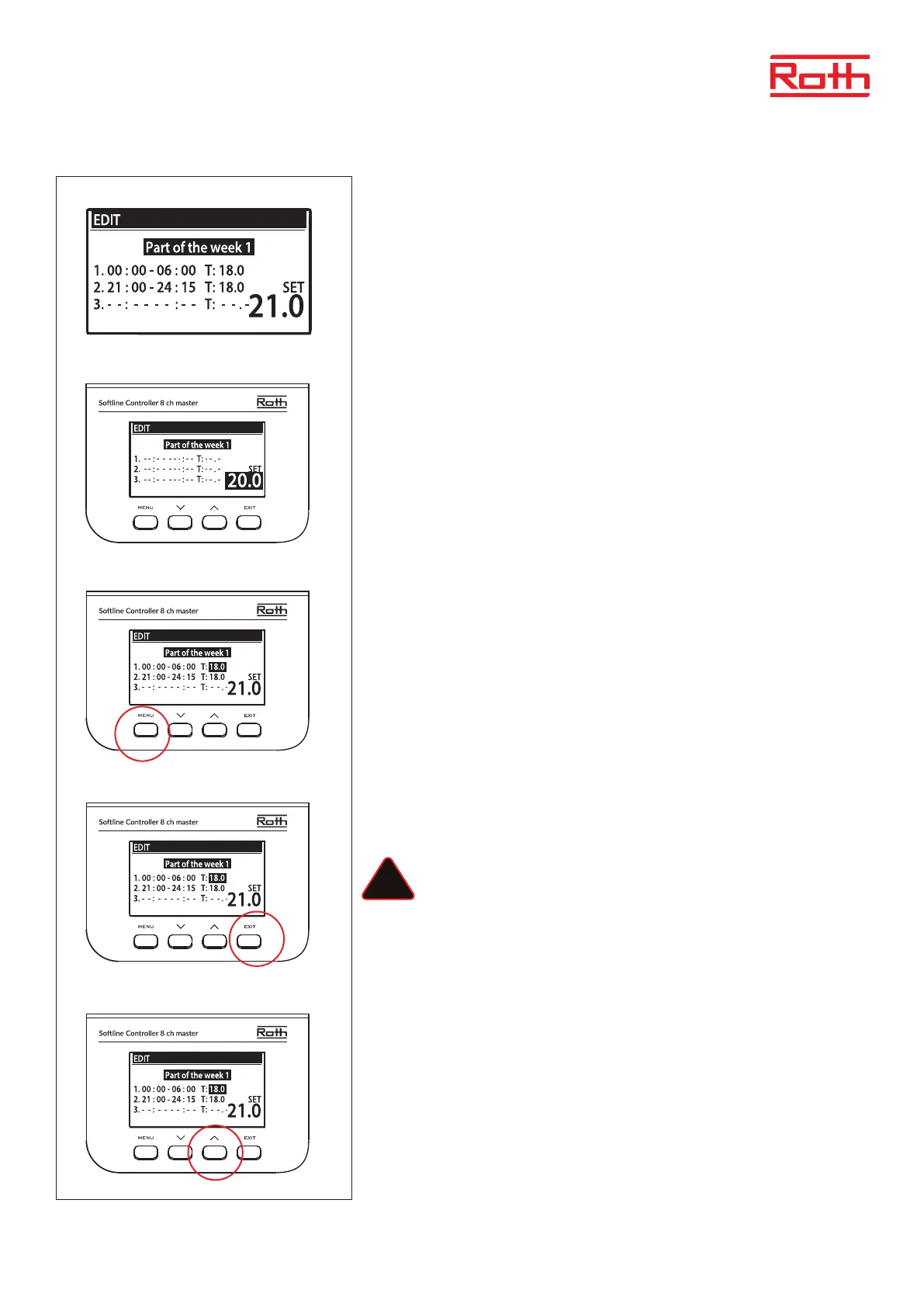
The pre-dened schedule (Local schedule 1) will do the following:
> Between 00:00 – 06:00 o’clock the temperature is set to 18 degrees.
> Between 06:00 – 21:00 o’clock the temperature is set to 21 degrees (default SET).
> Between 21:00 – 24:00 o’clock the temperature is set to 18 degrees.
Press MENU bottom to start editing the schedule. Press button UP/DOWN to change SET
temperature and conrm with MENU button. This is the default room temperature that the
system will return to outside the scheduled hours.
Set the start time for the rst time period using the button UP/DOWN.
Conrm with MENU button.
Set the temperature (T) for the time period using the button UP/DOWN. Conrm with
MENU button.
A new time period will automatically be created when conrming with MENU button.
To erase a newly created time period press button DOWN.
Press EXIT button to nished editing.
Pressing MENU bottom at this point will clear the entered schedule settings.
The text “Part of the week 1” will start ashing.
Press button UP to show “Part of the week 2”.
The below example describes how the schedule program is dened in time periods (1,2,3) with dierent set temperatures.
!



 To Next Page