User Manual - 4/32
II. FIRST STARTUP
Follow these steps when starting the device for the rst time to ensure its failure-free operation:
Step 1. Connect Roth Soline Controller – master, with all the devices to be controlled
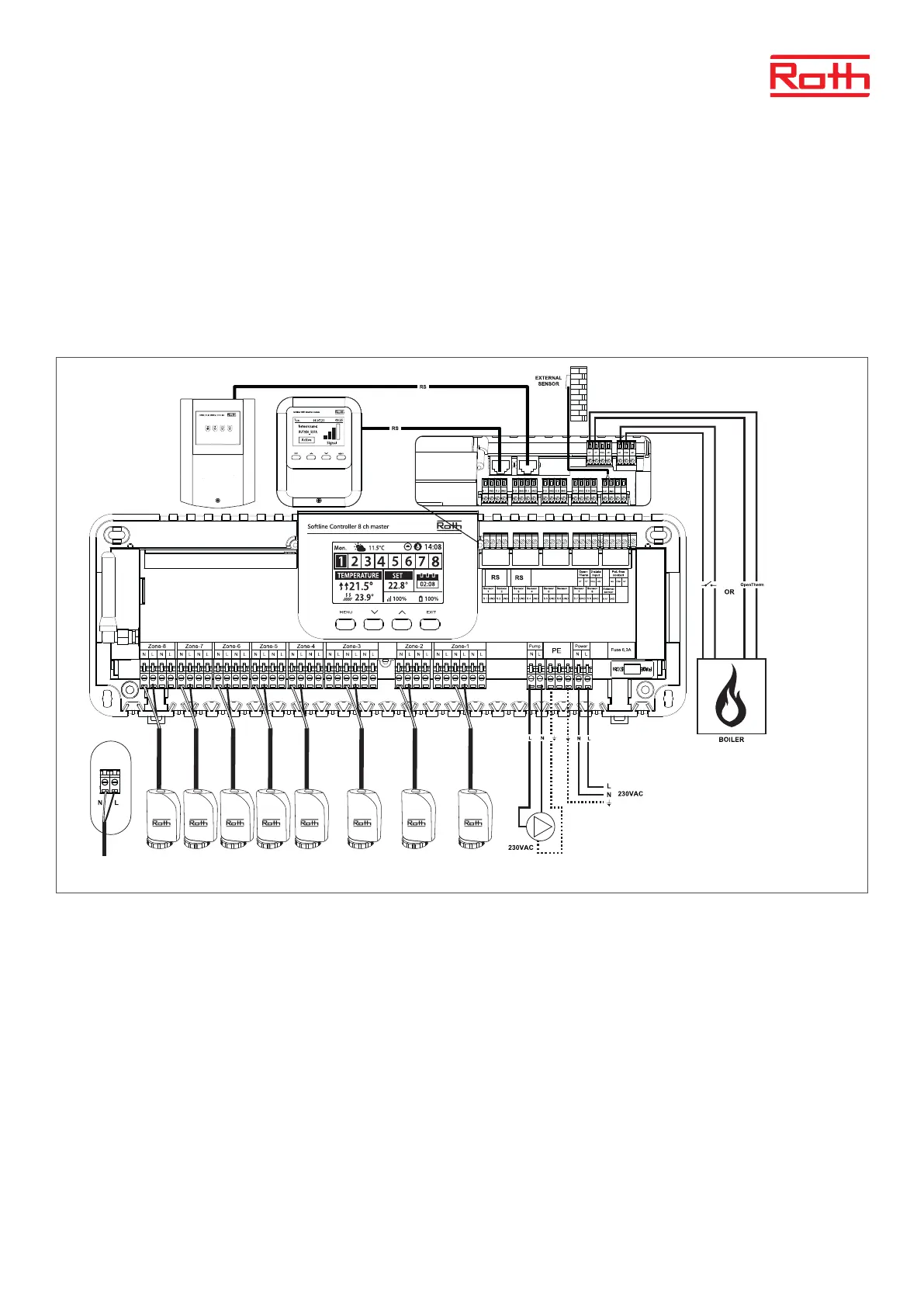
In order to connect the cables, remove the controller cover and connect the cables as indicated on connector labels and diagrams below:
› All the necessary actuators (connectors 1-8)
› Pump
› An additional device (heat device, WiFi Internet module, Valve module etc.)
Diagram presenting wiring and communication with other devices in the system.
If you need to have a system with more than 8 channels you can connect the master Controller with up to 4 extension Controllers. Please see the
manual for the extension Controller for this operation.



 To Next Page