User Manual - 27/32
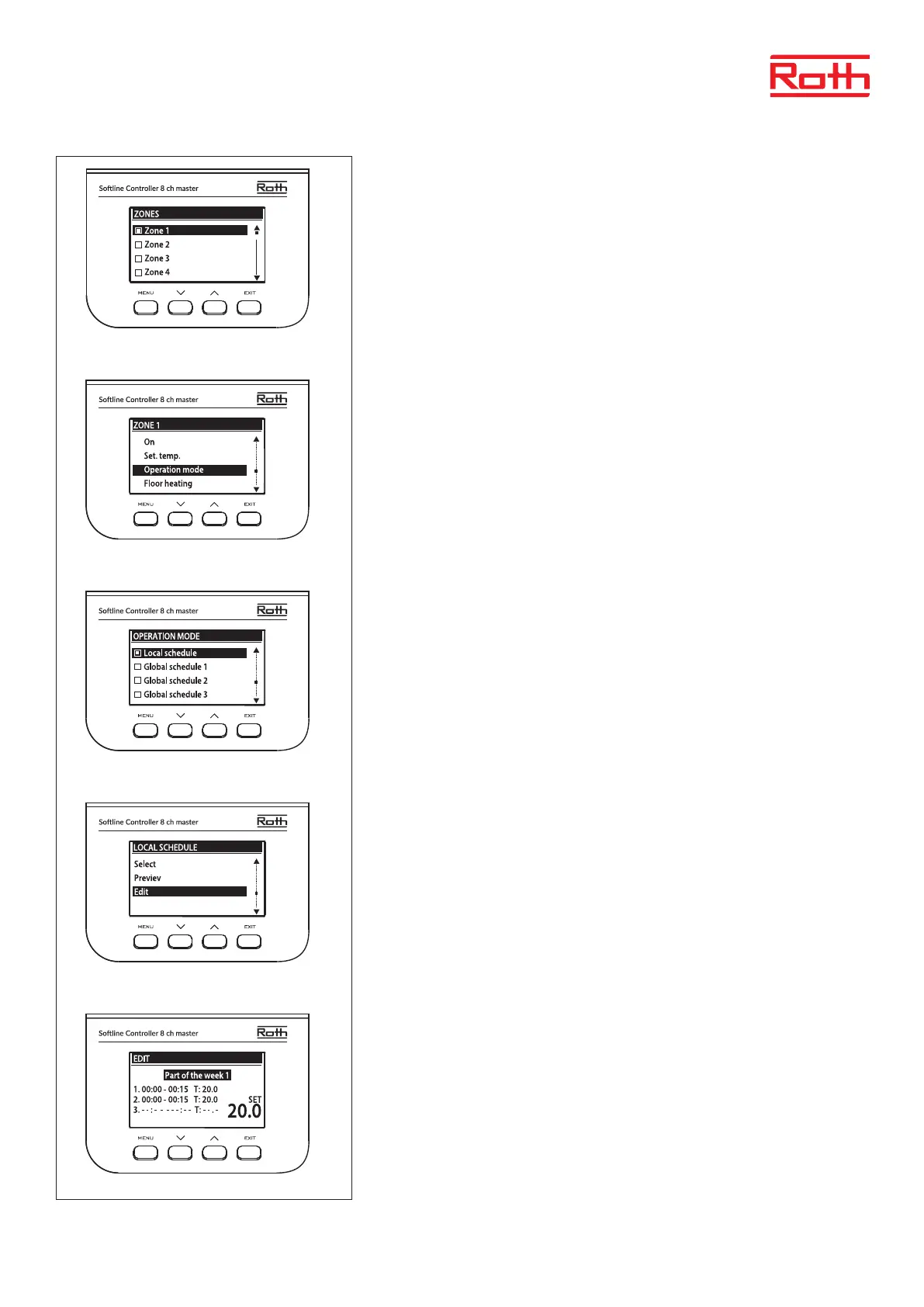
Use button UP/DOWN and Press MENU to enter the zone to be scheduled.
Use UP/DOWN and Press MENU to open “Operation mode”.
Press MENU button to select “Local schdule” to edit schedule for the single zone, or select
“Global schedule” to edit schedule for all zones.
Use button UP/DOWN and Press MENU to “Edit” schedule.
The text “Part of the week 1” will be ashing. Press MENU to start editing the schedule.



 To Next Page