© Rototilt Group AB 2018-03-16
Forward
Backward Conrm
English
EN
Troubleshooting
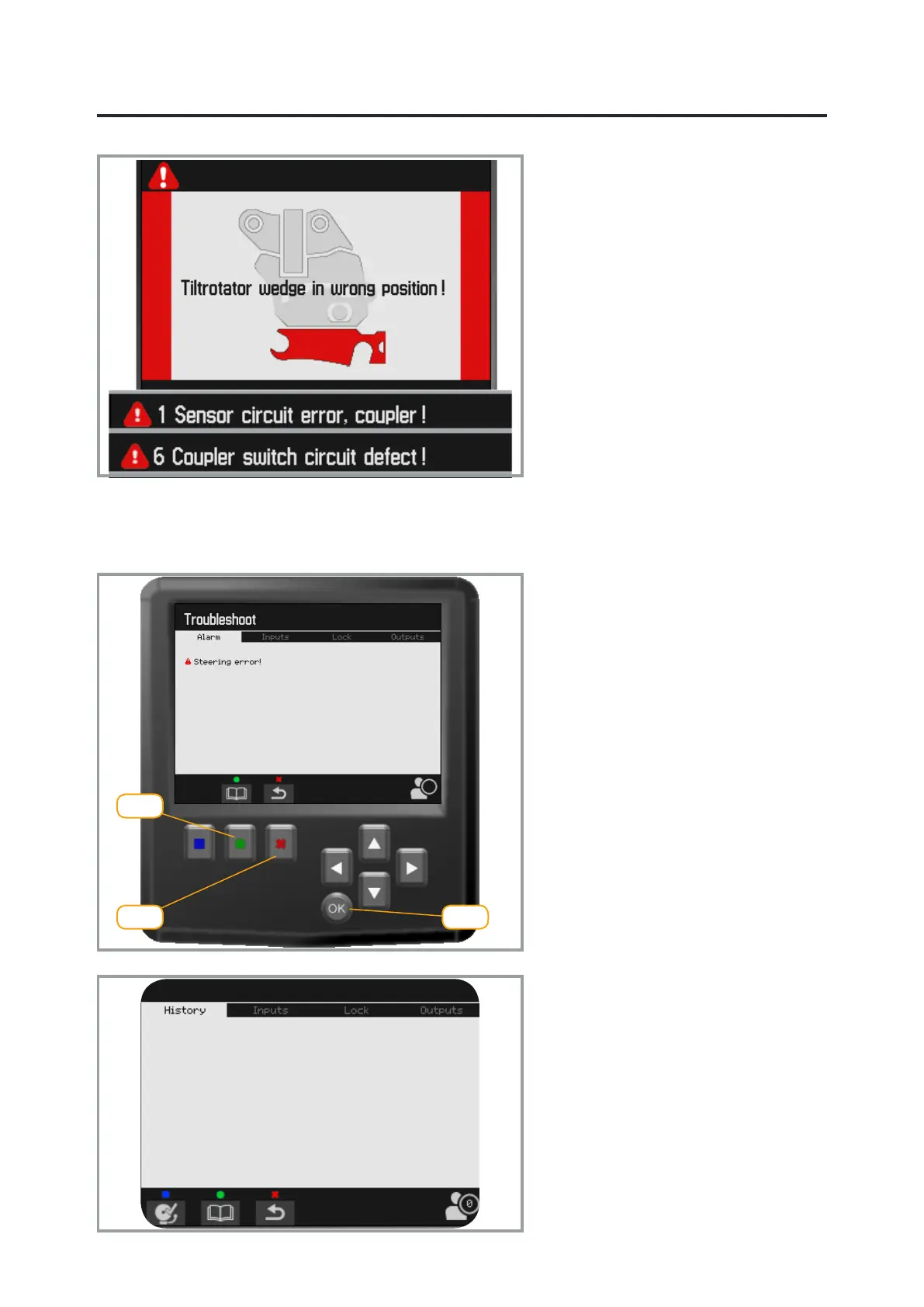
The menu has three levels: Current
alarm, Historical alarm and Alarm log.
Press the middle function button (green)
to move through the levels. Use the right
function button (red) to go back.
Detailed information:
Select current alarm
Conrm with OK.
The information is displayed in display.
Troubleshooting ICS
Historical alarms
Previous alarms can be read on the
historical alarms submenu. The operator
can delete this list. Press the left function
key (blue) to delete.
Alarm log
All alarms are also saved in a log.
This entries cannot be deleted.
Active alarms
Can be shown on the display either
with a complete picture or as text on the
upper bar.
The numbering of alarms on the upper
bar is the same regardless of language.
Go to the Troubleshooting menu for
detailed information.


 To Next Page