© Rototilt Group AB 2018-03-16 English
EN
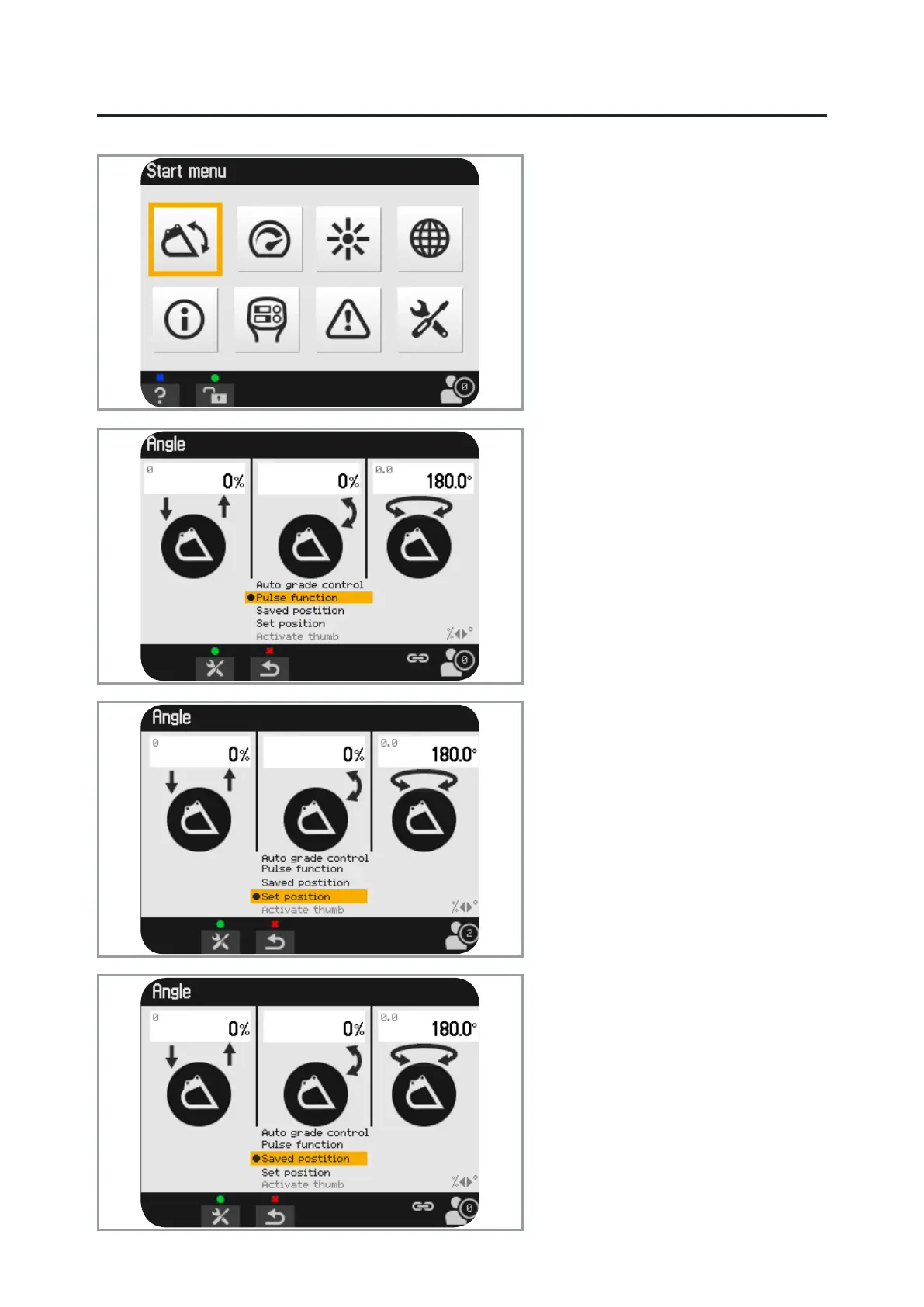
Angles
Information about rotation* and tilt
angles is found via the menu and special
functions can also be chosen here.
Pulse function
The shake function is active when
starting the system except in those cases
when the hydraulic thumb is activated.
Shake the bucket by pressing and
holding switch 1, left handle depressed,
and at the same time, pulling roller B with
the tilt function (default: roller B, right
handle).
Set position*
Select the set position and press OK to
save the current rotor and tilt positions in
the memory for the next time the system
is started.
Saved position*
Select saved position and press OK.
When switch 1, left handle is activated
the rotor and tilt functions move to the
saved, predened positions.
The function is only active in this view.
*Does not apply to ICS Basic.


 To Next Page