© Rototilt Group AB 2018-04-05
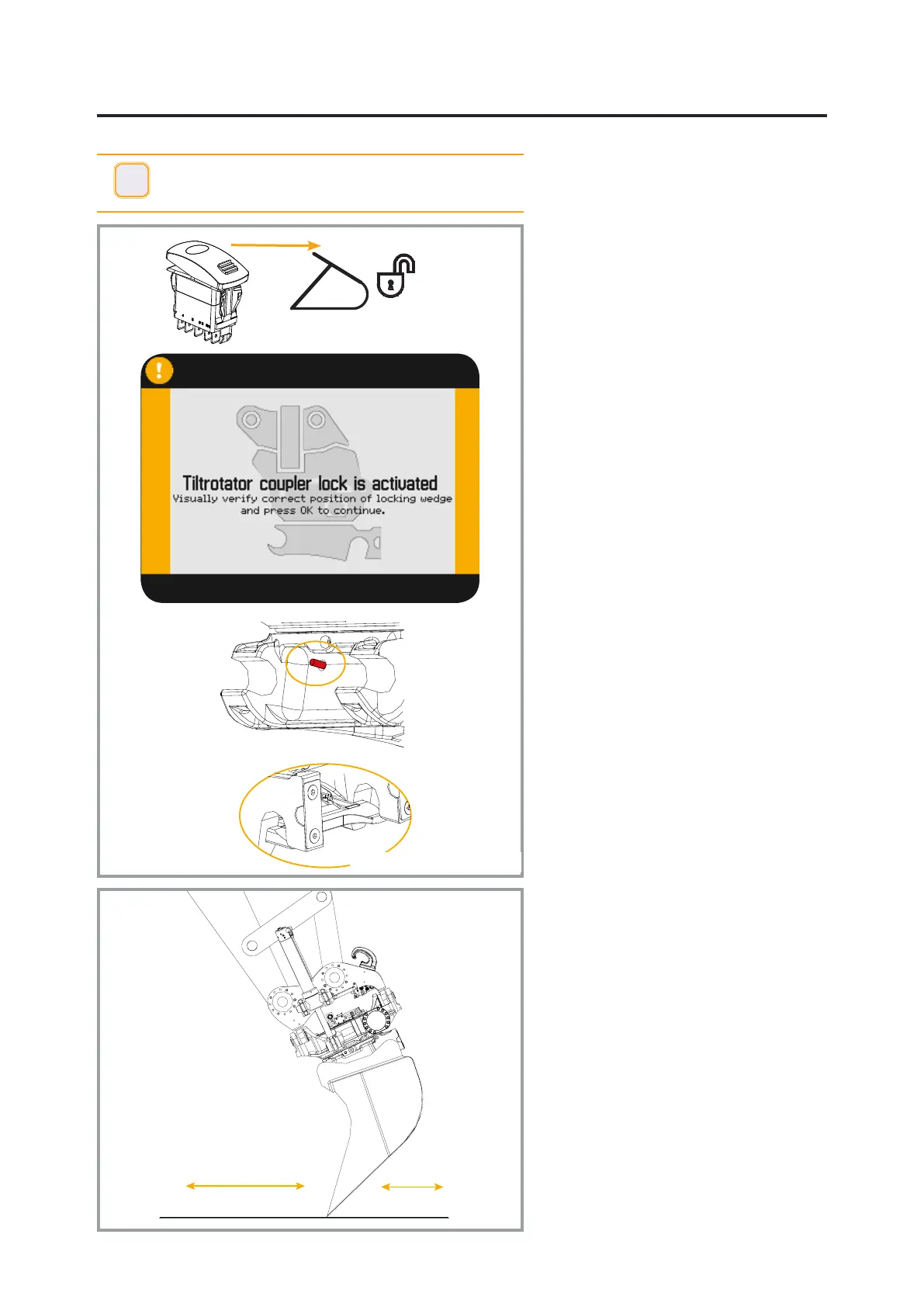
Indicator Rod - Closed
Locking Wedge - Closed
EN
English
Attach the tool
Open the quick coupler and check that
the indication shows that the attachment
is open.
Refer to the quick coupler section.
Position the quick coupler so that its
attachment is correctly aligned with the
tool’s attachment frame.
Now slowly pivot the tool by extending
the bucket cylinder.
Adjust with small stick or boom
movements if necessary.
Reset the switch for quick coupler locking
function.
The quick coupler’s locking cylinder
returns to its closed position. The
indication on the display conrms that the
switch is in the locked position.
The indicator on the quick coupler shows
that the quick coupler locking function is
in the locked position.
Inspect the quick coupler locking function
i
INFO - If the quick coupler locking function is in the
closed position when the tool is attached, the switch must
be switched on, off and on again.
Inspection of the quick coupler
locking function
Even if the indication shows that the
locking wedge has engaged in the locked
position, perform the following test to
check that the tool is securely attached:
Push the tool forwards towards the
ground; see the gure to the left.
Operate the bucket in this position, inwards
and outwards, to check that the locking
wedge has correctly locked the tool.
Rotate the quick coupler and check from
the operator position that the locking
wedge/locking pistons have engaged.
In the event of uncertainty, exit the
machine and conduct a visual check.


 To Next Page