© Rototilt Group AB 2018-03-16
1
3
2
English
EN
i
TIP -
A prole can apply to a tool instead of a user.
!
IMPORTANT - It is only possible to open the lock either
when the start menu is visible or from the troubleshooting
menu.
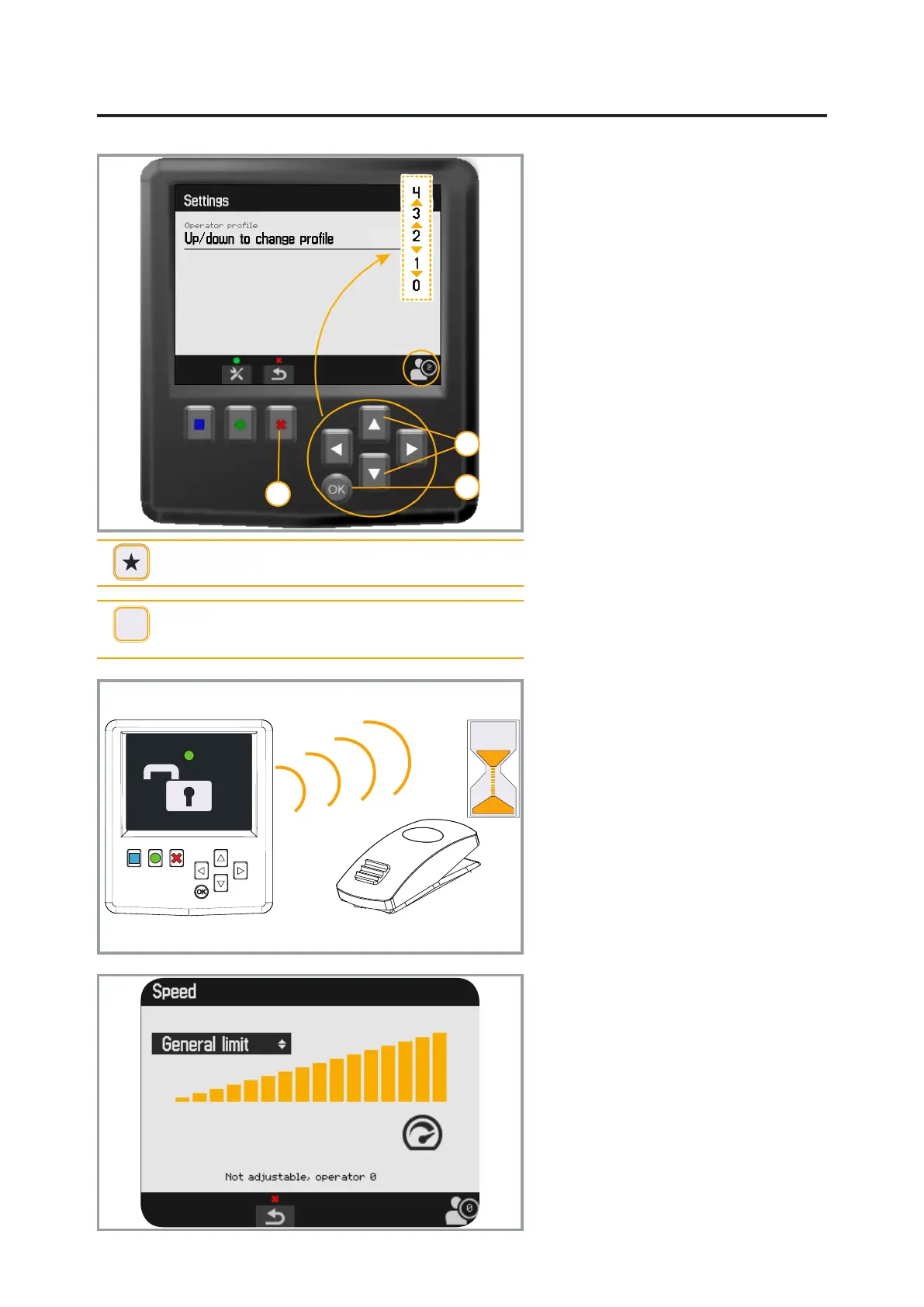
Operator settings
Profile
The bottom bar shows the active prole.
The prole can be changed either directly
when starting using the arrow keys or via
menu settings.
Mark the settings in the start menu,
conrm with OK.
1. Specied values for the prole are
changed using the arrow keys.
2. The selection is conrmed with OK.
3. Return to the start menu with the
right function key (red).
The settings that can be saved in a
prole are speed, roller direction and
position of tilt or rotation. Make the
settings under each menu and save to
the active operator prole. Proles 1-4
are available to users of the machine/
excavator.
Quick coupler
The icon for the quick coupler is shown
in the lower list on the menus Start and
Trouble shooting.
In order to open the quick coupler, the
green function key must rst be pressed
and the released.
The buzzer sounds and the lock
switch can then be regulated during a
10-second period.
Speed
Both the general speed, and the speed
of specic functions are adjusted via the
menu.
Navigate between the functions using the
vertical arrow keys.
Adjust the values of each function using
the horizontal arrow keys. Conrm the
settings with OK
General speed cannot be adjusted in
prole 0.


 To Next Page