Page 19 of 52
Further details on the functionality of the keys can be seen on the table below:
Answer call (short press)
Swap between calls (short press)
Swap between lines (double press)
Hold/Retrieve call (short press)
Hold active call and accept incoming call (long press)
Return to the parent menu of the current submenu
Leave the settings men
Open the settings menu
Select an item in the settings menu
Scroll to the next item in the settings menu
Scroll to the previous item in the settings menu
Adjust earphone volume
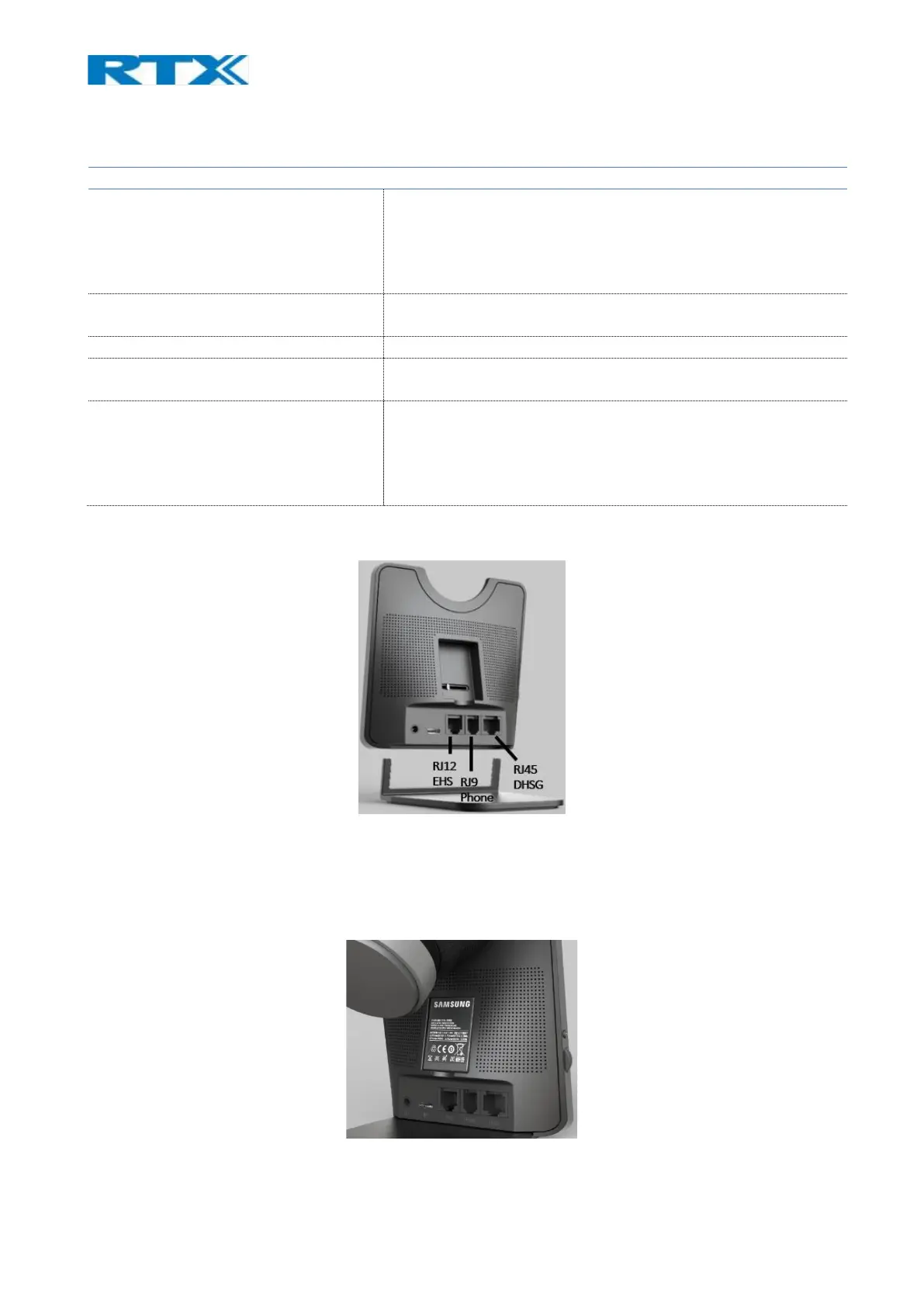
The base station provides both EHS and DHSG connectivity on the back side of the unit. For further details on the
EHS/DHSG see 9.2 and Chapter 15: Appendix C.
Fig.12 RTX745x back view
5.2 Spare battery charging
The base also includes a separate charger for a spare battery. The battery is placed on the back of the base,
as shown below (Fig.13).
Fig.13 Spare battery charging.



 To Next Page