Page 26 of 52
9 RTX745x user interface
As mentioned in 5. RTX745x base station overview, the RTX745x base supports a 2.4-inch 240x320 TFT
display which has a user-friendly interface (UI). The UI is designed to be operated at an arms distance,
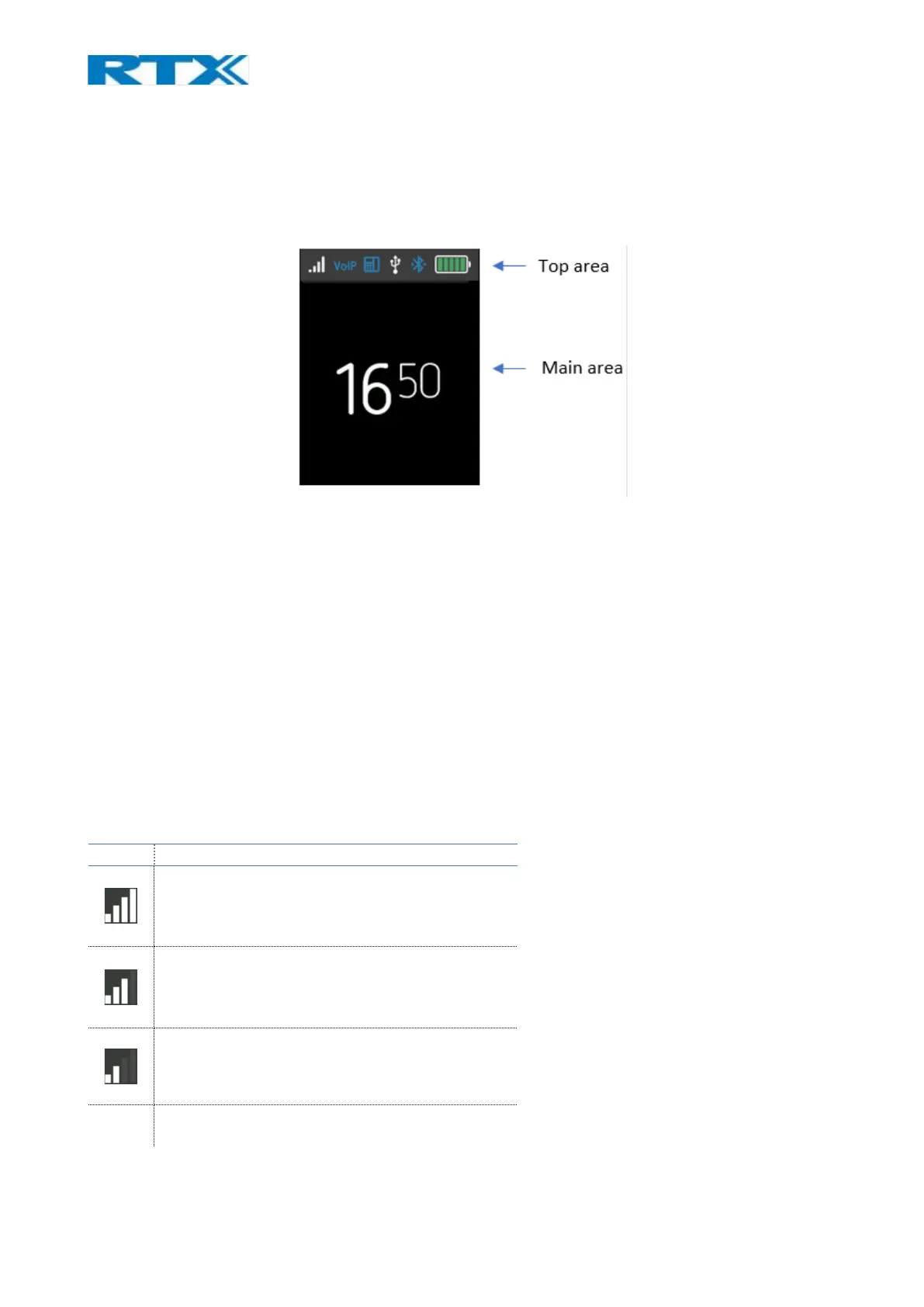
meaning that the status bar is large and visible (Fig.17).
Fig.17 Status bar
The idle screen is represented by 2 UI panels (Fig.17). The first, referred to as Top area, contains a status bar
panel which displays icons, such as signal level, battery status, etc. The second area, referred to as the Main
area, lists items, such as current time, Music control and other available icons. Both idle screens/areas are
further described in the following sections.
9.1 Top area items
The icons are placed at the top area in the status bar panel. The following sections aim to introduce you to
the available icons present in this area.
9.1.1 Signal level
The "Signal level" icon displays the primary headset’s connection status. The status may vary depending on
the signal strength (see the table below).



 To Next Page