Page 36 of 52
9.13 Line swapping
In the case of two calls being established in two different lines, one of them is being the active call in the
active line. To make the line swapping simpler, active line is swapped automatically depending on call
activities change. It can be one of the following scenarios:
• User makes an outgoing call by softphone or desktop phone.
• User retrieves USB held call by softphone.
• User swaps USB call by softphone.
• User accepts an incoming call.
• Call from first active line is ended and other call exists in second inactive line.
The user can also swap the line from the base manually by double clicking the hook-off key or by selecting
the line via the UI. When a line is swapped successfully, between two different lines, a visible indication is
shown on the base.
9.14 Microphone muting
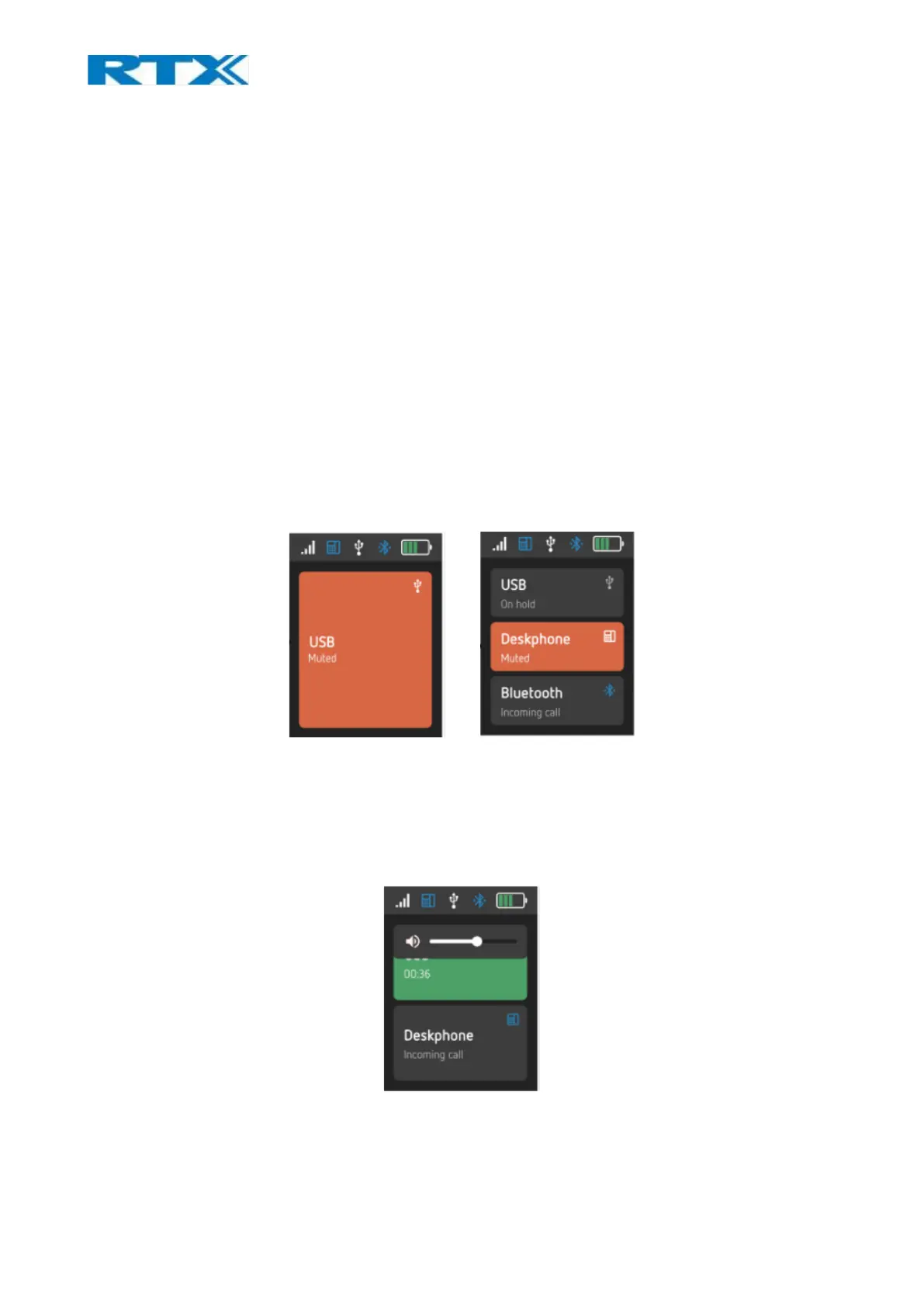
Microphone muting control is separated into two muting statuses (Fig.25). Each line has its own microphone
muting control. When the line is switched, the related microphone muting control will also be switched.
Fig.31 Single vs multi line
9.15 Volume control
Similar to the microphone, the volume control is also divided into two sets of volume (Fig.26). This means
that each line has its own volume control. When the line is switched, the related volume control will also be
switched.
Fig.32 Volume control during a call



 To Next Page