The IPEI of the headset base. In general, this must not be
changed manually. If IPEI is left at FFFFFFFFFF, any headset
base can register at this index. Else, only the headset base
with the specified IPEI number can register to the VoIP
system
This setting enables the administrator to assign a SIP account
to the headset base. The following options are available:
No Terminal: No SIP account assigned.
Terminal Idx x: An available extension/SIP account slot which
can be assigned to the headset base.
New Terminal: Creates a new terminal/extension slot on the
Extensions page with the IPEI of the headset base. The
administrator needs to edit the extension details in order to
SIP register the headset base.
NOTE: By SIP registering the RTX745x base, the user can use
the headset both for VoIP calls and for other PC applications
(such as music, softphones, etc.)
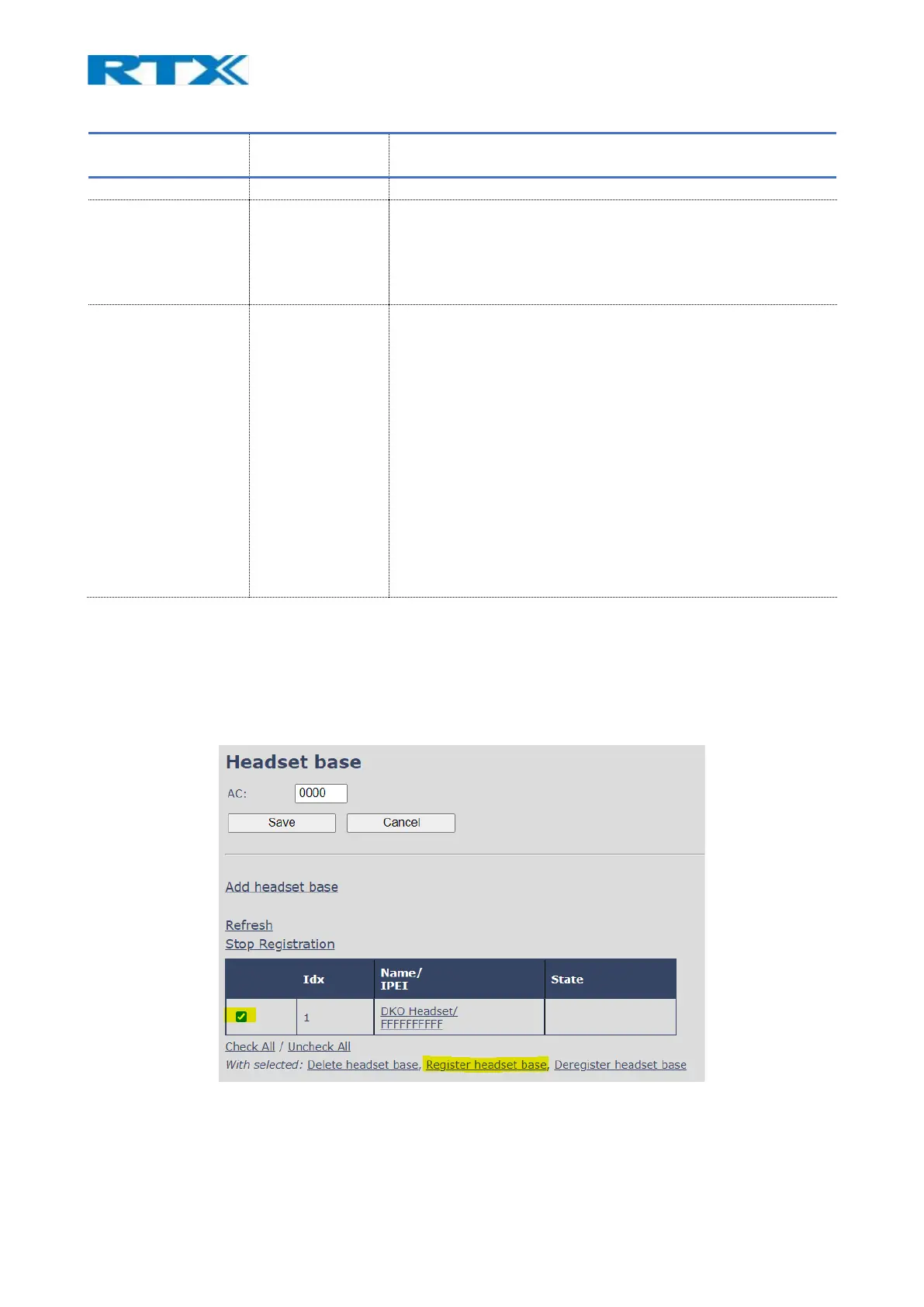
Step 4 Mark the newly added headset base and select Register headset base to enable the
registration mode.
NOTE: The Access code (AC), used as an authentication method by the headset base, is placed on top of the
page and can be configured by the administrator.
Step 5 On the headset base, enter the menu via the scroller (left-hand side) and scroll down to VoIP
System.
Step 6 Enter the VoIP system menu and select Register.



 To Next Page