Chapter 1 Operation Procedures
5) Remove a paper master. (without the tail edge clamped)
0 @ 0
Operation
Edition
- 26
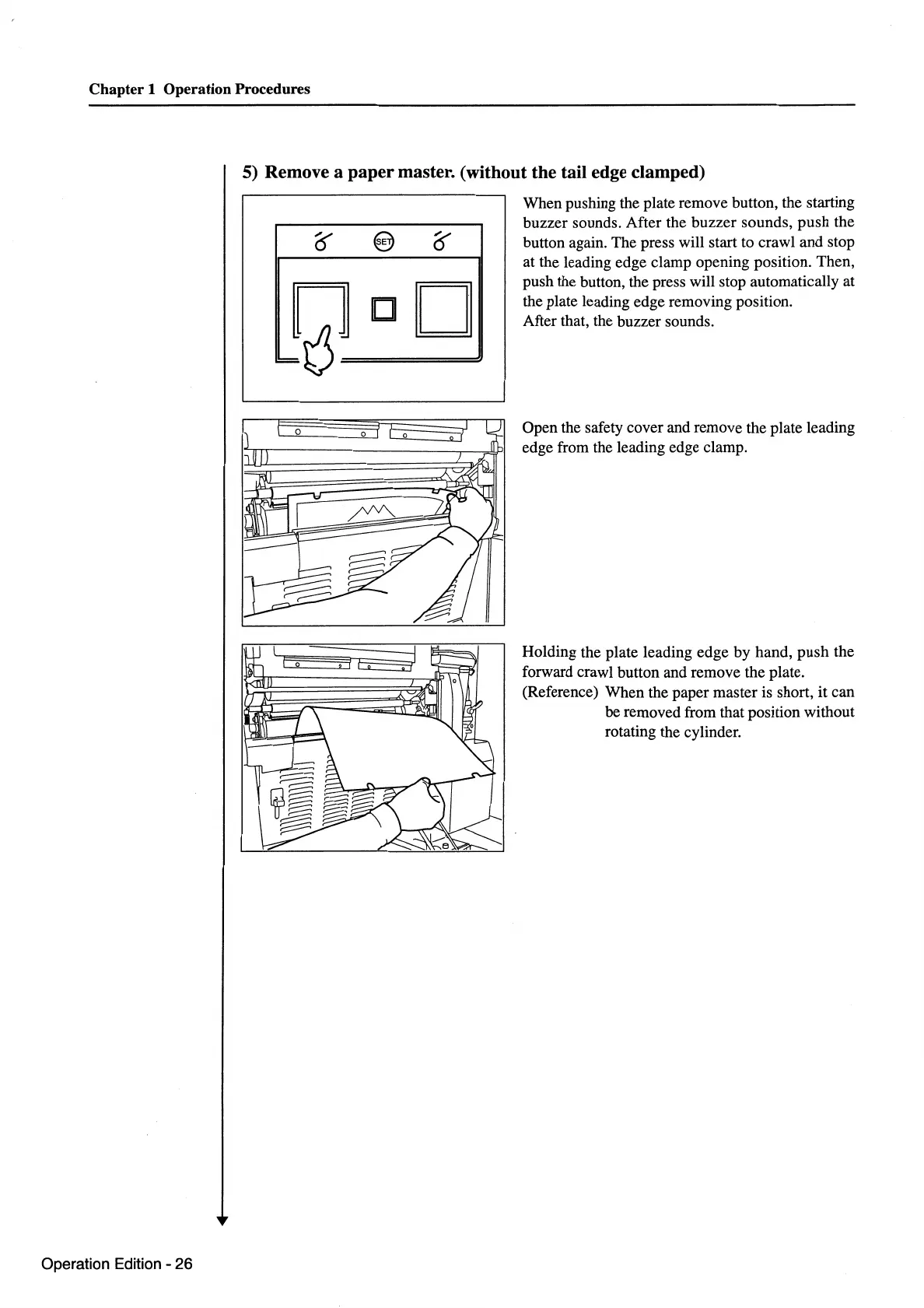
When pushing the plate remove button, the starting
buzzer sounds. After the buzzer sounds, push the
button again. The press will start to crawl and stop
at the leading edge clamp opening position. Then,
push the button, the press will stop automatically at
the plate leading edge removing position.
After that, the buzzer sounds.
Open the safety cover and remove the plate leading
edge from the leading edge clamp.
Holding the plate leading edge by hand, push the
forward crawl button and remove the plate.
(Reference) When the paper master is short, it can
be removed from that position without
rotating the cylinder.



 To Next Page