Chapter 1 Operation Procedures
Operation Edition - 30
5) Set the suction feet.
A CAUTION
Stop the press before setting. Failure
to
follow this instruction
may
result in an
injury.
§a§a
§
~ ~
§
G1aG1a
~~~
~(1)
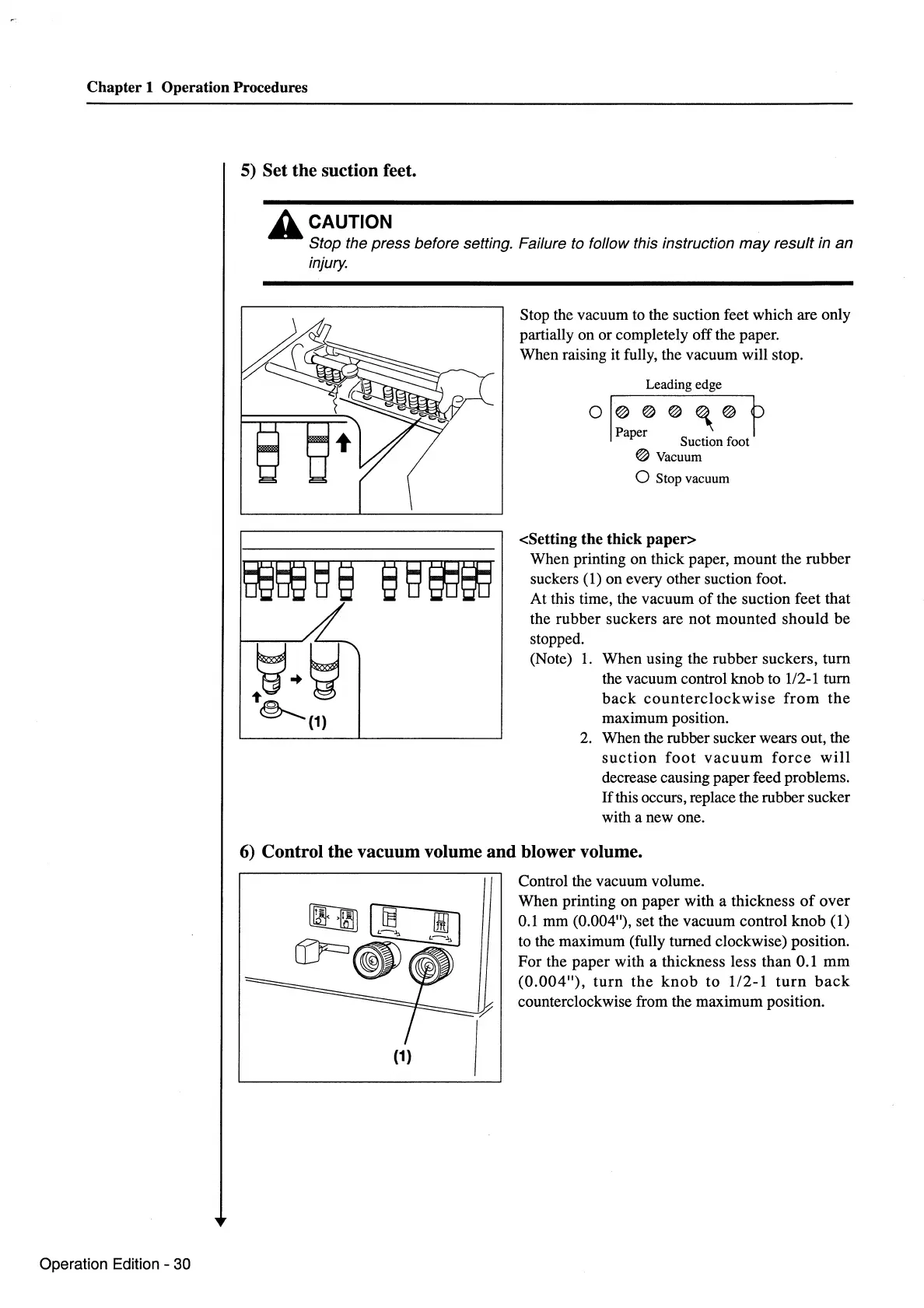
Stop the vacuum to the suction feet which are only
partially on or completely off the paper.
When raising it fully, the vacuum will stop.
Leading edge
o
I@@@
~@
h
Paper I
Suction foot
@Vacuum
0 Stop vacuum
<Setting the thick paper>
When printing on thick paper, mount the rubber
suckers
(1) on every other suction foot.
At this time, the vacuum
of
the suction feet that
the rubber suckers are not mounted should be
stopped.
(Note)
1.
When using the rubber suckers, turn
the vacuum control knob to
112-1
turn
back
counterclockwise
from
the
maximum position.
2.
When the rubber sucker wears out, the
suction
foot
vacuum
force
will
decrease causing paper feed problems.
If
this occurs, replace the rubber sucker
with a new one.
6) Control the vacuum volume and blower volume.
(1)
Control the vacuum volume.
When printing on paper with a thickness
of
over
0.1
mm (0.004"), set the vacuum control knob (1)
to the maximum (fully turned clockwise) position.
For the paper with a thickness less than 0.1
mm
(0.004"),
turn
the
knob
to 1/2-1
turn
back
counterclockwise from the maximum position.



 To Next Page