Chapter 2
l!;!r~~S''
1
Witli,$ert)i;:I,QtQQ1~tiol,RJate:Ofiang~tl
Plate Mounting and Removing,
and
Diagonal Image Adjustment Process
4.
When
Doing the Diagonal Image Adjustment
by
Moving
the
Plate
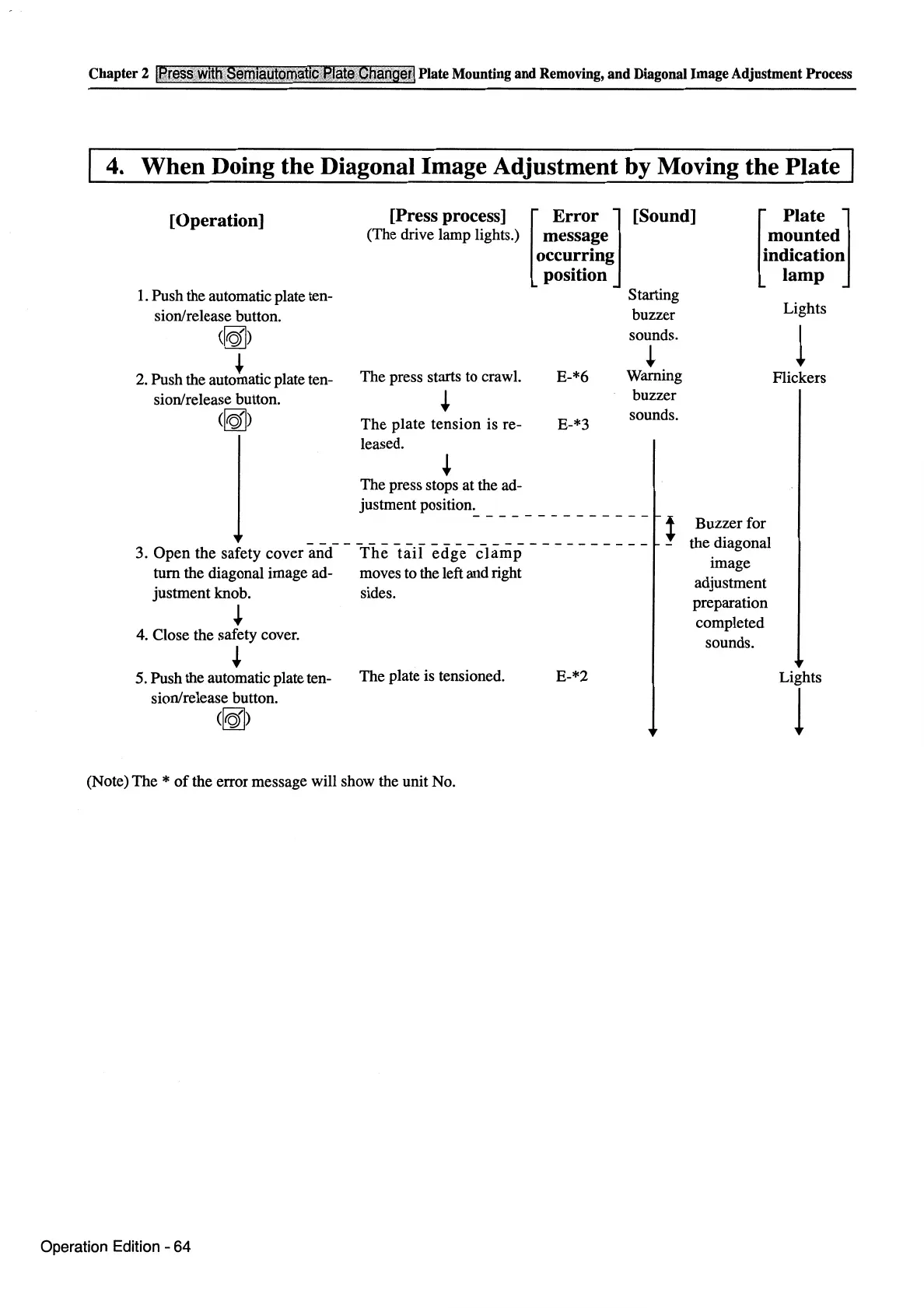
[Operation]
[Press process]
(The drive lamp lights.)
[
Error
J [Sound]
message
occurring
position
[
Plate
J
mounted
indication
lamp
1.
Push the automatic plate ten-
sion/release button.
(~)
..
.
2.
Push the automatic plate ten-
sion/release button.
(~)
The press starts to crawl.
+
The
plate tension is re-
leased.
+
The press stops at the ad-
justment position.
E-*6
E-*3
Starting
buzzer
sounds.
+
Warning
buzzer
sounds.
-------------- l
3.
Open
the safety cover
and--
The
taH edg-e-
c-lamp
-
-----
-
--
- -
turn the diagonal image ad- moves to the left and right
justment knob. sides.
+
4.
Close the safety cover.
+
5. Push the automatic plate ten-
The plate is tensioned. E-*2
sion/release button.
(~)
(Note) The *
of
the error message will show the unit No.
Operation Edition - 64
Buzzer for
the diagonal
image
adjustment
preparation
completed
sounds.
Lights
l
Flickers
Lights
1



 To Next Page