Chapter 1 Maintenance after the Printing
Maintenance Edition - 2
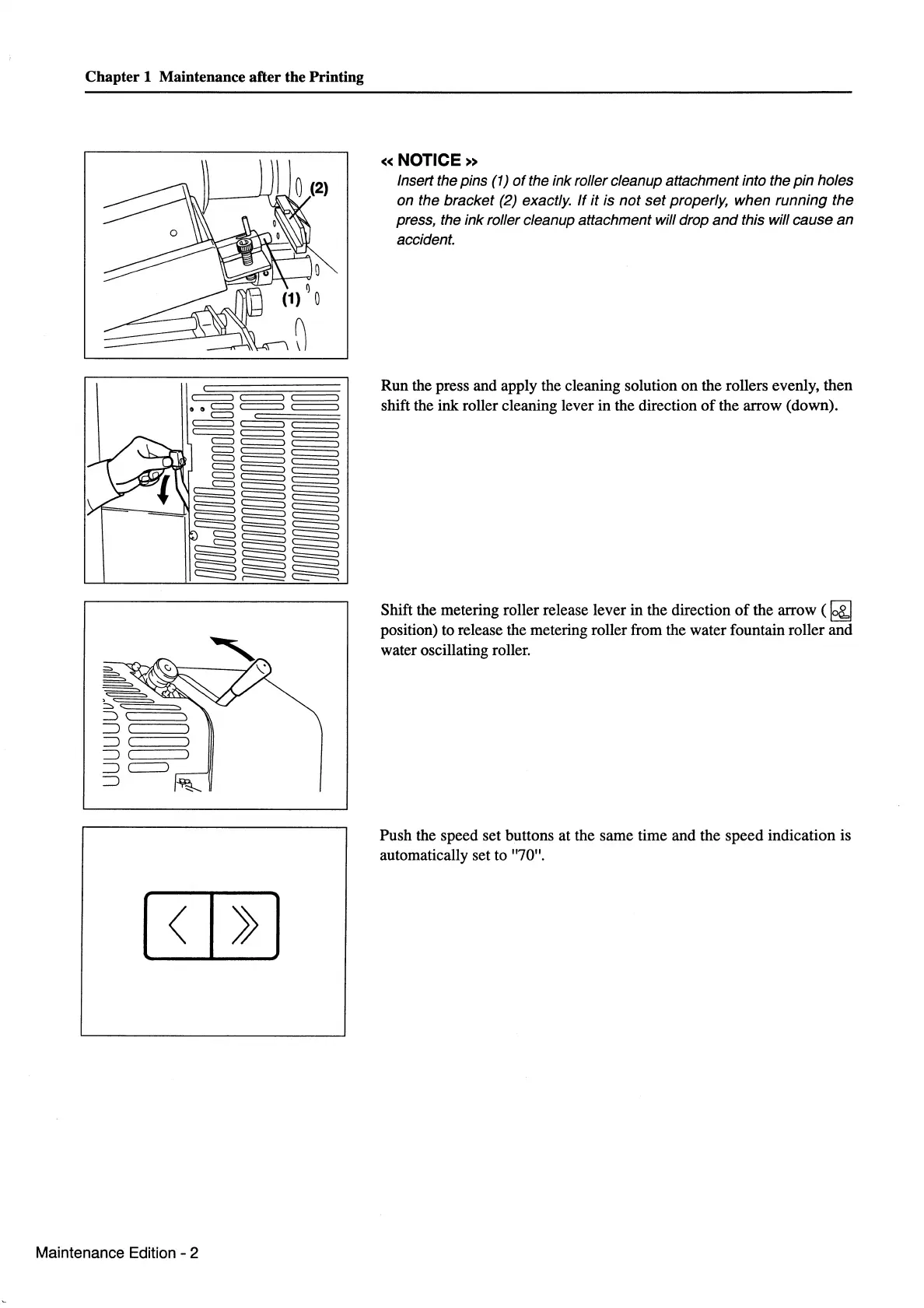
«NOTICE»
Insert the pins (1)
of
the
ink
roller cleanup attachment into the
pin
holes
on
the
bracket
(2) exactly.
If
it
is
not
set
properly,
when
running
the
press, the
ink
roller cleanup attachment will drop
and
this will
cause
an
accident.
Run the press and apply the cleaning solution on the rollers evenly, then
shift the ink roller cleaning lever in the direction
of
the arrow (down).
Shift the metering roller release lever in the direction
of
the arrow (
~
position) to release the metering roller from the water fountain roller and
water oscillating roller.
Push the speed set buttons at the same time and the speed indication is
automatically set to "70".



 To Next Page