Chapter 1 Maintenance after the Printing
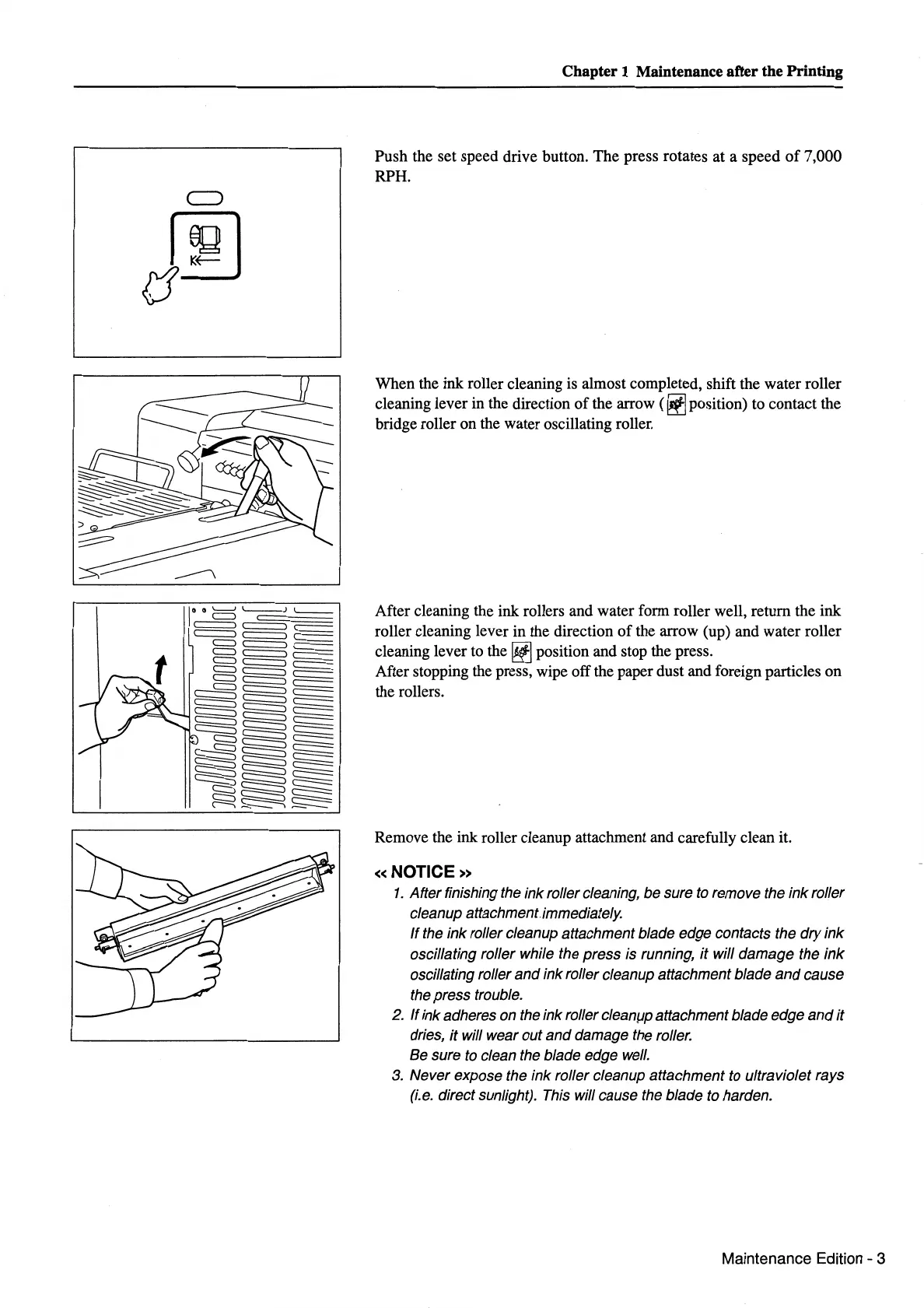
Push the set speed drive button. The press rotates at a speed
of
7,000
RPH.
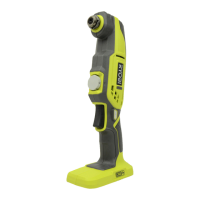
When the ink roller cleaning is almost completed, shift the water roller
cleaning lever in the direction
of
the arrow (
~position)
to contact the
bridge roller on the water oscillating roller.
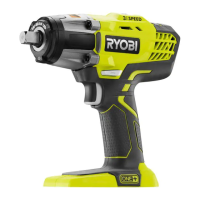
After cleaning the ink rollers and water form roller well, return the ink
roller cleaning lever in the direction
of
the arrow (up) and water roller
cleaning lever to the
~
position and stop the press.
After stopping the press, wipe off the paper dust and foreign particles
on
the rollers.
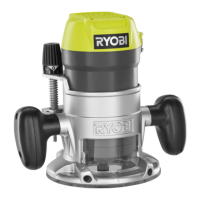
Remove the ink roller cleanup attachment and carefully clean it.
«NOTICE»
1.
After finishing the ink roller cleaning, be sure
to
remove the ink roller
cleanup attachmentimmediately.
If
the ink roller cleanup attachment blade edge contacts the dry ink
oscillating roller while the press is running, it will damage the
ink
oscillating roller
and
ink roller cleanup attachment blade
and
cause
the press trouble.
2.
If ink adheres on the ink roller
cleam,.1p
attachment blade edge
and
it
dries,
it
will wear out
and
damage the roller.
Be sure
to
clean the blade edge well.
3.
Never expose the ink roller cleanup attachment to ultraviolet rays
(i.e.
direct sunlight). This will cause the blade to harden.
Maintenance Edition - 3


 To Next Page