Chapter 1 RYOBI PCS-F
[Floppy disk operation
and
handling precautions]
1) Inserting
the
floppy disk
2)
Taking
out
the floppy disk
«NOTICE»
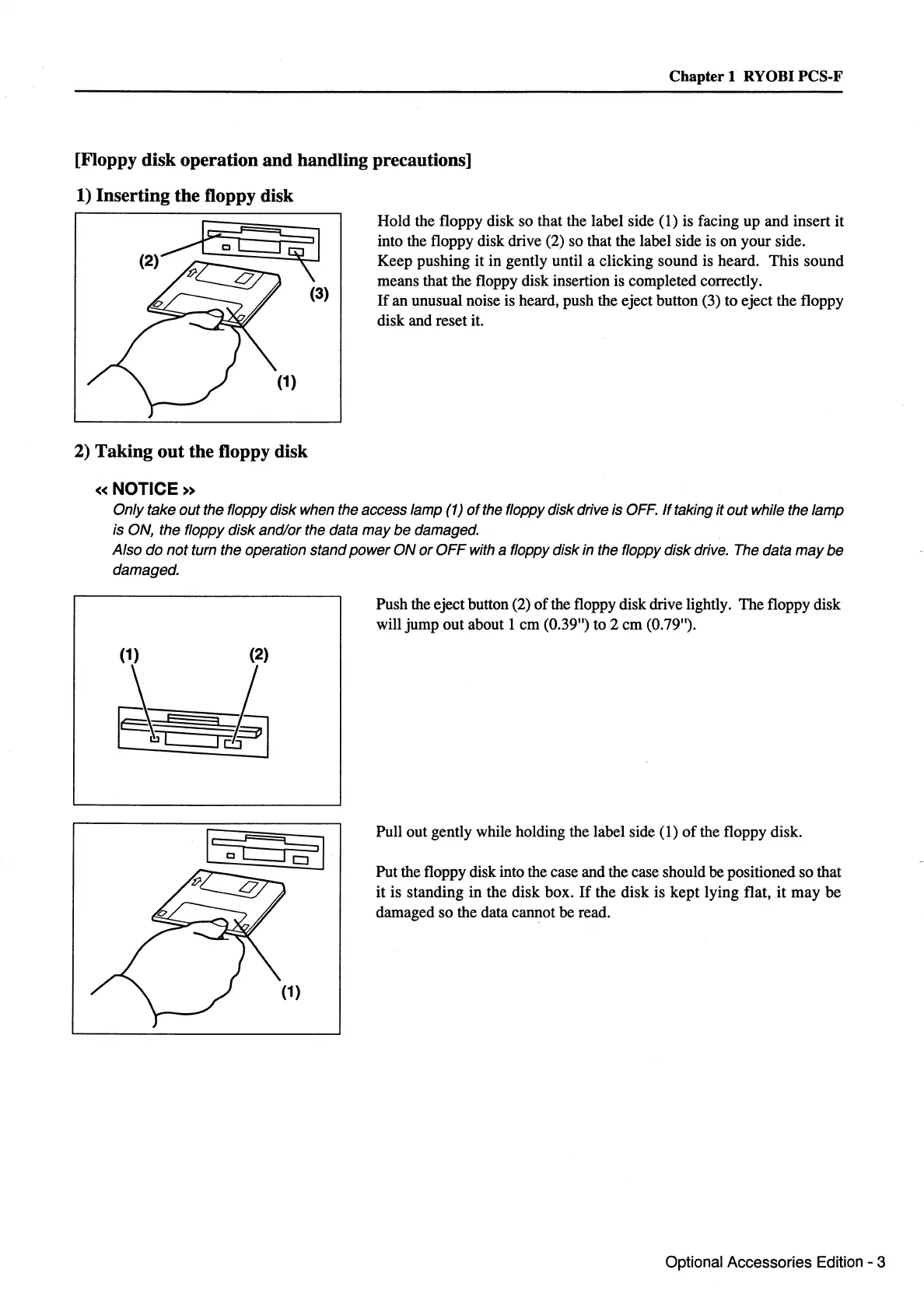
Hold the floppy disk so that the label side (1) is facing up and insert it
into the floppy disk drive (2) so that the label side is on your side.
Keep pushing it in gently until a clicking sound is heard. This sound
means that the floppy disk insertion is completed correctly.
If
an unusual noise is heard, push the eject button (3) to eject the floppy
disk and reset it.
Only take
out
the floppy disk when the access lamp (1)
of
the floppy disk drive is OFF.
If
taking
it
out
while the lamp
is ON, the floppy
disk
and/or the data
may
be
damaged.
Also
do
not
turn the operation stand
power
ON
or
OFF
with a floppy disk in the floppy disk drive. The data
may
be
damaged.
(1) (2)
~
3~
Push the eject button (2)
of
the floppy disk drive lightly. The floppy disk
will jump out about 1 em (0.39") to 2 em (0.79").
Pull out gently while holding the label side
(1)
of
the floppy disk.
Put the floppy disk into the case and the case should be positioned so that
it is standing in the disk box.
If
the disk is kept lying flat,
it
may
be
damaged so the data cannot be read.
Optional Accessories Edition - 3



 To Next Page