Chapter 1 RYOBI PCS-F
3)
Formatting
the
floppy disk
When using a new floppy disk, it needs to be formatted first.
The setting procedures
of
formatting differ depending on the floppy disk type (2HD and 2DD), so please be careful.
(2HD : 1.44MB, 2DD : 720KB)
4) Handling
the
floppy disk
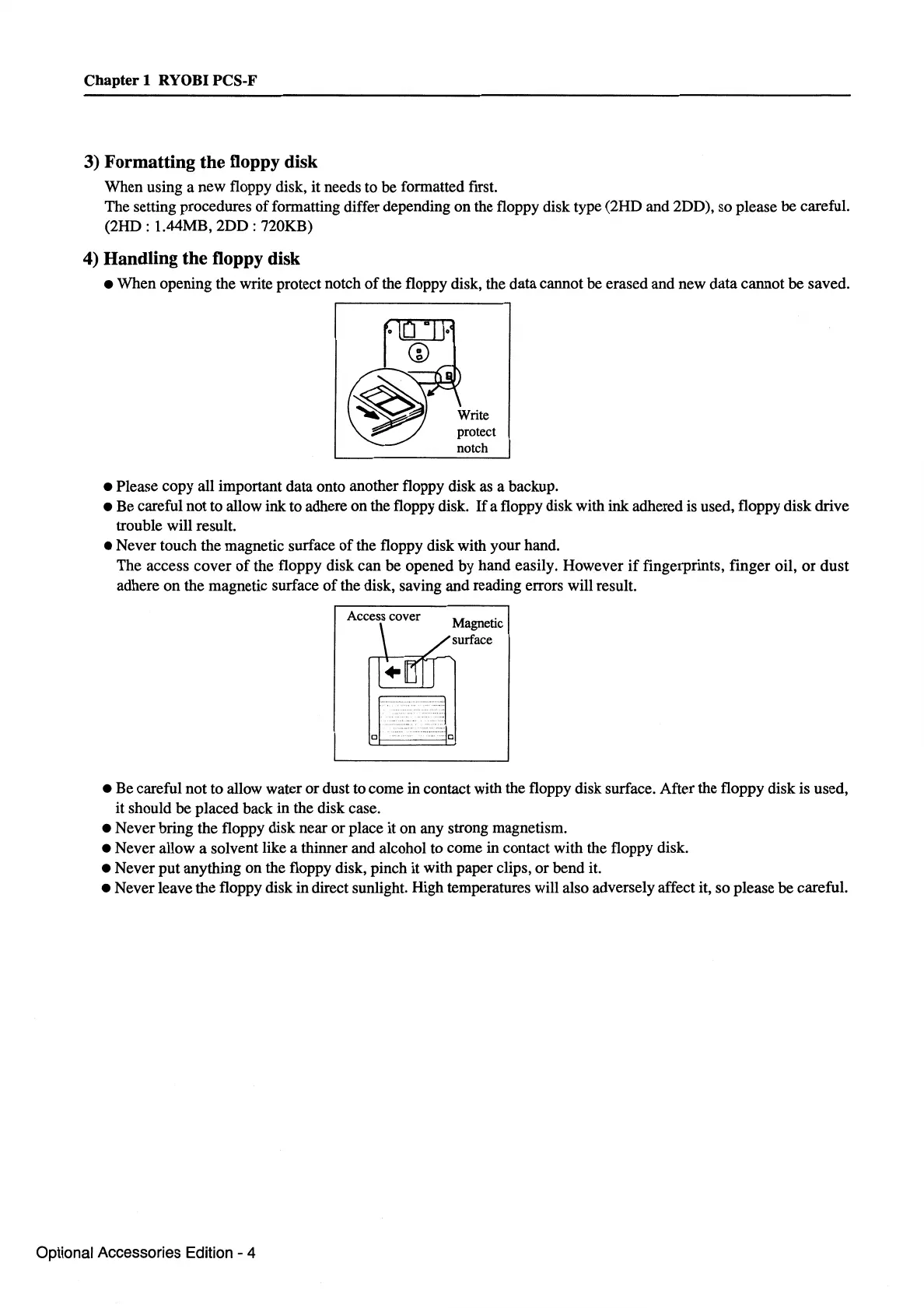
• When opening the write protect notch
of
the floppy disk, the data cannot be erased and new data cannot be saved.
protect
notch
• Please copy all important data onto another floppy disk
as
a backup.
• Be careful not to allow ink to adhere on the floppy disk.
If
a floppy disk with
ink
adhered is used, floppy disk drive
trouble will result.
• Never touch the magnetic surface
of
the floppy disk with your hand.
The access cover
of
the floppy disk can be opened
by
hand easily. However
if
fingerprints, finger oil,
or
dust
adhere
on
the magnetic surface
of
the disk, saving and reading errors will result.
Access cover
• Be careful not to allow water
or
dust to come in contact with the floppy disk surface. After the floppy disk is used,
it should
be
placed back in the disk case.
• Never bring the floppy disk near
or
place it
on
any strong magnetism.
• Never allow a solvent like a thinner and alcohol to come in contact with the floppy disk.
• Never
put
anything on the floppy disk, pinch it with paper clips,
or
bend it.
• Never leave the floppy disk in direct sunlight. High temperatures will also adversely affect it, so please be careful.
Optional Accessories Edition - 4



 To Next Page