2-6 3rd Ed. Sep 30, 06
S–TEC
ACTION RESPONSE
1. Move A/C Control Wheel left and
right, to sense its freedom of
movement about roll axis.
------
2. Set Heading Bug under Lubber
Line.
------
3. Press HDG mode selector switch
to engage heading mode.
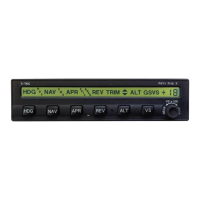
HDG annunciation alone appears on
AP display, as shown in Fig. 2-6.
4. Attempt movement of A/C Control
Wheel left and right.
A/C Control Wheel’s reduced
freedom of movement indicates that
Roll Servo is engaged.
Roll Servo can be overridden. If not,
disconnect autopilot and do not use.
5. Turn Heading Bug to the left side
of Lubber Line.
A/C Control Wheel turns to the left.
6. Turn Heading Bug to the right side
of Lubber Line.
A/C Control Wheel turns to the right.
7. Set Heading Bug under Lubber
Line.
A/C Control Wheel stops.
8. Move A/C Control Wheel forward
and aft, to sense its freedom of
movement about pitch axis.
------
9. Press ALT mode selector switch to
engage altitude hold mode.
ALT annunciation appears with HDG
on AP display, as shown in Fig. 2-7.
10. Attempt movement of A/C
Control Wheel forward and aft.
A/C Control Wheel’s reduced
freedom of movement indicates that
Pitch Servo is engaged.
Pitch Servo can be overridden. If not,
disconnect autopilot and do not use.
Table 2-2. Pre-Flight Test (continued on page 2-8)
2.2 Pre-Flight Test
Prior to takeoff and with engine running, perform the actions shown in Table 2-2.
For each action, verify the corresponding response where applicable. All actions
pertaining to mode selector switches apply to the autopilot bezel.


 To Next Page