3-6 3rd Ed. Sep 30, 06
S–TEC
3.1.2.1 Pilot Selectable Intercept Angle
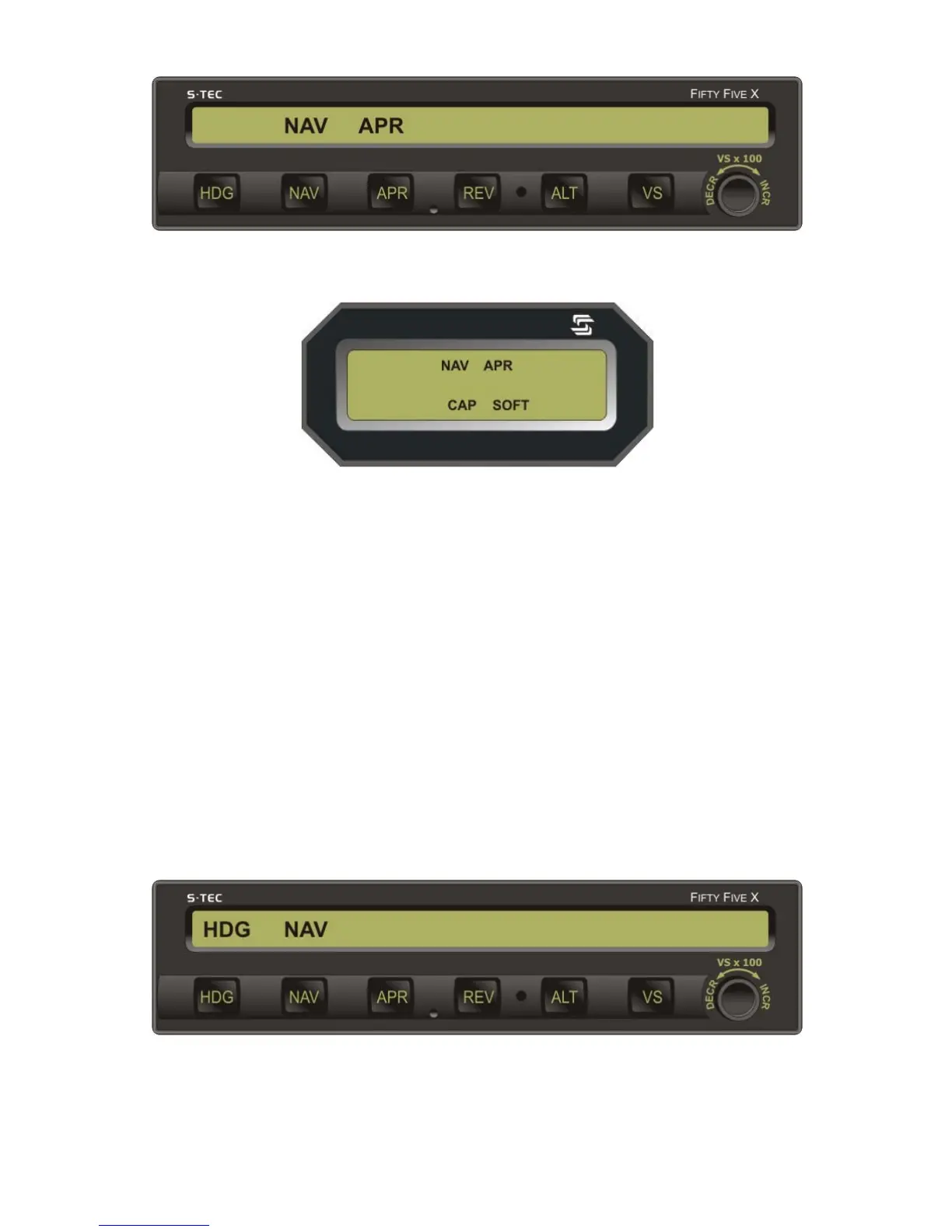
To select an intercept angle other than 45°, set the Heading Bug to the desired
intercept heading on the compass card, such that the difference between this
heading and the desired course is the intercept angle. Then set the Course
Pointer (HSI) or OBS (DG) to the desired course. Press and hold the HDG mode
selector switch, and then press the NAV mode selector switch to engage the
heading mode and arm the navigation mode. The HDG and NAV annunciations
will appear as shown in Fig. 3-8, to acknowledge this.
The autopilot will establish the aircraft on the selected intercept angle
(heading), until it must turn the aircraft onto the selected course to prevent
overshoot. At that point in the intercept sequence, the HDG annunciation will
extinguish to indicate engagement of the navigation mode. At the moment this
occurs, if the heading system is a DG, immediately set the Heading Bug to the
course in order to input a course error to the autopilot. Otherwise, the autopilot
will lack sufficient authority to turn the aircraft onto the course.
Fig. 3-8. AP Display, HDG Mode Engaged, NAV Mode Armed
Fig. 3-7. Remote Annunciator Display, NAV APR Mode Engaged, CAP SOFT Condition
Fig. 3-6. AP Display, NAV APR Mode Engaged


 To Next Page