3rd Ed. Sep 30, 06 3-9
S–TEC
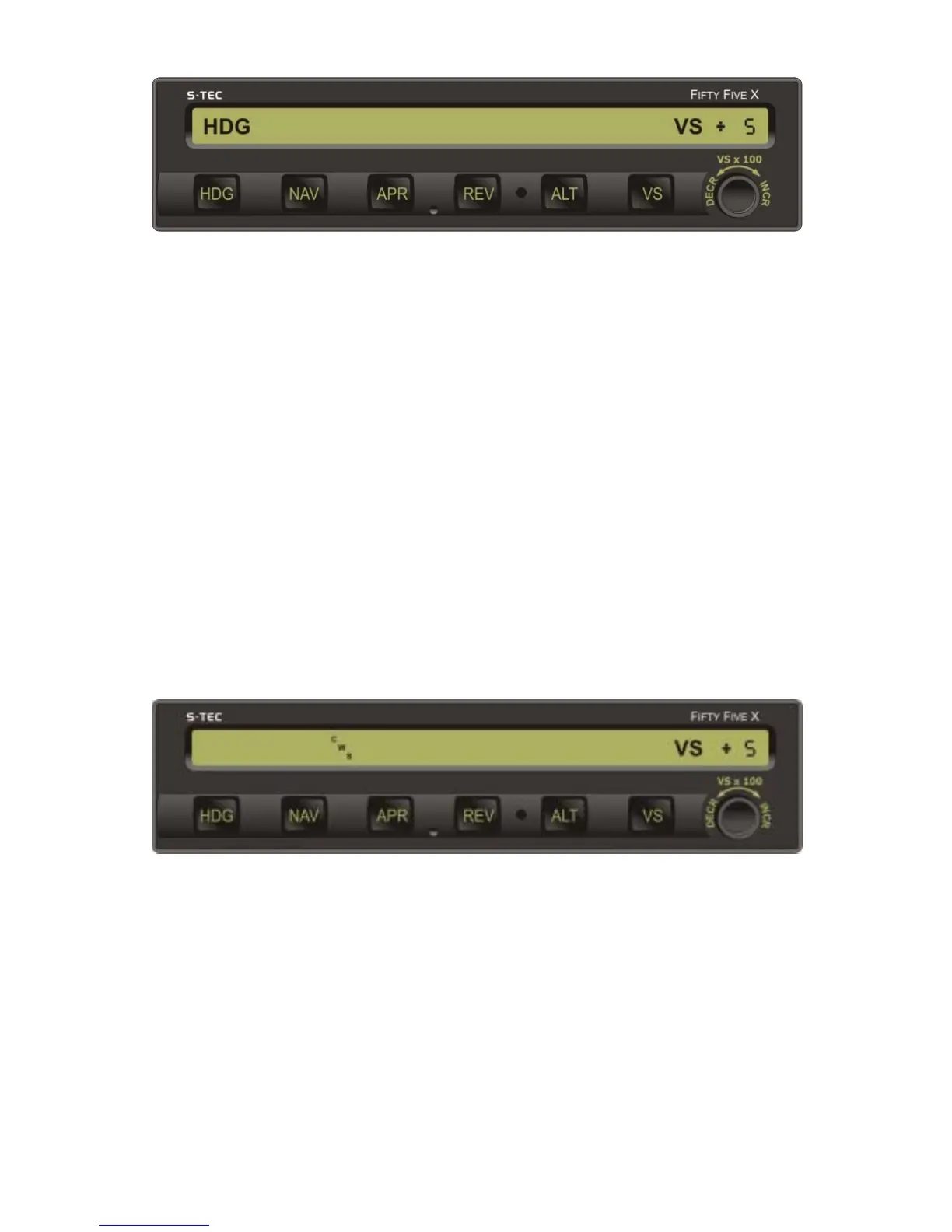
Fig. 3-12. AP Display, HDG and VS Modes Engaged
3.1.6 Control Wheel Steering (CWS) Mode
The control wheel steering mode can only be engaged if a roll mode (HDG, NAV,
NAV APR, REV, REV APR, NAV GPSS) and pitch mode (ALT, VS, GS) are already
engaged. With a roll and pitch mode engaged, press and hold the remote CWS
Switch located on the Control Wheel. This disengages both the roll and pitch
servos. Maneuver the aircraft to the desired attitude, and allow it to stabilize
there for 2-3 seconds. Release the switch to engage the control wheel steering
mode. This re-engages both the roll and pitch servos. The CWS annunciation
will appear as shown in Fig. 3-13, to acknowledge that the CWS mode is
engaged, along with the VS annunciation and current (captured) vertical speed.
The latter appears as a number in units of FPM x 100, prefixed by either a "+" to
indicate a climb, or a "-" to indicate a descent (i.e., for example, +5 indicates 500
FPM climbing, if within the aircraft's capabilities). The autopilot will hold the
aircraft at its current (captured) turn rate and vertical speed.
If it should happen that the aircraft's turn rate is initially greater than 90% of a
standard rate turn at the desired attitude, then the autopilot will limit it to 90%
upon engagement of the CWS mode, although for some higher performance
(turboprop) aircraft this is 75%.
Fig. 3-13. AP Display, CWS Mode Engaged
3.1.7 Elevator Trim
3.1.7.1 Manual Elevator Trim
If the autopilot is not equipped with autotrim, or is so equipped but the Trim
Master Switch is in the OFF position, and a pitch mode (ALT, VS, GS) is engaged,
then the autopilot will provide an annunciation whenever it is necessary to
manually trim the aircraft about the pitch axis using the Elevator Trim Wheel.


 To Next Page