3rd Ed. Sep 30, 06 3-15
S–TEC
Note:
If the approach positions the aircraft slightly above the GS centerline,
then manual engagement of the glideslope mode can be instantly achieved
by pressing the ALT mode selector switch.
Caution:
Manual engagement of the glideslope mode above the GS centerline will
result in the aircraft moving aggressively toward the GS centerline. Do not
manually engage the glideslope mode if GDI needle deflection is greater than
10% above the GS centerline.
The GS annunciation will flash whenever GDI needle deflection exceeds
50%, or the GS Flag is in view. In the latter event, the FAIL annunciation will
also appear.
At the Decision Height (DH), disconnect the autopilot to execute either a
landing or go-around (GA).
A pictorial of this procedure is shown in Fig. 3-20.
3.2.2 ILS Approach with Procedure Turn
Execute a procedure turn intercept and track of the FRONT INBOUND LOC
course (reference section 3.3.5) above the approach altitude, just until the
aircraft is established on the FRONT INBOUND PROCEDURE TURN heading,
with the heading mode still engaged. Establish the desired vertical descent
speed, and then press the VS mode selector switch to engage the vertical
speed mode. Upon reaching the approach altitude, press the ALT mode
selector switch to engage the altitude hold mode. Press the NAV mode selector
switch to engage the navigation approach mode, such that the autopilot will
execute a straight-in intercept and track of the FRONT INBOUND LOC course
(reference section 3.3.3). Execute a straight-in intercept and track of the
glideslope (reference section 3.2.1).
3.3 Non-Precision Approach Procedures
3.3.1 Straight-In Back Course Approach
Select the LOC frequency on the Navigation Receiver.
Heading System HSI
Set Course Pointer to FRONT INBOUND LOC course on compass card.
Heading System DG
Set Heading Bug to BACK INBOUND LOC course on compass card.
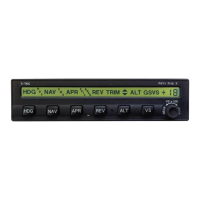
Press the REV mode selector switch to engage the reverse approach mode.
The REV and APR annunciations will appear as shown in Fig. 3-21, to acknowledge
that this mode is engaged. The autopilot will intercept and track the BACK
INBOUND LOC course. If the heading system is a DG, then the autopilot will fly
the aircraft in the direction opposite to that of CDI needle deflection.


 To Next Page