EasyManua.ls Logo

Saeco TALEA - Page 24

Saeco TALEA
99 pages
Print Icon
To Next Page IconTo Next Page
To Previous Page IconTo Previous Page
Loading...
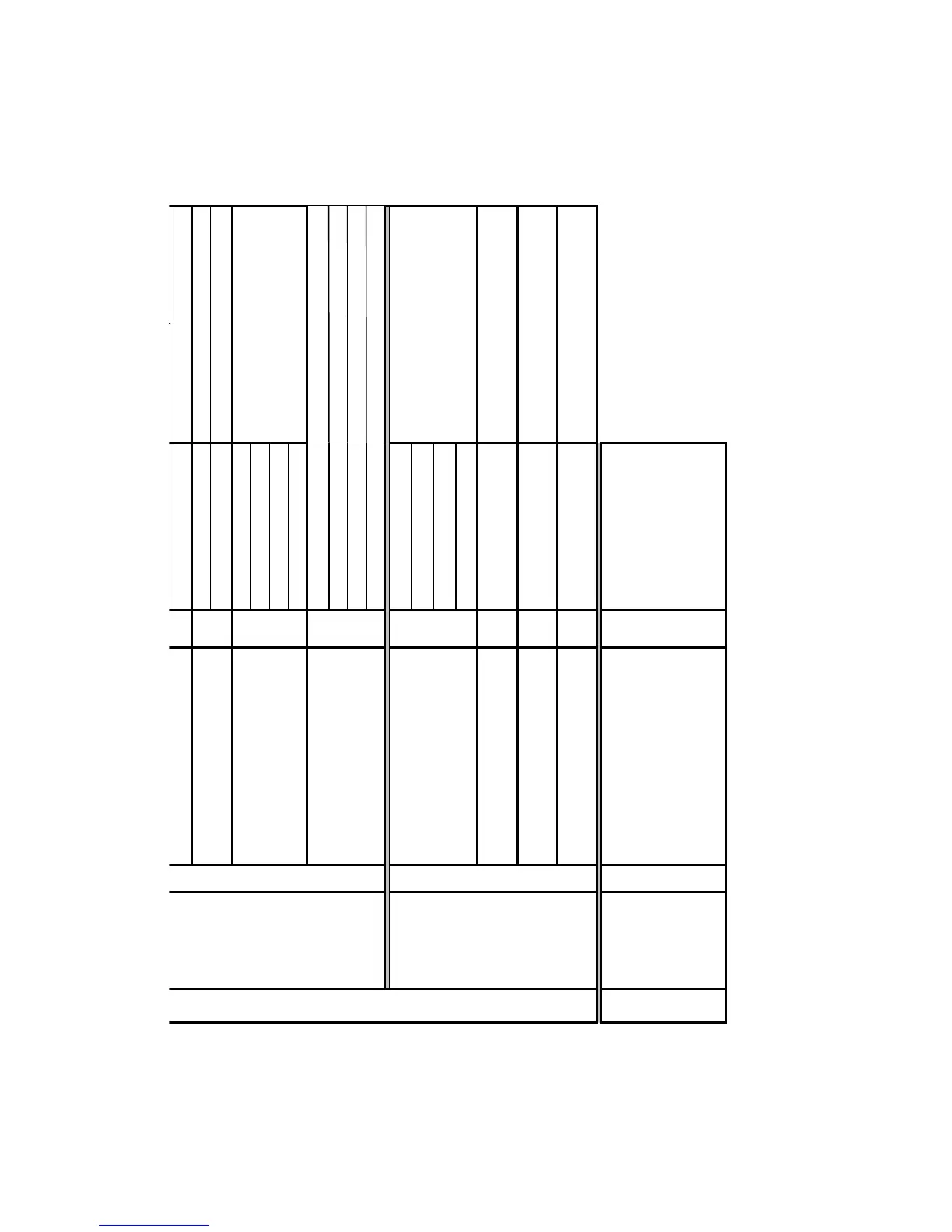
1. Main menu
Clock settings
1.3. Clock settings
Time settings
1.3.1.
Current time
+ / -
Time format Select
Date settings
1.3.2.
Current date Year / Month / Day
Date format
Select
Standby setting
1.3.3.
after 15 minutes
after 30 minutes
after 1 hour
after 3 hours
Machine on/off
1.3.4.
Interval 1
Hours / Minutes
Interval 2 Hours / Minutes
Interval 3 Hours / Minutes
Day settings Select
Maintenance
settings
1.4. Maintenance settings
Product counter
1.4.1.
Espresso
Coffee
Large coffee
Reset
Cleaning cycle
1.4.2
Yes/no
Descaling cycle
1.4.3
Yes/no
Display lock
1.4.4
Release
2. Main menu
Special
settings
2.1. Special settings
Factory settings
2.1.1.
no/yes

Table of Contents

Related product manuals