Saeco International Group Page 1 / 17
TALEA / ODEA - LINE 05 SERVICE MODALITY
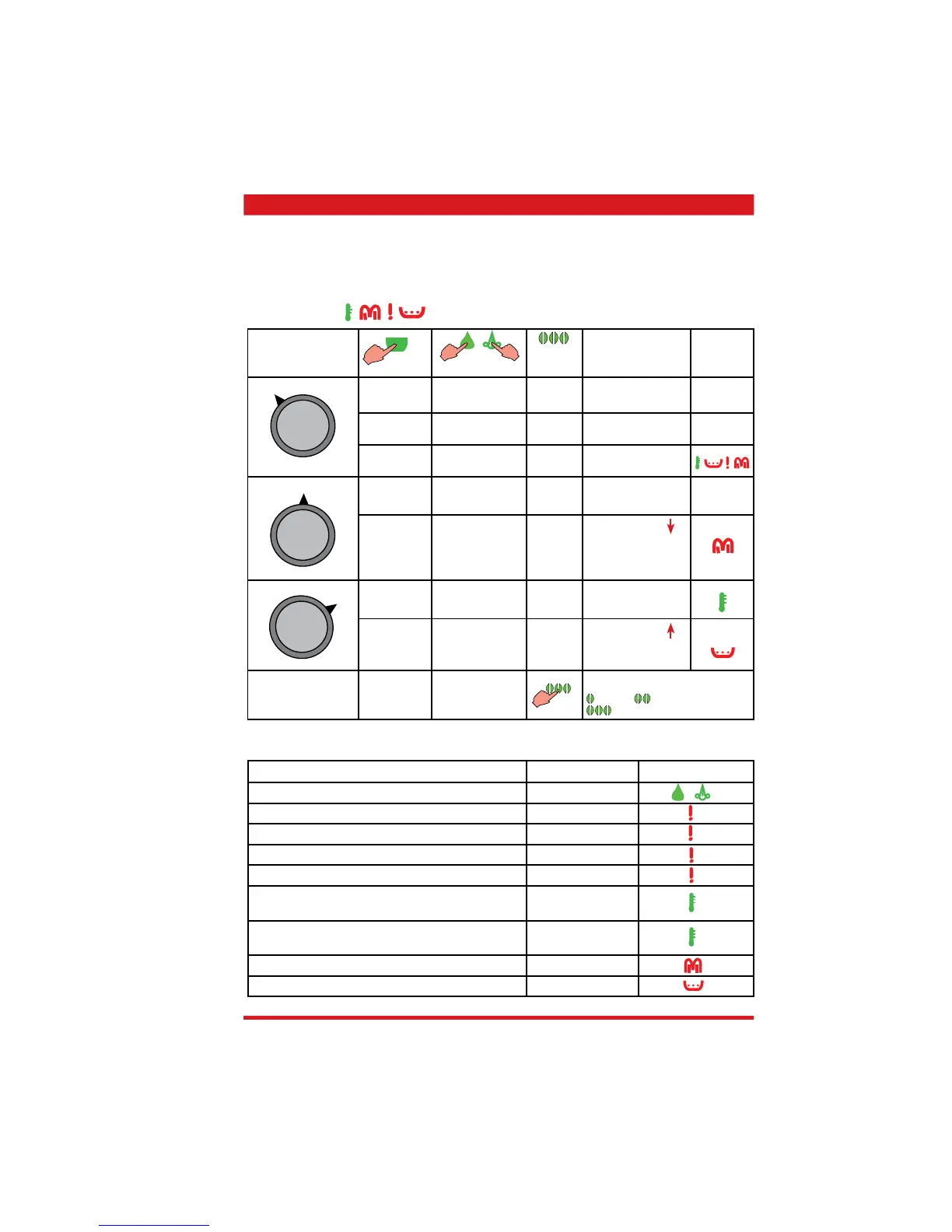
5.1.1. Test mode - Talea Giro and Odea
• Press the hot water key (steam key on the Odea Go) and turn the appliance on at the same
time. Keep the hot water key or the steam key pressed until all four LEDs fl ash in the follow-
ing sequence
(anticlockwise)
Function Signal Display
Hot water / steam valve (open) lit
Microswitch of brewing unit not activated (missing) fl ashing
Dreg drawer’s reed switch (missing) fl ashing
Reed switch for doors (open) fl ashing
Bean hopper cover’s reed switch (missing) fl ashing
Flowmetre pulses
(when the pump is active)
fl ashing
Microswitch of milk carafe presence
(hot water / steam valve closed)
lit
Water tank’s sensor (no water) lit
Residual water tray’s sensor (full) lit
X
X
X
X
X
X
X
X + hot water /
steam valve open
Rotary knob to
set cup capacity
Function
Display
Electrical valve
Coffee grinder
Letting steam out
with new software
Heating
Brewing unit
(home position
gear microswitches
activated)
Pump fl owmetre
pulses
Brewing unit
(brewing position
gear microswitch)
Dosing quantity setting for coffee quan-
tity test in test mode.
=90 pulses =100 pulses
=110 pulses
Odea Go only
not with
Odea Go
Messages / Errors









 To Next Page