48 DOCUMENT SSE-0000077399-01 - VERSION 1.0 - MAY 2010
S
AGEM SÉCURITÉ DOCUMENT - REPRODUCTION AND DISCLOSURE PROHIBITED
Access control by authentication MORPHOACCESS® J SERIES – User Guide
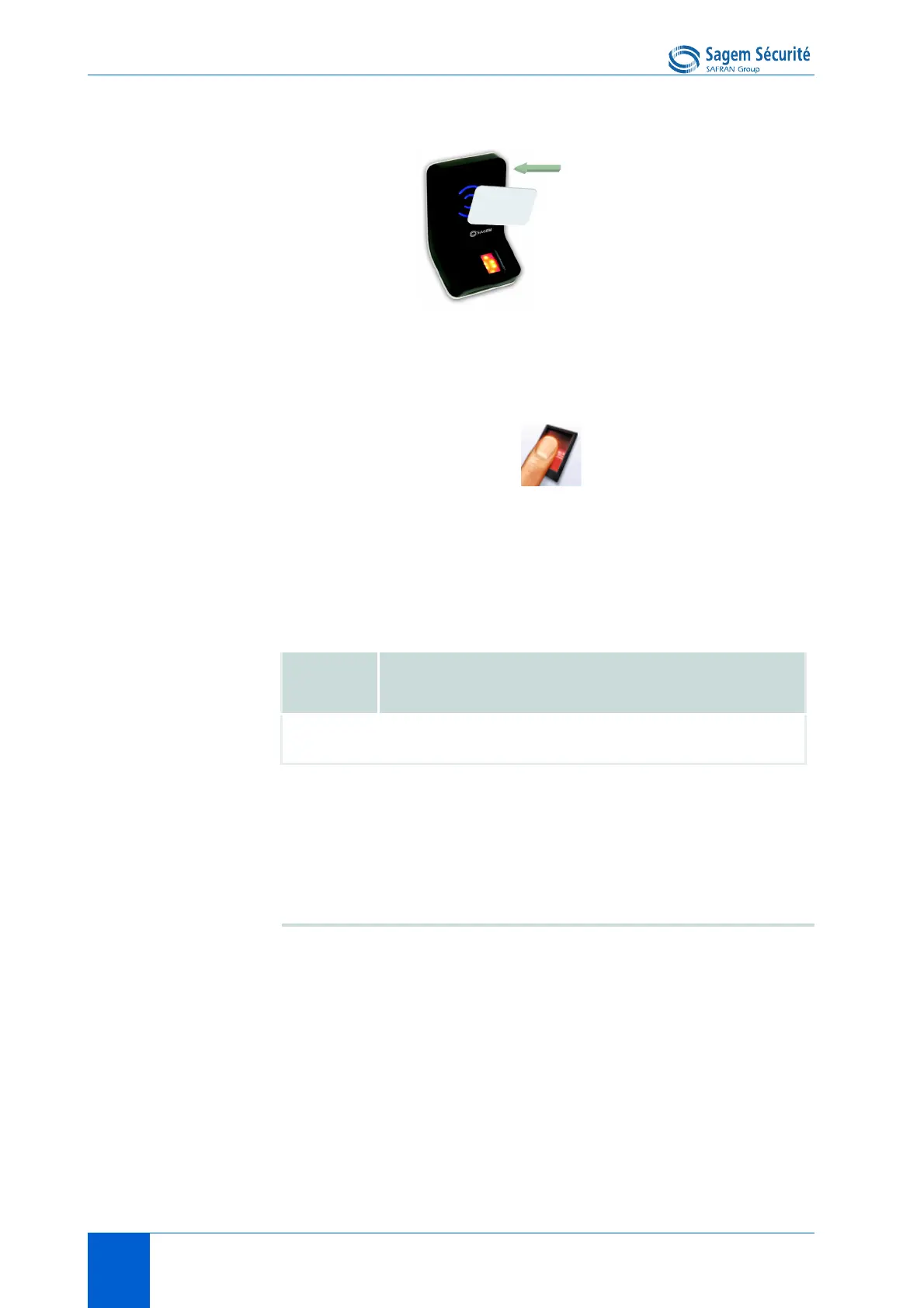
Figure 6 • 2: Authentication with User ID only on the user's card
If the user ID found on the user's card exists in the terminal database, then the
optical sensor switches on, and the user is expected to place his finger on it.
If the authentication is successful, the terminal signals the result to the user, and
(if applicable) to a distant system such as a Central Security Controller.
Once the user authentication is done, the terminal automatically loops back and
waits for an other user’s card presentation
Required tags on card
Card structure is described in MorphoAccess
®
Contacless Card Specification.
Note: a database must exist in the terminal.
Binary user’s identifier, non-structured data
This mode can not work when the app/contactless/enabled profiles
configuration key value is different from 0.
In this mode the identifier is read at a given offset on the card and is supposed
to be binary. No TLV structure is required on the card.
It is possible to read non-byte aligned data. It is useful to read a user ID
included in a Wiegand frame.
ID
Card
Mode
PK1 PK2 PIN BIOPIN
AuthenID
contactless
Yes No No No No No


 To Next Page