66 DOCUMENT SSE-0000077399-01 - VERSION 1.0 - MAY 2010
S
AGEM SÉCURITÉ DOCUMENT - REPRODUCTION AND DISCLOSURE PROHIBITED
LED IN feature MORPHOACCESS® J SERIES – User Guide
4. LED IN feature
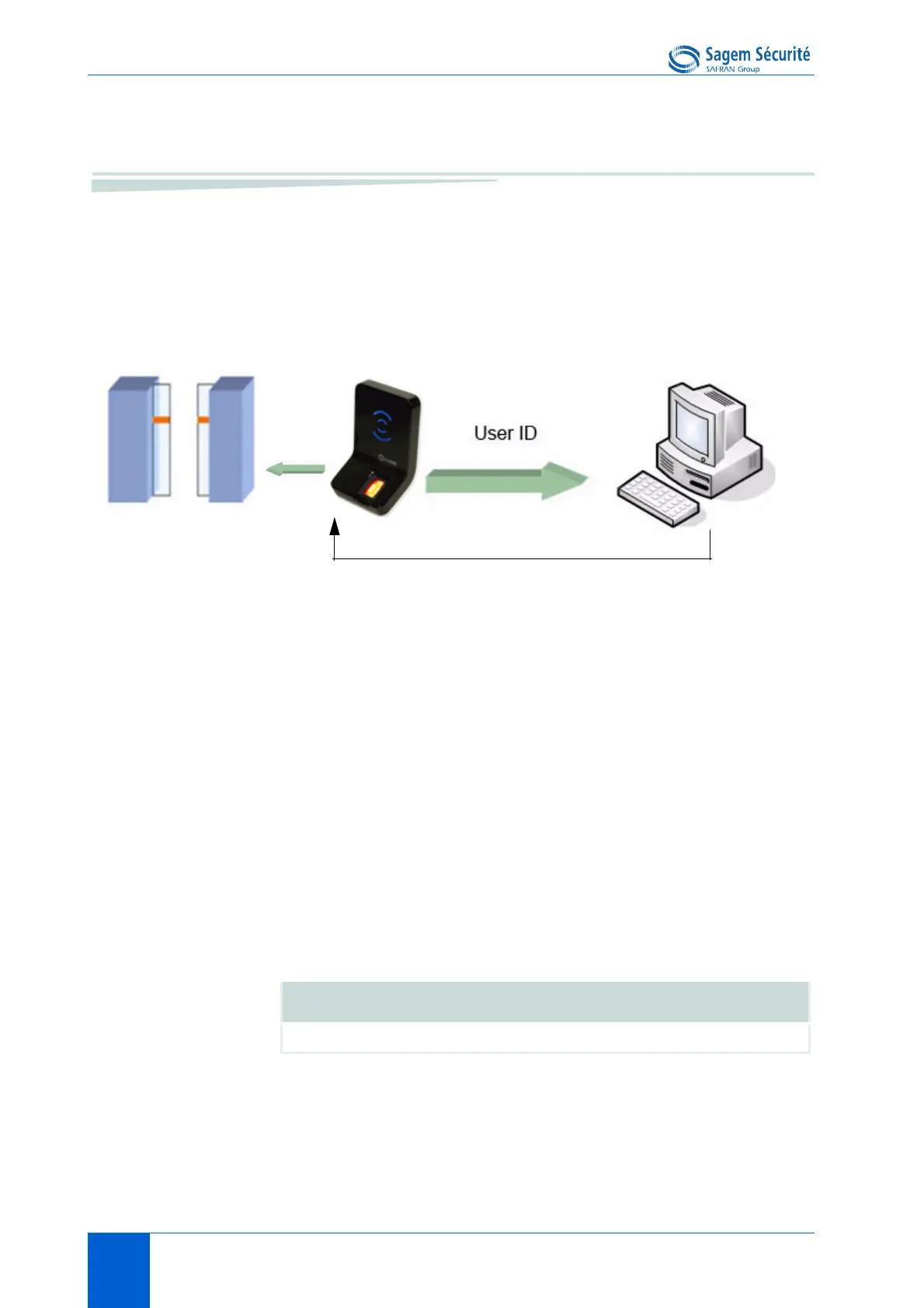
When this feature is activated, the terminal waits for an acknowledge signal
(LED IN) from a Central Access Controller system, before granting the access.
Figure 8 • 2: LED IN feature
1.If the user is recognized the MorphoAccess
®
sends the user identifier to the
controller.
2.The MorphoAccess
®
waits during an adjustable timeout, for the closure of a
switch between LED1 and GND, or between LED2 and GND.
3.The controller checks the user's access rights.
4.The controller sets LED1 to GND to grant the access or sets LED2 to GND
to deny the access In case of time-out, the access is also denied..
5.The "wait for access request" mode restarts only when LED1 and LED2 are
reset to default state again.
This feature improves integration in a Central Security Controller (CSC). The
CSC through LED IN signals validates result of biometric matching.
Central Access Controller
LED 1 to GND: Access authorized (granted).
LED 2 to GND: Access refused (denied).
Relay activation
LED IN mode activation
app/led IN/enabled 1


 To Next Page