DOCUMENT SSE-0000077399-01 - VERSION 1.0 - MAY 2010 53
S
AGEM SÉCURITÉ DOCUMENT - REPRODUCTION AND DISCLOSURE PROHIBITED
MORPHOACCESS® J SERIES – User Guide Access control by authentication
ACCESS CONTROL BY
AUTHENTIFICATION
ACCESS CONTROL BY
AUTHENTIFICATION
ACCESS CONTROL BY
AUTHENTIFICATION
ACCESS CONTROL BY
AUTHENTIFICATION
ACCESS CONTROL BY
AUTHENTIFICATION
ACCESS CONTROL BY
AUTHENTIFICATION
Multi-factor mode
This mode is the combination of identification mode and contactless
authentication modes.
This mode allows:
• running an identification if user places his finger on the sensor (operation
identical to identification mode)
• running an authentication if the user presents his contactless card
(operation identical to authentication with a contactless card with/without
database mode).
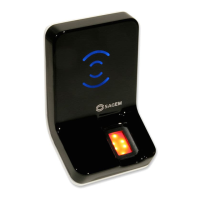
Figure 6 • 3: Multi-factor mode (identification and authentification)
If there is no database, the identification mode is out of service, but the
authentication mode is still available.
This mode is activated by enabling one of the authentication with contactless
card mode and identication mode.
Required tag on card depends on the authentication mode.
Multi-factor mode
app/bio ctrl/identification 1
And
app/bio ctrl/authent PK contactless 0 or 1
app/bio ctrl/authent card mode 0 or 1


 To Next Page