58
6.1. Startup
Step 1. Open the junction box. Turn on the following breakers by pushing their handles upwards:
a. Load breaker (optional, only when loads are connected)
b. Battery breaker
Step 2. Open the breaker on the grid side.
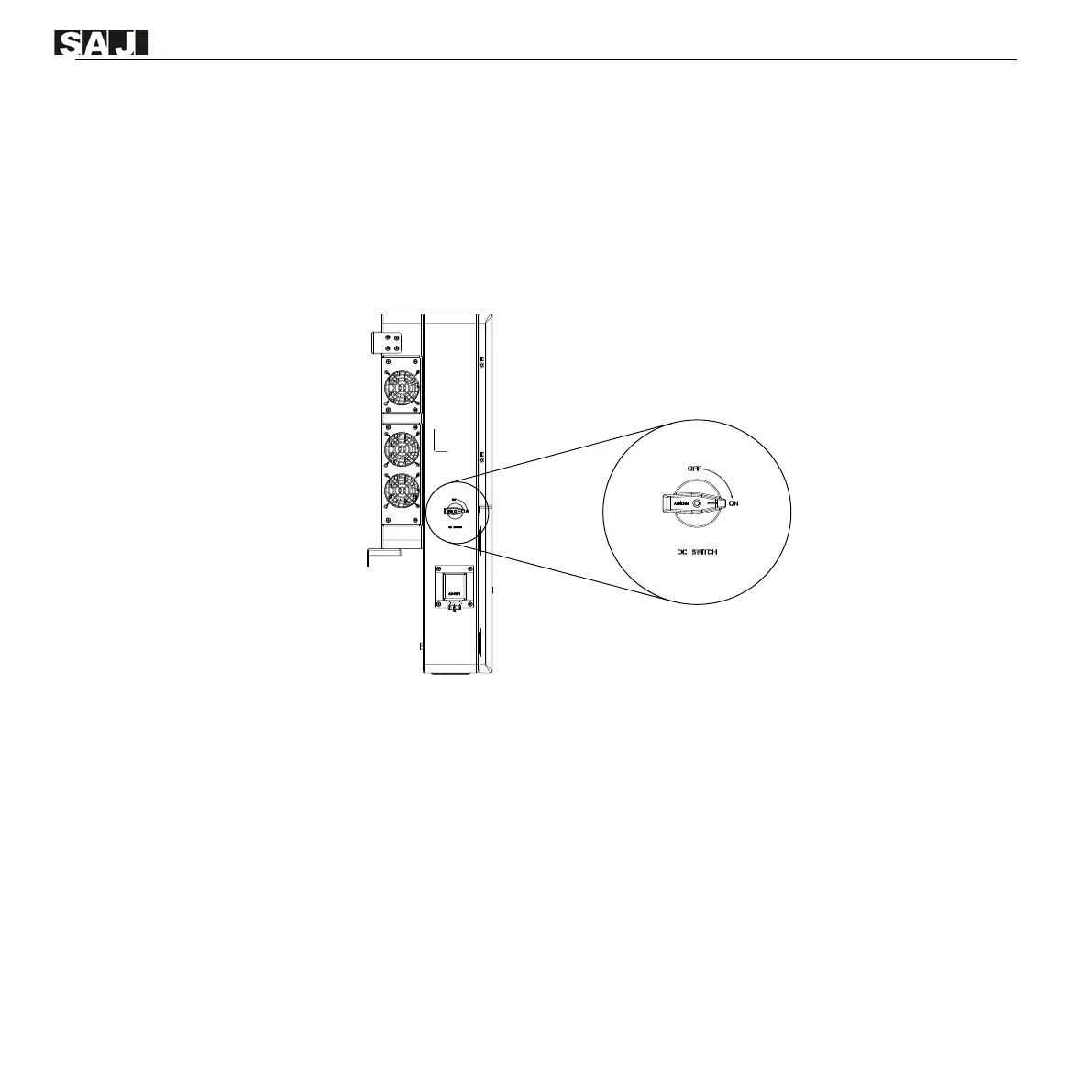
Step 3. Turn on DC SWITCH on the left side of the inverter.
Figure 6.1. DC switch on the left side of the inverter
Step 4. Turn on the battery switch on the battery. For details, refer to the battery user manual.
Step 5. Press the ON/OFF button on the right side of the inverter.
Step 6. Check the LED indicator status on the inverter panel to ensure that the inverter is running properly.
For details, refer to section 2.6 “LED indicators”.
6.2. Shutdown
Step 1. Press the ON/OFF button on the right side of the inverter so that the button bounces back.
Step 2. Turn off DC SWITCH.
Step 3. Turn off the battery switch and load switch.
Step 4. Turn off the breaker on the grid side.



 To Next Page