EasyManua.ls Logo

SAJ H2 - Assemble the Communication Connection; Install the Communication Module

SAJ H2
92 pages
Print Icon
To Next Page IconTo Next Page
To Previous Page IconTo Previous Page
Loading...
H2 series
46
5.7. Assemble the communication connection
5.7.1. Install the communication module
About this task
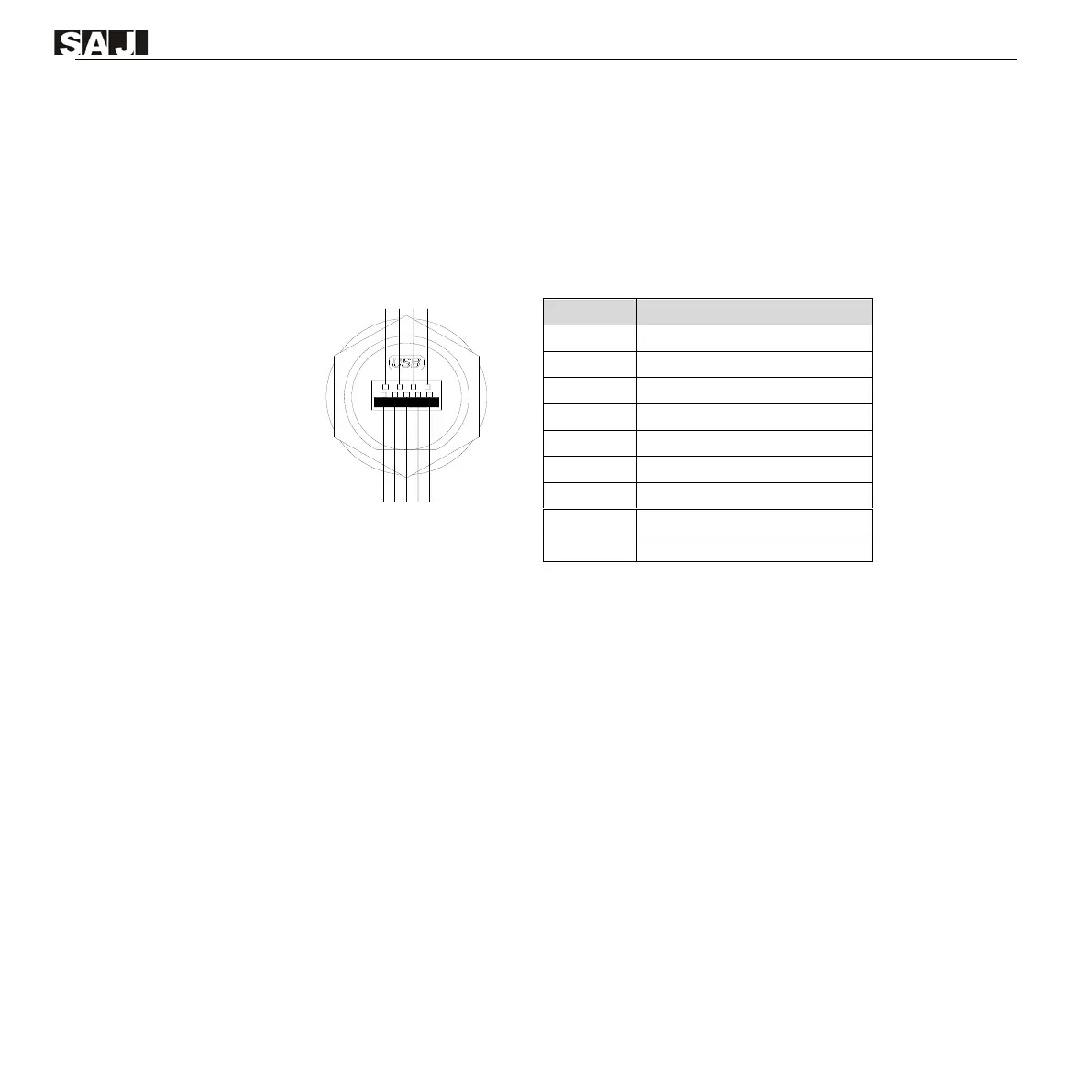
An RS232 USB communication port is provided at the bottom of the junction box. This port is used to
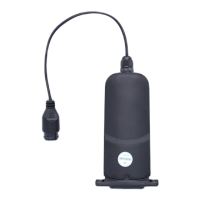
connect the communication module, such as a Wi-Fi or AIO3 module.
4
3
2
1
9
8
7 6
5
Pin
Description
1
GND: Ground wire
2
485A: 485 communication pin A
3
485B: 485 communication pin B
4
CANL: Low speed CAN signal
5
+5V: Power supply
6
232RX: Send data
7
232TX: Receive data
8
CANH: High speed CAN signal
9
NULL: Null
Procedure
Step 1. On the left side of the inverter, remove the cover from the 4G/WIFI port.
Step 2. Insert the communication module into the 4G/WIFI port. Secure the module by rotating the nut.

Table of Contents

Related product manuals