63
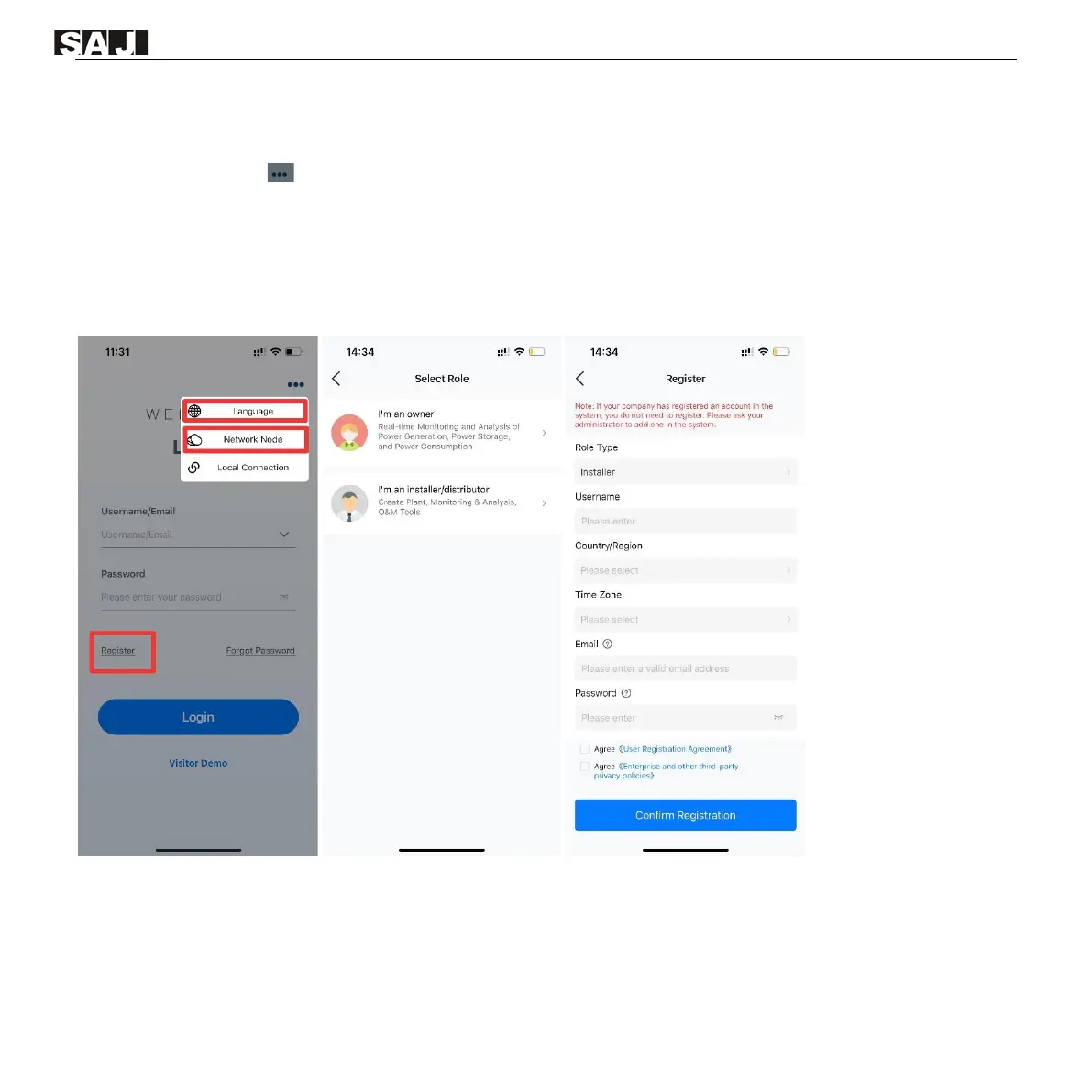
To apply for a new account, perform as follows:
1. Tap the three-dot icon on the top right corner. Choose the language and network node based on your needs.
2. Tap Register. Choose whether you are an owner or an installer or distributor.
3. Follow the instructions on the screen to complete the registration.
4. Log in to the App by using the new account and the password.
Example (for installer):



 To Next Page