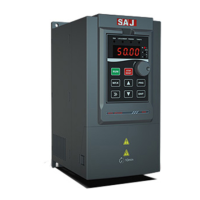
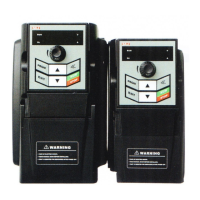
VM1000 Series
‐2‐
Content
Preface .............................................................................................. - 1 -
Precautions ...................................................................................... - 4 -
Signs, Abbreviation and Brandmark statement ........................... - 8 -
Chapter 1 Product Information ..................................................... - 9 -
1.1 Production Introduction ................................................................................. - 9 -
1.2 Technical Specification Table ...................................................................... - 10 -
1.3 Product nameplate........................................................................................ - 13 -
1.4 Model Description ....................................................................................... - 14 -
1.5 Dimension of AC Drive ............................................................................... - 14 -
1.6 Dimension of Keyboard ............................................................................... - 17 -
1.7 Specification of Selecting Products ............................................................. - 18 -
1.8 Maintenance ................................................................................................. - 19 -
Chapter 2 Installation ................................................................... - 22 -
2.1 Mechanical Installation ................................................................................ - 22 -
2.2 Electrical wiring ........................................................................................... - 28 -
2.3 Electro Magnetic Compatibility ................................................................... - 43 -
Chapter 3 Panel Display and Operation ................................... - 46 -
3.1 Introduction of Operation&Display Interface .............................................. - 46 -
3.2 Function Code Viewing, Modification Instruction ...................................... - 49 -
3.3 Viewing Methods of Status Parameters ....................................................... - 50 -
3.4 Password Setting ........................................................................................ - 50 -
Chapter 4 Quick Debugging Guide ............................................. - 51 -
4.1 Preparation and Examination Before Commissioning Operation ................ - 51 -
4.2 Panel Operation ............................................................................................ - 53 -
4.3 Start/Stop control of terminal forward rotation ........................................... - 56 -
4.4 Common Control Guideline ......................................................................... - 58 -
4.5 Auto-tuning of Motor Parameters ................................................................ - 62 -
4.6 Faults Query and Reset step ......................................................................... - 64 -
4.7 Parameters Restore as Factory Value ........................................................... - 65 -



 To Next Page