- 50 -
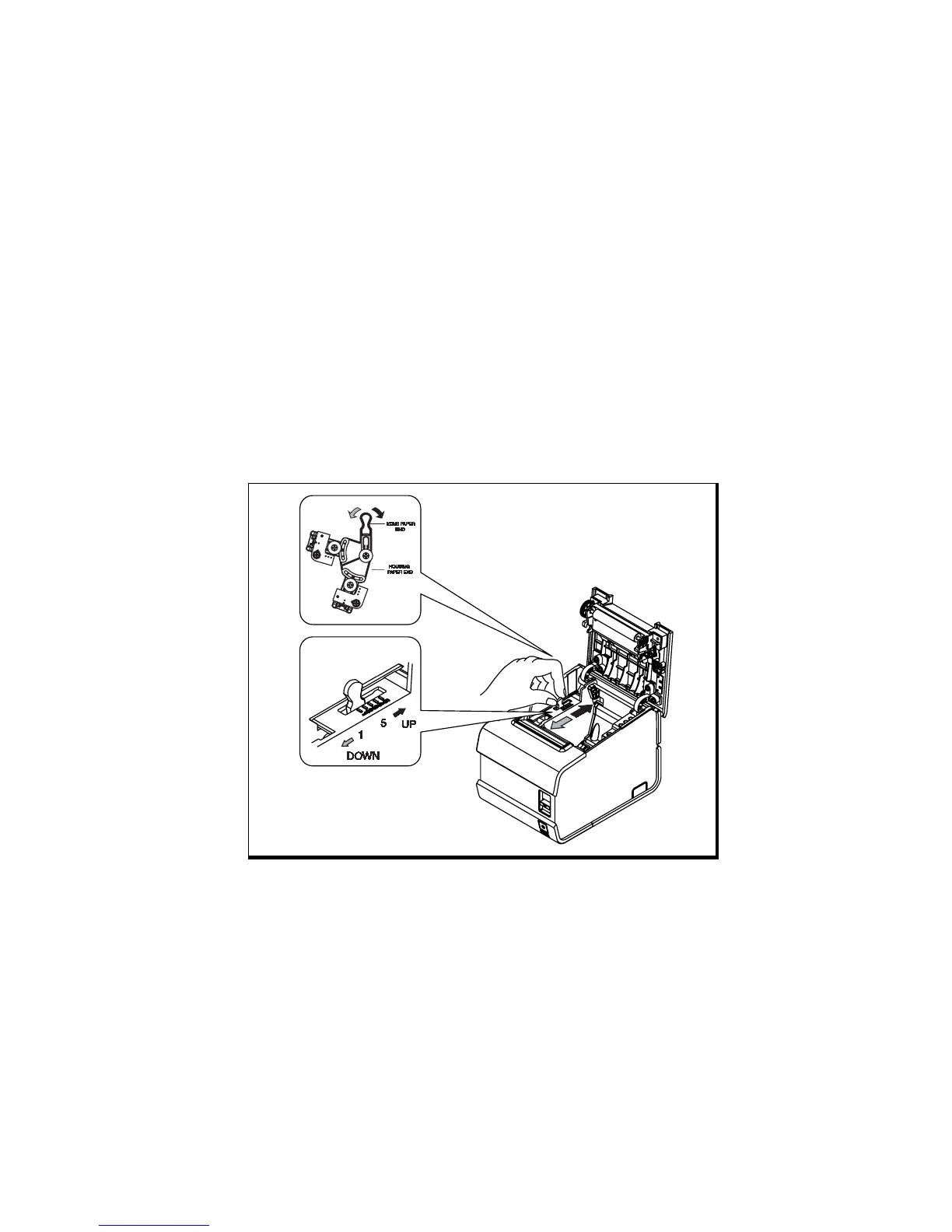
G. Adjusting the roll paper Near-End sensor
location
This sensor has five settings, which are scale #1,2,3,4 and 5. The Near-End sensor is set to
#3 positions at the factory. You can change the setting to adjustment scale #1,2,3,4 and 5
as described below.
1. Push the open button and open the cover open.
2. Change the setting to the scale #1,2,3,4 and 5.
3. If you find that there is too much paper remaining on the roll paper when the
Near-End sensor is triggered. Push the knob Near-End sensor up to scale #4 or #5.
Otherwise pull it down to scale #1 or #2 as illustrated figure.
The accuracy of the Near-End sensor depends on the adjustment scale setting and the
winding core diameter of the roll paper. The Near-End sensor is set at adjustment #3. This
is the appropriate scale for the recommended paper thickness.



 To Next Page