EasyManua.ls Logo

Samsung BD-D5500 - Selecting the Subtitle Language; Changing the Camera Angle; Setting BONUSVIEW

Samsung BD-D5500
91 pages
Print Icon
To Next Page IconTo Next Page
To Previous Page IconTo Previous Page
Loading...
Selecting
the
Subtitle
Language
BONUSVlEW
~
l'~
\ i
You
can
also
operate
this function
by
pressing
the
BONUSVIEW
button
on
the
remote
control.
Changing
the
Camera
Angle
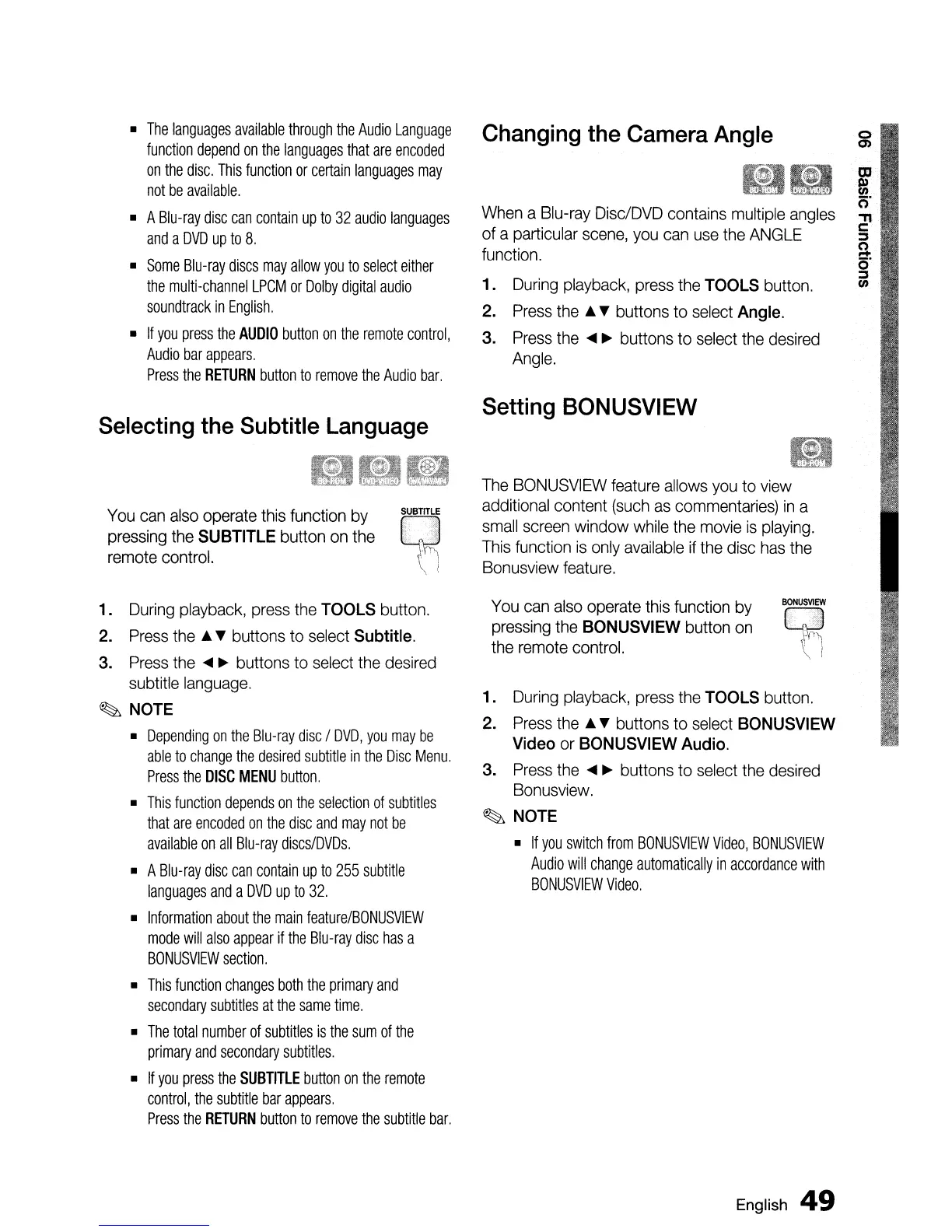
1.
During
playback,
press
the
TOOLS
button.
2.
Press
the'"
...
buttons to
select
BONUSVIEW
Video
or
BONUSVIEW
Audio.
3.
Press
the
....
~
buttons to
select
the
desired
Bonusview.
~
NOTE
•
If
you
switch
from
BONUSVIEW
Video,
BONUSVIEW
Audio
will
change
automatically
in
accordance
with
BONUSVIEW
Video.
Setting
BONUSVIEW
When
a
Blu-ray
Disc/DVD
contains
multiple
angles
of a particular
scene,
you
can
use
the
ANGLE
function.
1.
During
playback,
press
the
TOOLS
button.
2.
Press
the'"
...
buttons to
select
Angle.
3.
Press
the
....
~
buttons
to
select
the
desired
Angle.
The
BONUSVIEW
feature
allows
you
to
view
additional
content
(such
as
commentaries)
in
a
small
screen
window
while
the
movie
is
playing.
This
function
is
only
available
if
the
disc
has
the
Bonusview
feature.
~
~UBmL,E
:
0'
"'.
....
~,"
--"
i
You
can
also
operate this function
by
pressing
the
SUBTITLE
button
on
the
remote
control.
•
The
languages
available
through
the
Audio
Language
function
depend
on
the
languages
that
are
encoded
on
the
disc.
This
function
or
certain
languages
may
not
be
available.
• A
Blu-ray
disc
can
contain
up
to
32
audio
languages
and
a
DVD
up
to
8.
•
Some
Blu-ray
discs
may
allow
you
to
select
either
the
multi-channel
LPCM
or
Dolby
digital
audio
soundtrack
in
English.
•
If
you
press
the
AUDIO
button
on
the
remote
control,
Audio
bar
appears.
Press
the
RETURN
button
to
remove
the
Audio
bar.
1.
During
playback,
press
the
TOOLS
button.
2.
Press
the
buttons to
select
Subtitle.
3.
Press
the
~
buttons to
select
the
desired
subtitle
language.
~
NOTE
•
Depending
on
the
Blu-ray
disc
I
DVD,
you
may
be
able
to
change
the
desired
subtitle
in
the
Disc
Menu.
Press
the
DISC
MENU
button.
•
This
function
depends
on
the
selection
of
subtitles
that
are
encoded
on
the
disc
and
may
not
be
available
on
all
Blu-ray
discs/DVDs.
• A
Blu-ray
disc
can
contain
up
to
255
subtitle
languages
and
a
DVD
up
to
32.
•
Information
about
the
main
feature/BONUSVIEW
mode
will
also
appear
if
the
Blu-ray
disc
has
a
BONUSVIEW
section.
•
This
function
changes
both
the
primary
and
secondary
subtitles
at
the
same
time.
•
The
total
number
of
subtitles
is
the
sum
of
the
primary
and
secondary
subtitles.
•
If
you
press
the
SUBTITLE
button
on
the
remote
control,
the
subtitle
bar
appears.
Press
the
RETURN
button
to
remove
the
subtitle
bar.
English
49

Table of Contents