EasyManua.ls Logo

Samsung BD-D5500 - Playing Pictures and Slide Shows

Samsung BD-D5500
91 pages
Print Icon
To Next Page IconTo Next Page
To Previous Page IconTo Previous Page
Loading...
Basic
Functions
Playing back Pictures
Playing
a
JPEG
files
1.
Insert
a
JPEG
disc
into
the
disc
tray.
2.
Press
the
..
~
buttons
to
select
Photos,
and
then
press
the
ENTER
button.
3.
Press
the
..
~
<llII
~
buttons
to
select
the
folder
you
want
to
play,
and
then
press
the
ENTER
button.
4.
Press
the
..
~
<llII
~
buttons
to
select
the
photo
you
want
to
play,
and
then
press
the
ENTER
button.
~
NOTE
You
can't
enlarge
the
subtitle
and
PG
graphic
in
the
full
screen
mode.
Using
the
TOOLS
button
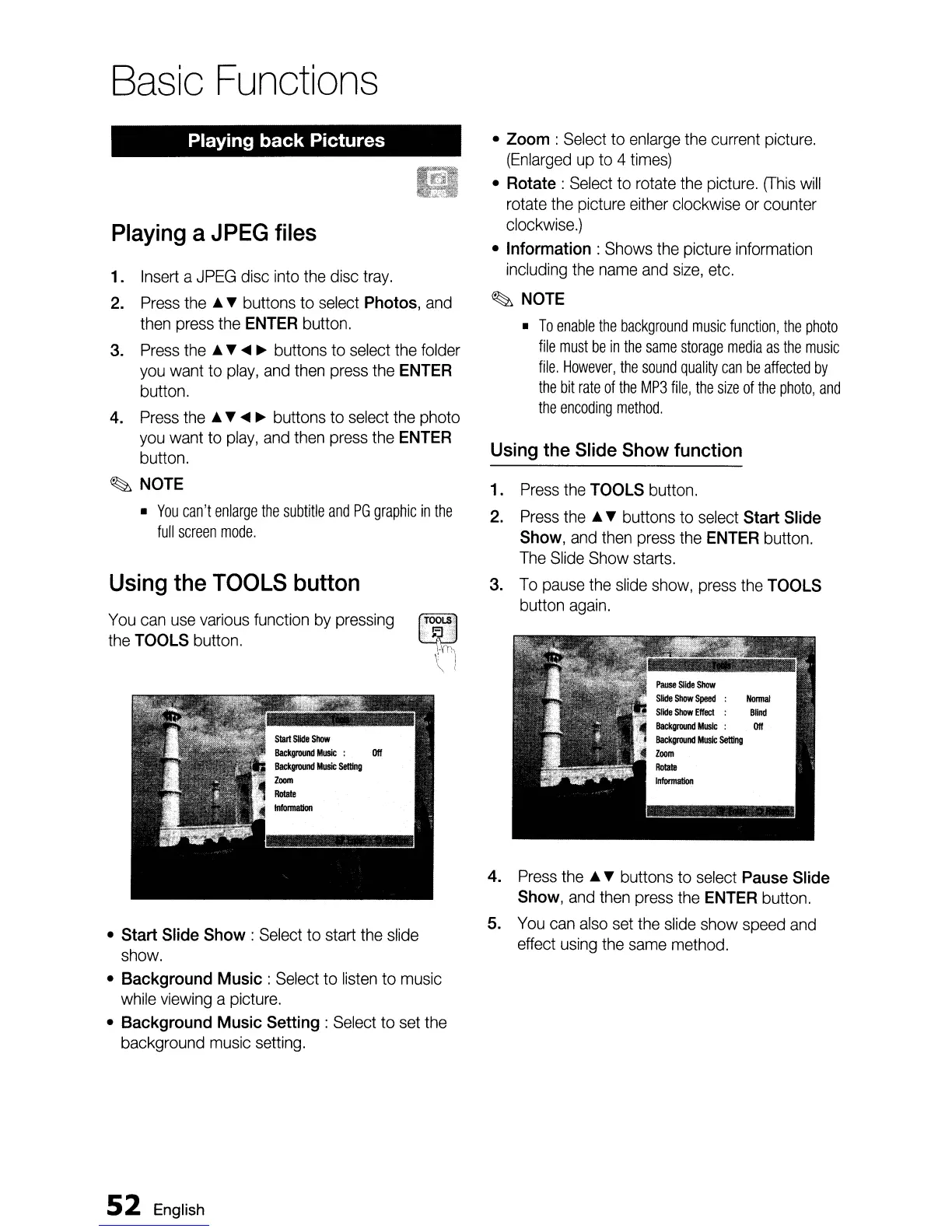
You
can
use
various
function
by
pressing
~
the
TOOLS
button.'
"-·i
\ "
\ I
Start
Slide
Show
:
Select
to start
the
slide
show.
Background
Music:
Select
to
listen
to
music
while
viewing
a picture.
Background
Music
Setting:
Select
to
set
the
background
music
setting.
52
English
Zoom
:
Select
to
enlarge
the
current
picture.
(Enlarged
up
to 4
times)
Rotate:
Select
to
rotate
the
picture.
(This
will
rotate
the
picture
either
clockwise
or
counter
clockwise.)
Information:
Shows
the
picture
information
including
the
name
and
size,
etc.
~
NOTE
To
enable
the
background
music
function,
the
photo
file
must
be
in
the
same
storage
media
as
the
music
file.
However,
the
sound
quality
can
be
affected
by
the
bit
rate
of
the
MP3
file,
the
size
of
the
photo,
and
the
encoding
method.
Using
the
Slide
Show
function
1.
Press
the
TOOLS
button.
2.
Press
the
..
~
buttons
to
select
Start
Slide
Show,
and
then
press
the
ENTER
button.
The
Slide
Show
starts.
3.
To
pause
the
slide
show,
press
the
TOOLS
button
again.
4.
Press
the
..
~
buttons
to
select
Pause
Slide
Show,
and
then
press
the
ENTER
button.
5.
You
can
also
set
the
slide
show
speed
and
effect
using
the
same
method.

Table of Contents

Other manuals for Samsung BD-D5500

Related product manuals