EasyManua.ls Logo

Samsung BD-D5500 - USB Storage Device Playback

Samsung BD-D5500
91 pages
Print Icon
To Next Page IconTo Next Page
To Previous Page IconTo Previous Page
Loading...
Playing back a USB Storage Device
You
can
use
the
USB
connection
to
play
multimedia
files
(MP3,
JPEG,
DivX,
etc)
downloaded
from
a
USB
storage
device.
1.
Move
to
the
Home
menu.
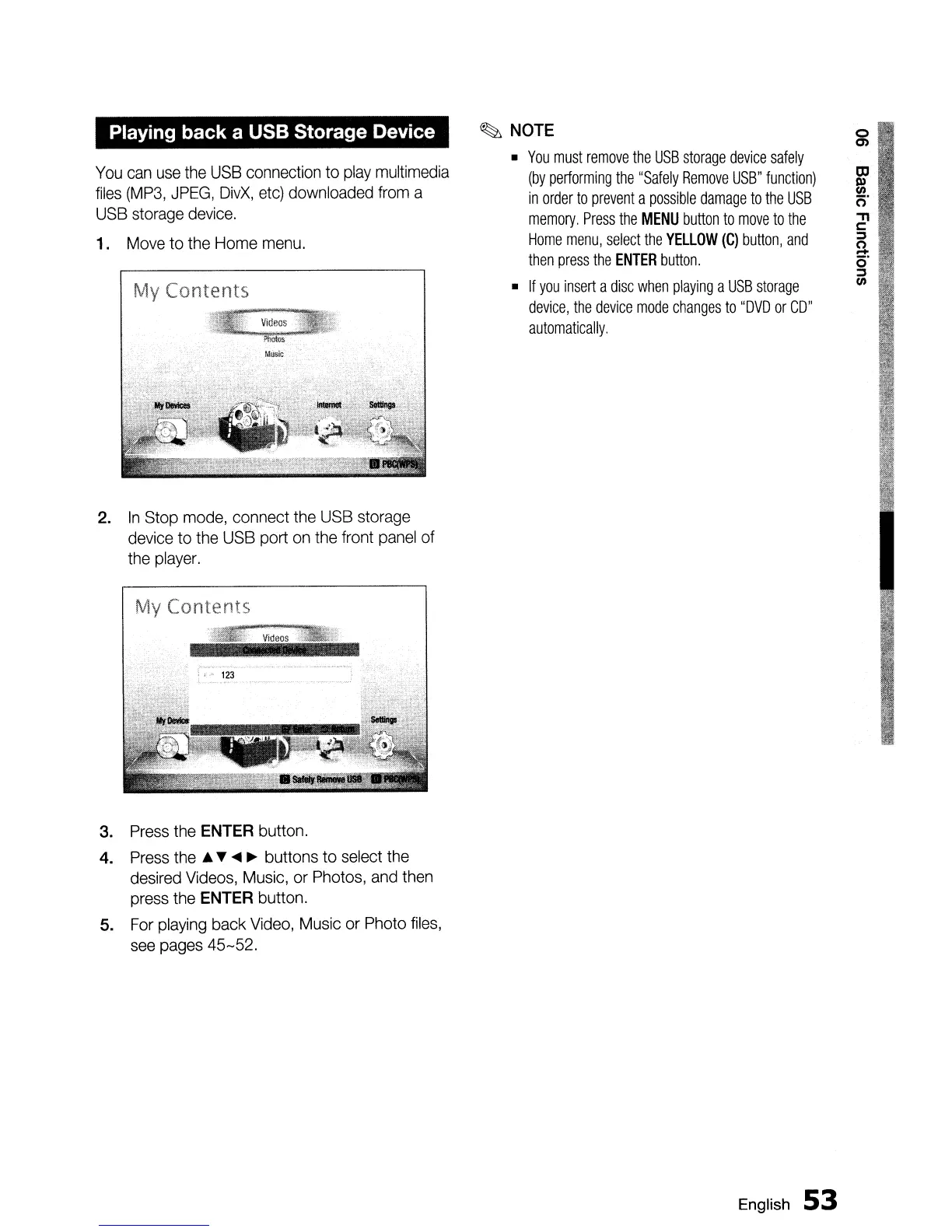
My Contents
2.
In
Stop
mode,
connect
the
USB
storage
device
to
the
USB
port
on
the
front
panel
of
the
player.
My Contents
3.
Press
the
ENTER
button.
4.
Press
the
A
~
....
~
buttons to
select
the
desired
Videos,
Music,
or
Photos,
and
then
press
the
ENTER
button.
5.
For
playing
back
Video,
Music
or
Photo
files,
see
pages
45-52.
~
NOTE
•
You
must
remove
the
USB
storage
device
safely
(by
performing
the
"Safely
Remove
USB"
function)
in
order
to
prevent
a
possible
damage
to
the
USB
memory.
Press
the
MENU
button
to
move
to
the
Home
menu,
select
the
YELLOW
(C)
button,
and
then
press
the
ENTER
button.
•
If
you
insert
a
disc
when
playing
a
USB
storage
device,
the
device
mode
changes
to
"DVD
or
CD"
automatically.
English
53

Table of Contents