EasyManua.ls Logo

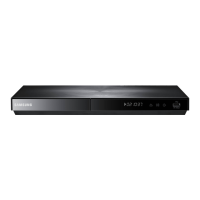
Samsung BD-D5500 - AllShare Functionality

Samsung BD-D5500
91 pages
Print Icon
To Next Page IconTo Next Page
To Previous Page IconTo Previous Page
Loading...
Help
If
you
have
questions about
Samsung
Apps,
check
Help
first.
If
none
of
the
tips
apply,
please
visit
www.samsung.com.
To
use
the
Help
function,
follow
these
steps:
1.
Press
the
........
~
buttons
to
select
Help,
and
then
press
the
ENTER
button.
2.
Press
the
~
to
enter
Help
after
it
appears.
3.
Press
the
to
scroll
the
Help
text.
4.
Press
the
to
exit
Help.
Using
the
colored
buttons
on
your
remote
with
Samsung
Apps
RED
(A)
(Login)
:
To
log
into
your
Smart
1V
Account.
GREEN
(B)
(Thumbnail/List
View)
:
To
toggle
applications
between
Thumbnail
and
List
view.
BLUE
(D)
(Sort
By)
:
To
sort
the
applications
in
a category
by
Recommended,
Most
Downloaded,
Most
Recent,
or
Name.
Return
:
To
return
to
the
previous
menu.
~
NOTE
The
Internet
contents
services
may
be
added
or
deleted
by
providers
without
notice.
For
instructions
to
use
Your
Video
or
Search
Function,
please
visit
www.samsung.com
BD-LiVETM
Once
the
player
is
connected to
the
network,
you
can
enjoy
various
movie-related
service
contents
using
a
BD-L1VE
compliant
disc.
1. Attach a
USB
memory
stick
to
the
USB
jack
on
the
side
of
the
player,
and
then
check
its
remaining
memory.
The
memory
device
must
have
at
least
1
GB
of
free
space
to
accommodate
the
BD-L1VE
services.
2.
Insert
a
Blu-ray
disc that supports
BD-L1VE.
3.
Select
an
item
from
various
BD-L1VE
service
contents provided
by
the
disc
manufacturer.
~
NOTE
The
way
you
use
SO-LIVE
and
the
provided
contents
may
differ,
depending
on
the
disc
manufacturer.
Using the AIIShare Function
AIiShare
lets
you
play
music,
video,
and
photo
files
located
in
your
PC
or
your
DLNA
compatible
mobile
phone
or
NAS
on
the
player.
To
use
AIiShare
with your
player,
you
must
connect
the
player
to
your
network
(See
pages
26-27).
To
use
AIiShare
with
your
PC,
you
must
install
AIiShare
software
on
your
PC.
If
you
have
a
DLNA
compatible
mobile
phone
or
NAS,
you
can
use
AIiShare
without
any
additional
software.
You
can
download
the
PC
software
and
get
detailed
instructions for
using
AIiShare
from
the
Samsung.com web
site.
English
63

Table of Contents

Other manuals for Samsung BD-D5500

Related product manuals