03233A(E)-CHAPTER 3 10/30/03 4:04 PM Page 9
TV OPERATION
Using Automatic Picture Settings
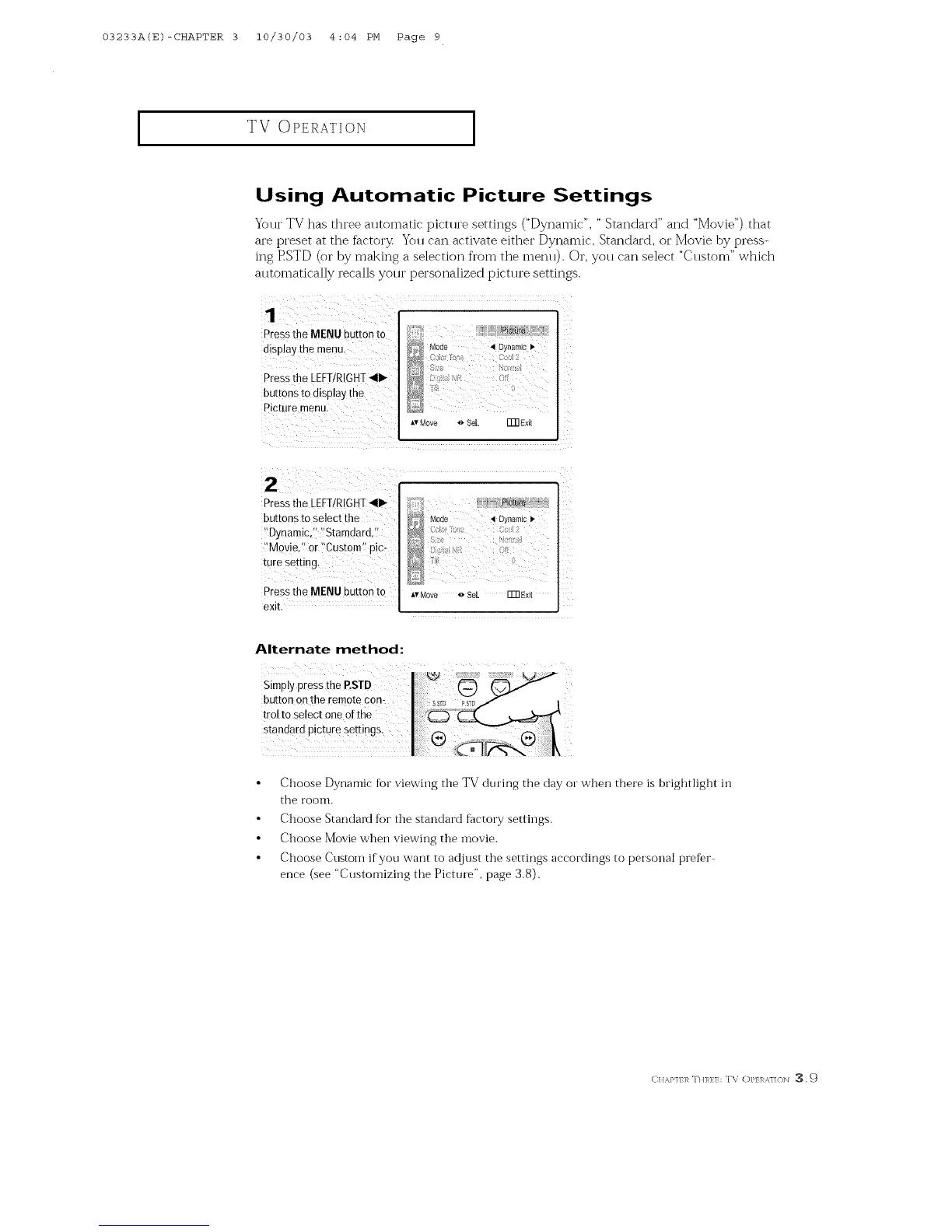
Your TV has three automatic picture settings ("Dynamic", " Standard" and "Movie") that
are preset at the factory Yoll caI] activate either Dynamic, Standard, oi" Movie by press-
ing PSTD (or by making a selection fl'om the menu). Or, you can select "Custom" which
automatically recalls your personalized picture settings.
P[ess the MENU button to
display the menu.
Press the LEFURIGHT_111_
buttons to display the
Picture menu.
(:< 7{ie : Cc 2
![) : [
Move Sel. []]]Ex[t
Pressthe LEFT/RIGHT,qlll_-
buttons to select the
i'Oynamic,'i 'Stamdard,7
!'Movie," or '!Custom'/pic,
ture setting,
Press the MENU button to
exit.
ATMove 4_ Se[ ITRExi_
Alternate method:
Simply press the P.STD
button on the remote corn
trol to select one of the
standard pictu[e settings,
Choose Dynamic for viewing the TV during the day or when there is brightlight in
the room.
Choose Standai_t for the standard factory settings.
Choose Movie when viewing the inovie.
Choose Custoin if you want to adjust the settings accordings to personal prefer
ence (see "Customiziilg the Picture", page 3.8).
CI/,%P]/],_ TH]_},:]7:: TV ()FEI %]/(/]N _ ,9



 To Next Page