03233A(E)-CHAPTER 3 10/30/03 4:04 PM Page 24
TV OPERATION
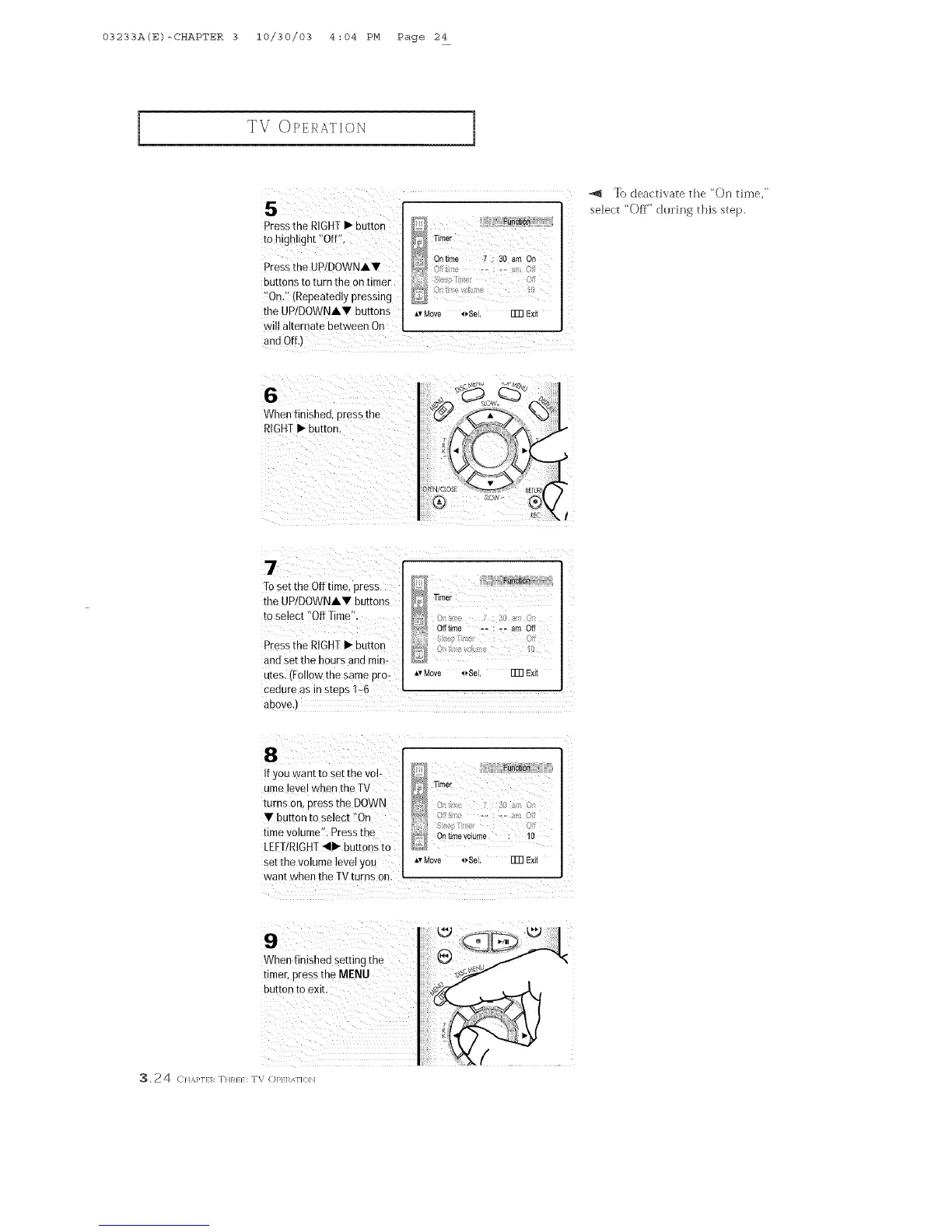
5¸¸¸¸< :/(<
Press the RIGHTI_ button
to high!ight 'tofflt
Pressthe UP!DOWNA,
buttons to turn the on timer
_On.':(Repeatedly pressing
the UP!DOWNA• buttons
wil! alternate between On
_,vMove _Sel. ITR Exit
"_J _) deactivate the 'On time,"
select "Off" duling this step.
i71: I _ii_il i i ii_I
/
To set the off time, press I D } ,hi;;;;;;;;
the UP!DOWNA, buttons , _ :'_::
tOse!ec! :'0ff Time'!, I
ii <i;;;i
and Set the hours and mira _
utes.(Follow the same pro- o Move _Sel. FmExit
cedure as in steps !-6
above.)
113_ i/ii_i_ _i:i _i_!i
i[ YOUwant to Setthe Vol: D
ume level when the TV _ T_mer
turns on, press the DOWN _ 0, 7: :_i, o
• button to select !iOn _J_ :
time volume", Press the !>_ :
LEFTIRIGHT_111_buttons to _ Ontimevol.r_e :1o
set the volume level you *,Move ,_Sel. FmEX4
want when the TV turns 0n,
When finished setting the
timer, press
3.24 C}1,%}'1}1_ THR}} : TV (:)P}I_Ai'](}b]



 To Next Page