03233A(E)-CHAPTER 5 10/30/03 4:10 PM Page ii
I
VCR OPERATION
I
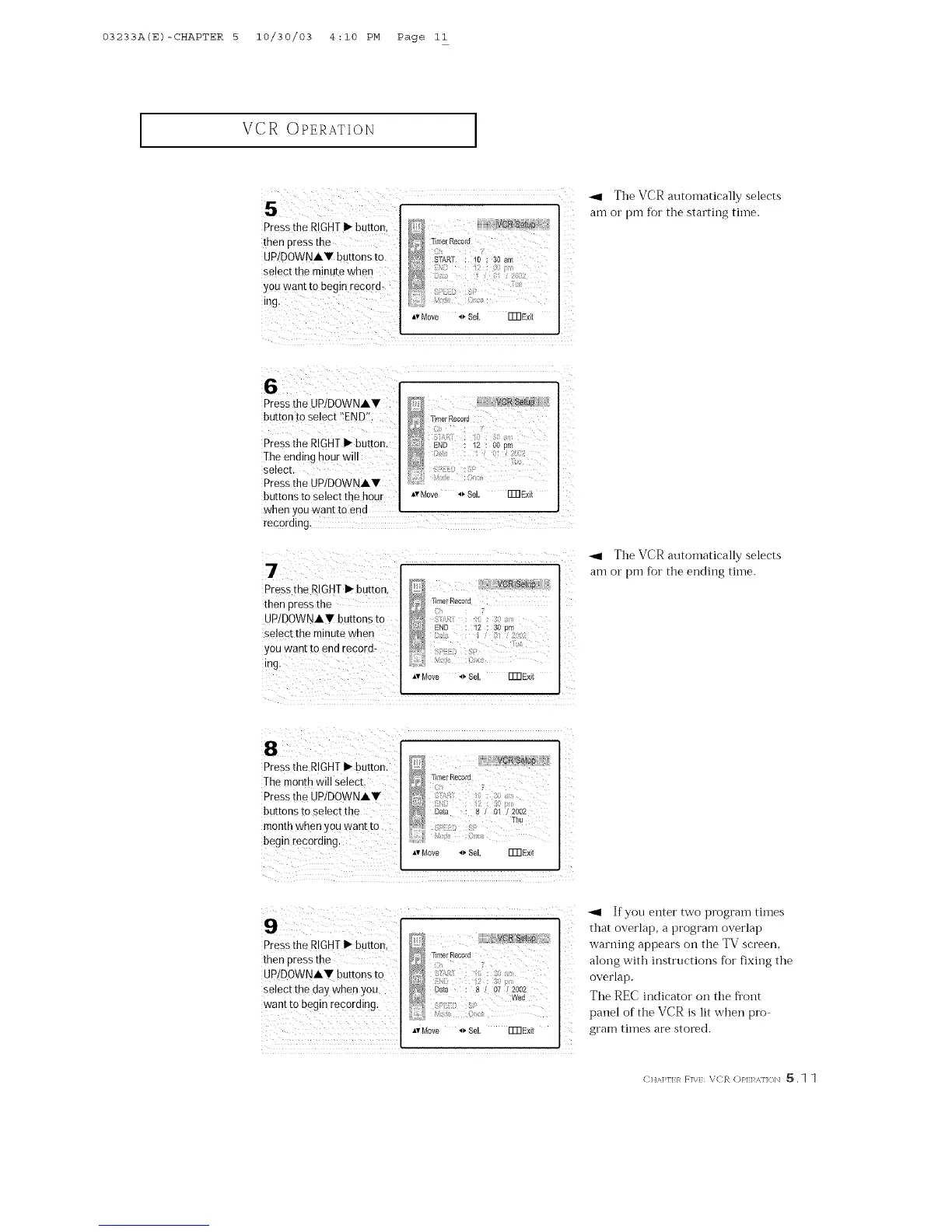
_1 The VCR automatically selects
am or pm for tile starting tiine.
6
PreSsthe UP/DOWNA,
button to Select !!END'!.
Press the RIGHT I_ button,
lhe ending hOUr will
select.
Press the UPIDOWNAW
buttons to select the hour
AvMove _ Se[. FmExit
when yOUwant to end
recording.
Press the RIGHTl-button,
then press the
UP/DOWNh, W buttons to
select the minute when
yOUwant tOend record:
*,vMove _ Sel. Fm Exit
_1 The VCR autornatically selects
am or pm for the ending time.
AvMove _ Sel. FmExit
Pressthe RIGHTI_ button,
then press the
UP/DOWNAV buttons to
Select the day Whenyou
want to begin recording.
*v Move _ Sel. Fm Exit
-ql If you enter two prograin times
that overlap, a program overlap
warning appears on the TV screen,
along with instructions for fixing the
overlap.
The REC indicator on the flont
panel of the VCR is lit when pro
gram times are stored.
(: HA]>rI:}_ F]\}: VCR (:)}'1:1 U]<_N _. 1 1



 To Next Page