03233A(E)-CHAPTER 5 10/30/03 4:10 PM Page 12
VCR OPERATION
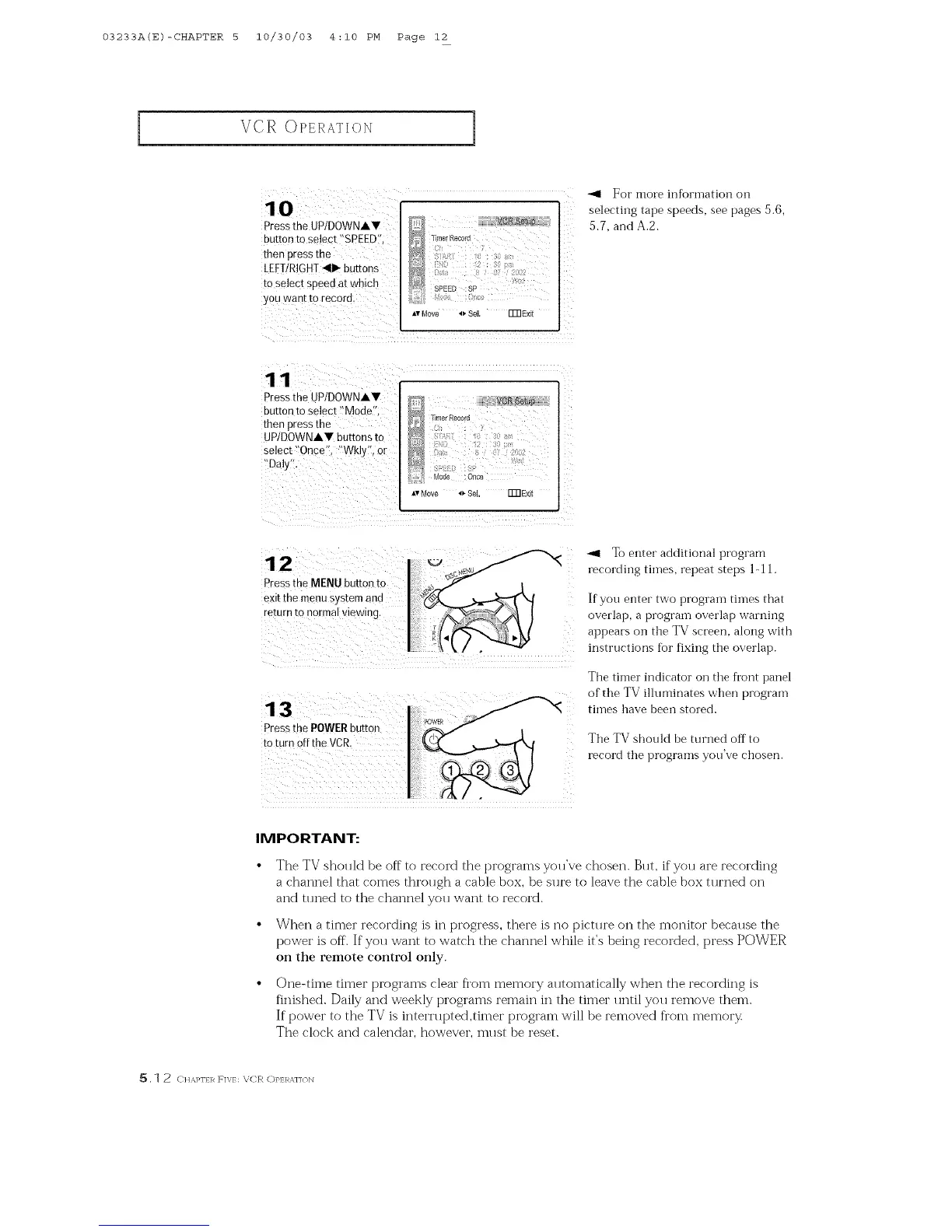
lo
Pressthe UPIDOWNAV
buttoo to select "SPEEDI';
then press the
LEFT/RIGHT411_buttons
to select sP#ed at which
yoo wa0t to record.
Timer Record
f ; 2 ;
SPEED;sP
Av Move 4_ 8eL FFRExit
For more inR)rmation on
selecting tape speeds, see pages 5.6,
5.7, and A.2.
11
Pressthe UPIDOWNAY
ouuon [o select "Mode'
then press [n_
UP/DOWNAV buttons to
selec[ Once". "Wkly',or
"Daly'.
VCR:Se_e
_merRetold
Od_ OnCe
_,vMove _ Se Fm Exit
12
Presstne MENU button to
exit the menu system and
return ro normal wewing.
Pressthe POWERbutton
to turn offthe VCR,
To enter additional program
recording times, repeat steps l-l l.
If you enter two prograin times that
overlap, a prograin overlap warning
appears on the TV screen, along with
instructions for fixing the overlap.
The timer indicator on the front panel
of the TV illuminates when program
times have been stored.
The TV should be turned off to
record the programs you've chosen.
IMPORTANT:
The TV should be off to record the programs you've chosen. But, if you are recording
a channel that comes through a cable box, be sure to leave the cable box turned on
and tuned to the channel you want to record.
When a timer recording is in progress, there is no picture on the monitor because the
power is off. If you want to watch the channel wMle it's being recorded, press POWER
on the remote control only.
One-time timer programs clear fl'om memory alltomatically when the recording is
finished. Daily and weekly programs remain in the timer until you remove them.
If power to the TV is intern q_ted,timer program will be removed fi'om memory
The clock and calendar, however, must be reset.
_, 1 2 ([ It,&,l_l'IIq F]V/: XE'R OP]:RA]]<ON



 To Next Page