ΙΙ
27
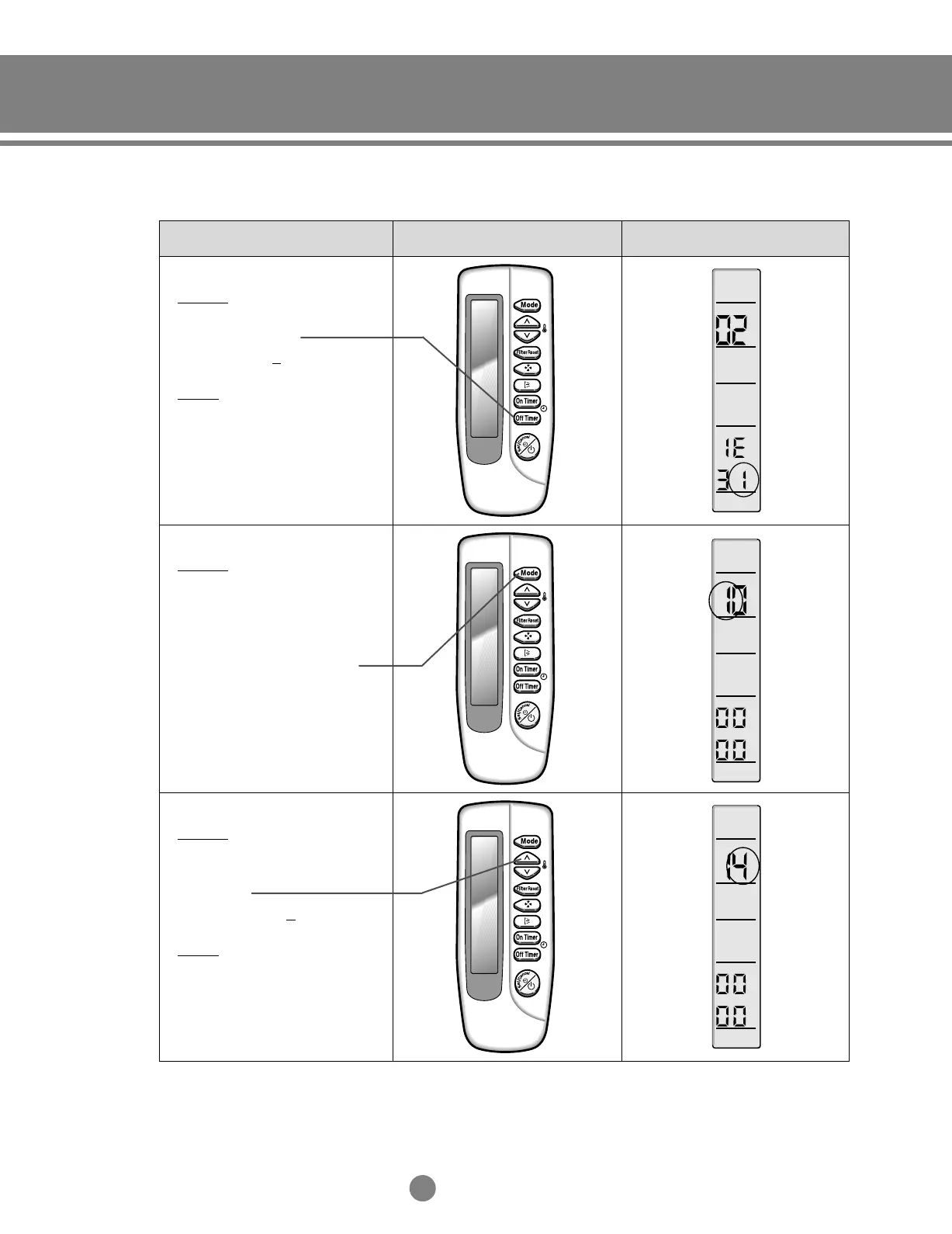
Operation method Applicable button Indicating state
❋ Step 7
Method)
Input the sixth digit by pressing
the Off timer button.
example) 021E31
142285
Result)
If 1 displays, go to step 8.
❋
Step 8
Method)
After completion up to step 7,
pressing mode button.
① 1 ~ 7 steps are saved internally.
② I
f the first number is 1 at the time,
it is correct. So go to step 9.
✼
If wanting to see the screen
of 2 ~7 steps, press the mode
button to make the first digit 0.
❋
Step 9
Method)
Input the eighth digit by pressing
the temperature adjustment
button (up).
example) 021E3114
2285
Result)
If 4 displays, go to step 10.
2.Control system_TM_E_06890 2/27/03 10:13 AM Page 27








 To Next Page