ΙΙ
. Control System
7. S-Net
ΙΙ
32
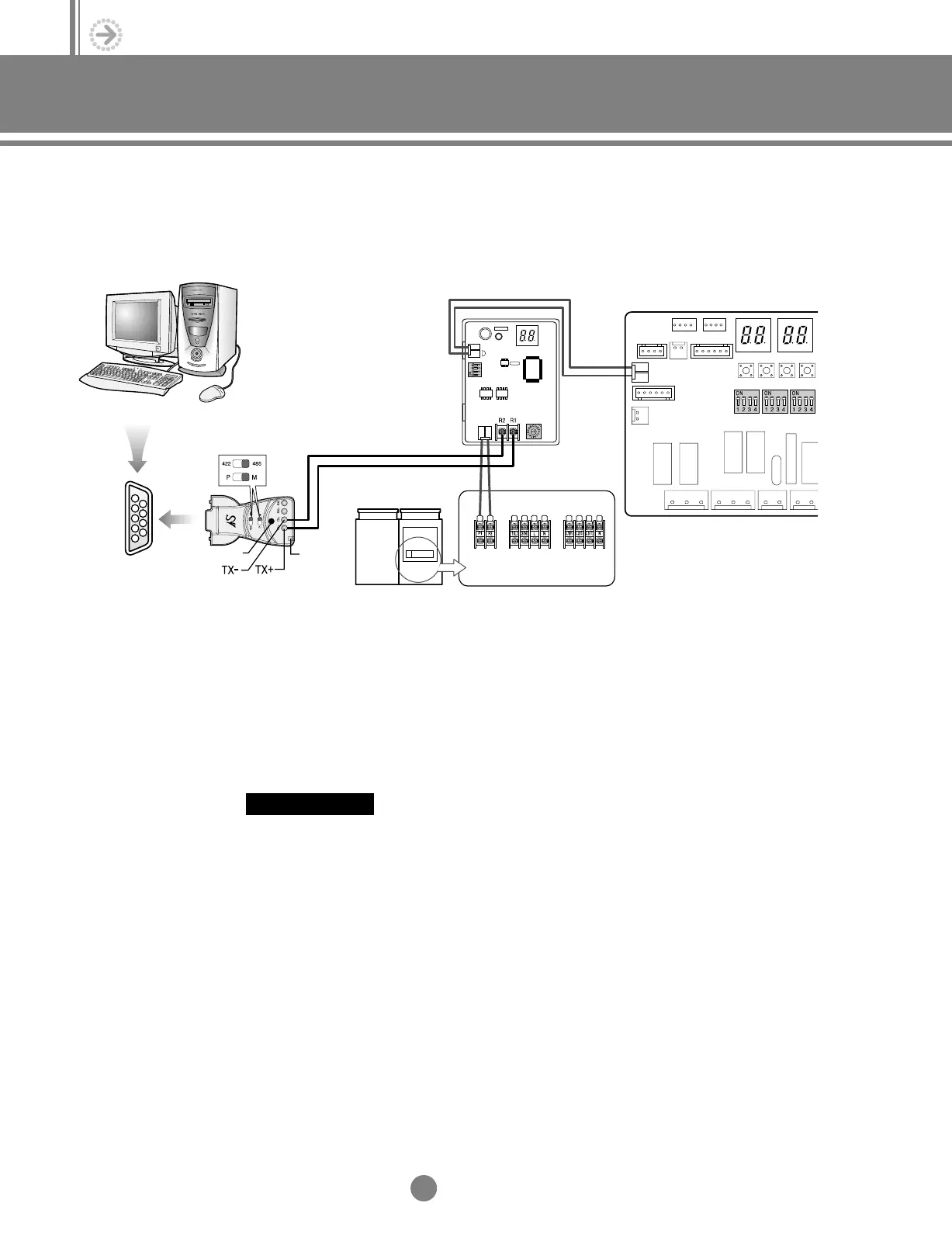
1) Download S-NET program to your PC, then execute Setup.exe to install the program.
2) If the installation is completed successfully, connect RS-485 converter to COM1 or
COM2 port on your computer.
3) Connect R1 and R2 terminals on the interface module PCB to TX+ and TX- on the
RS-485 converter.
4) Double-click
DVMSNET 2.0
icon to open the program after completing the installation.
1
2
3
4
5
6
7
8
9
COM1 port
Switch of converter slide
(Not supplied)
Rear of computer
Interface module PCB
Oudoor unit PCB
Power
Connector
Power
2.Control system_TM_E_06890 2/27/03 10:13 AM Page 32




 To Next Page