>>>GoFurther:StarsandLabels
IntheGmailapp,youusestarsandlabelstohelporganizeyouremail.Inmostemailclientsyou
cancreatefoldersinyourmailboxtohelpyouorganizeyouremails.Forexample,youmight
createafoldercalled“emailsfromtheboss”andmoveanyemailsyoureceivefromyourbossto
thatfolder.TheGmailappdoesn’tusethetermfolders;itusesthetermlabelsinstead.Youcan
createlabelsinGmailandchooseanemailtolabel.Whenyoulabeltheemail,itisactually
movedtoafolderwiththatlabel.Anyemailthatyoumarkwithastarisactuallyjustgettinga
labelcalled“starred.”However,whenviewingyourGmail,youseetheyellowstarnexttothe
email.Peoplenormallyaddastartoanemailasareminderofsomethingimportant.
ComposeanEmail
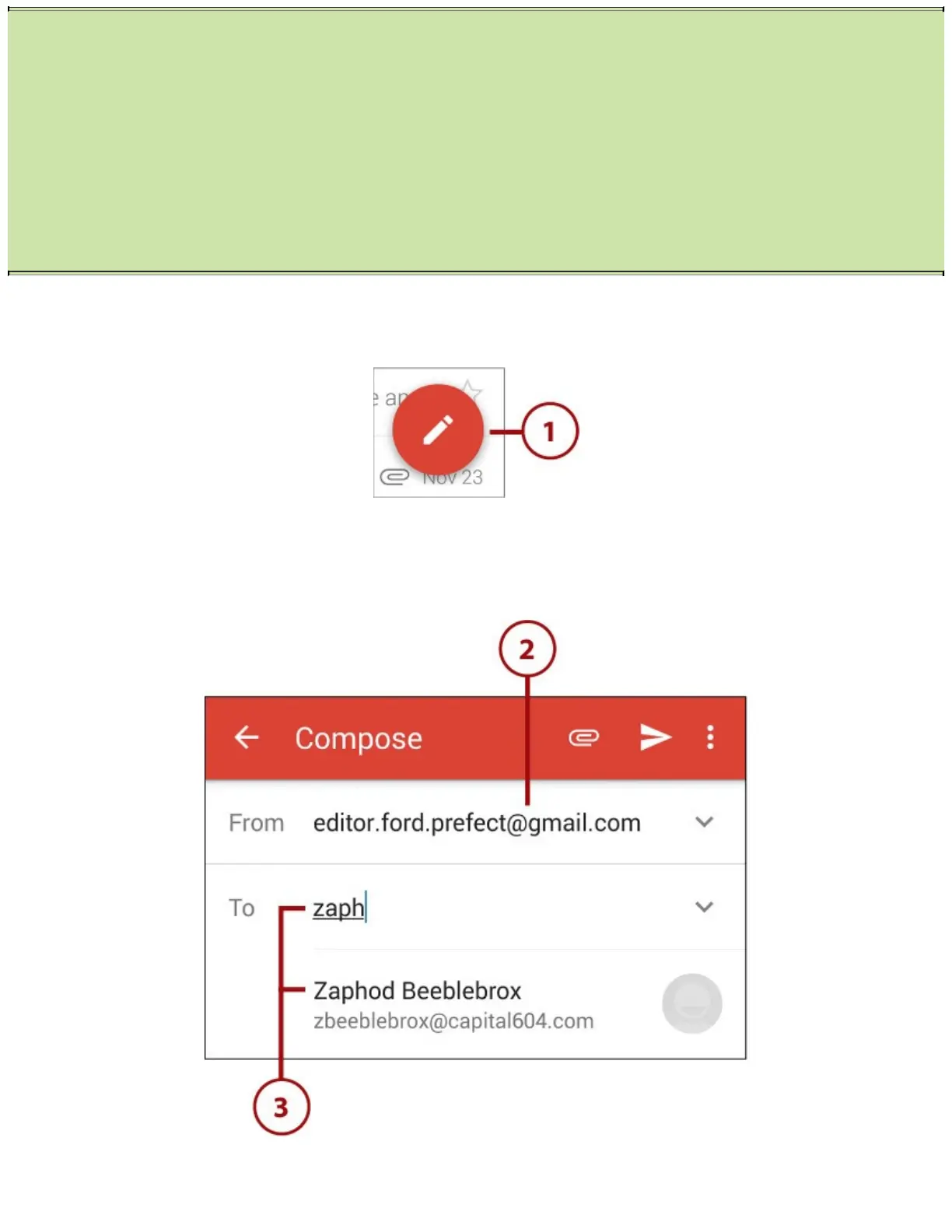
1.Tapthecomposeicon.
2.Taptochangetheemailaccountfromwhichthemessageisbeingsent(ifyouhavemultiple
accounts).
3.TypenamesintheTofield.IfthenamematchessomeoneinyourContacts,alistofchoicesis
displayedandyoucantapanametoselectit.Ifyouonlyknowtheemailaddress,typeithere.
4.TaptoaddCarbonCopy(CC)orBlindCarbonCopy(BCC)recipients.
5.TapthepaperclipicontoaddoneormoreattachmentsorinsertlinkstooneormoreGoogle
Drivefiles.














 To Next Page