ChangetheContactsinaContactsGroup
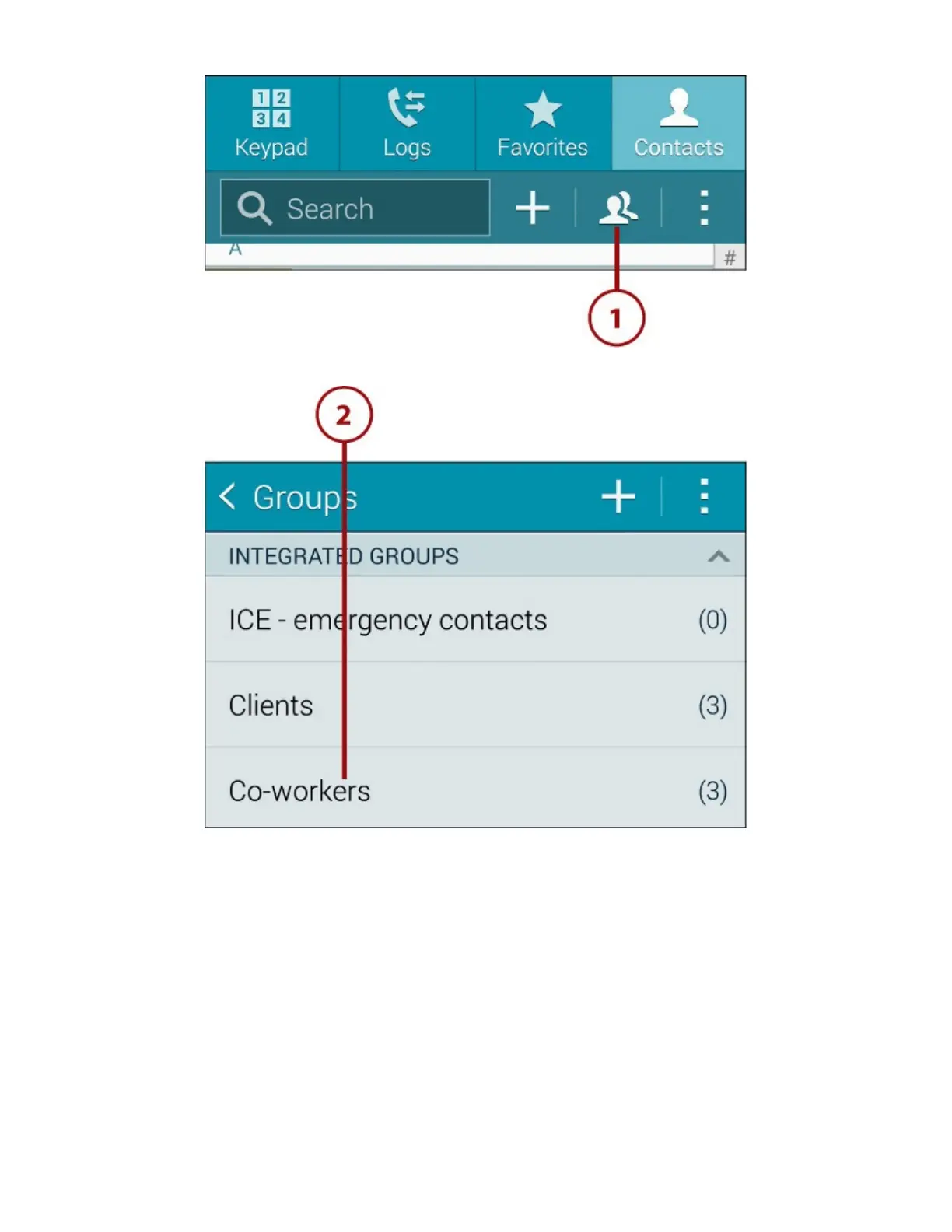
1.OntheContactsscreen,taptheGroupsbuttontodisplaytheGroupsscreen.
2.Tapthegrouptoedit.
3.TaptheAdd(+)buttontoaddacontacttothegroup.Ontheresultingscreen,checktheboxfor
eachcontactyouwanttoaddandthentapDone.
4.Toremovecontacts,tapandholdanycontactuntilthescreendisplaysselectioncontrols.














 To Next Page