
 To Next Page
A
Anna PetersAug 27, 2025
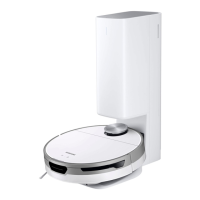
What to do if the Empty Dust function on my Samsung Jet Bot doesn't work?
- JJacob ArmstrongAug 27, 2025
If the Empty Dust function on your Samsung Vacuum Cleaner is not working, make sure the Jet Bot is sufficiently charged and run the function again. Check whether the Clean Station's cover is open or the Dust Bag is full. Check the time to empty Dustbin at the SmartThings App. If it is set as 'When the robot vacuum’s dustbin is full', the Empty Dust function does not work until the Dustbin is full. If the Empty Dust function does not work properly, press the [ ] button on the body of the Jet Bot while it is charging, you can empty the Dustbin of the Jet Bot manually. If you press the [ ] button during dust emptying, the dust emptying stops.
 General