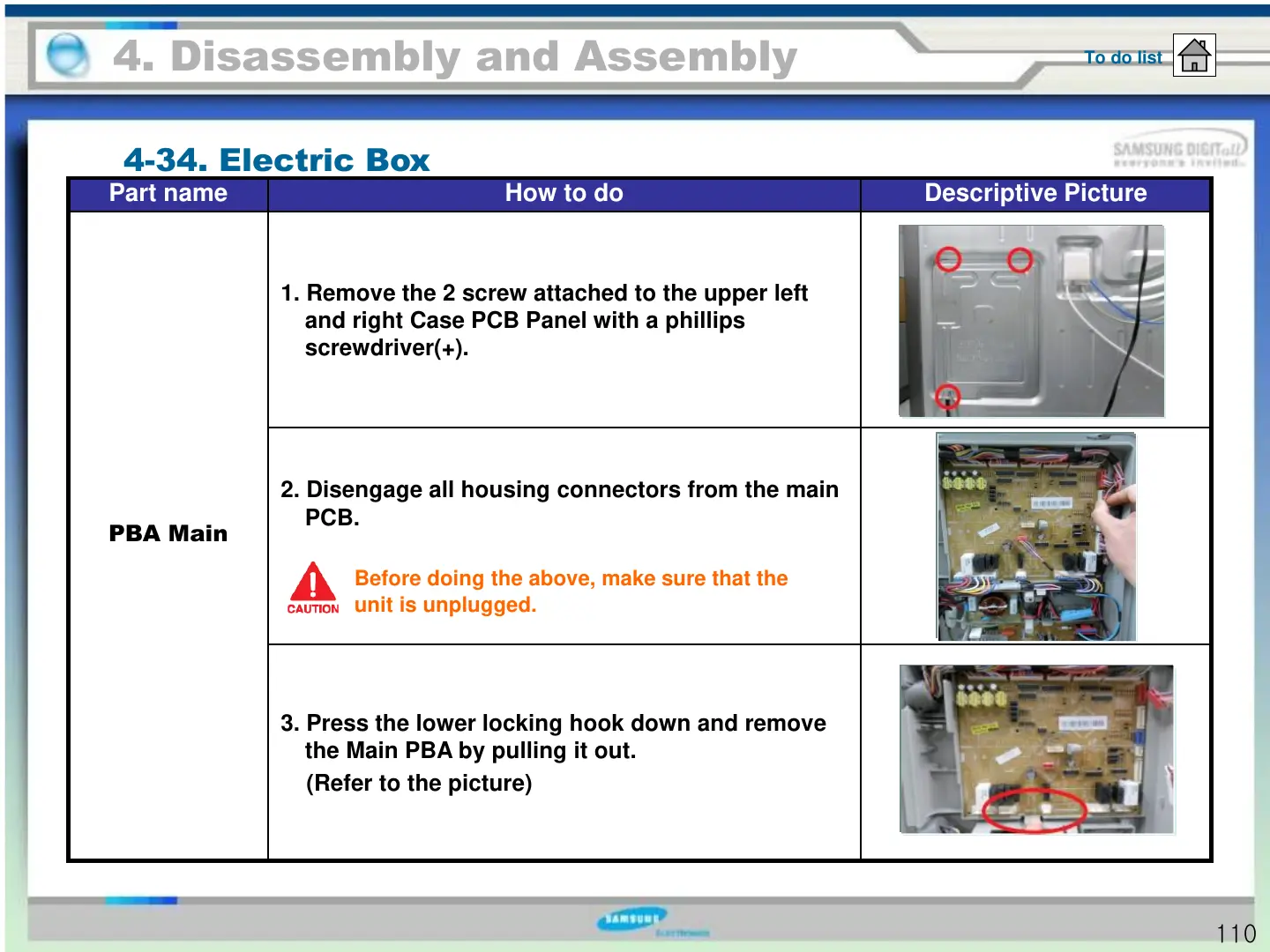
Part name How to do Descriptive Picture
PBA Main
1. Remove the 2 screw attached to the upper left
and right Case PCB Panel with a phillips
screwdriver(+).
2. Disengage all housing connectors from the main
PCB.
3. Press the lower locking hook down and remove
the Main PBA by pulling it out.
(Refer to the picture)
4. Disassembly and Assembly
4-34. Electric Box
To do list
Before doing the above, make sure that the
unit is unplugged.
110





 To Next Page