4. Disassembly and Assembly
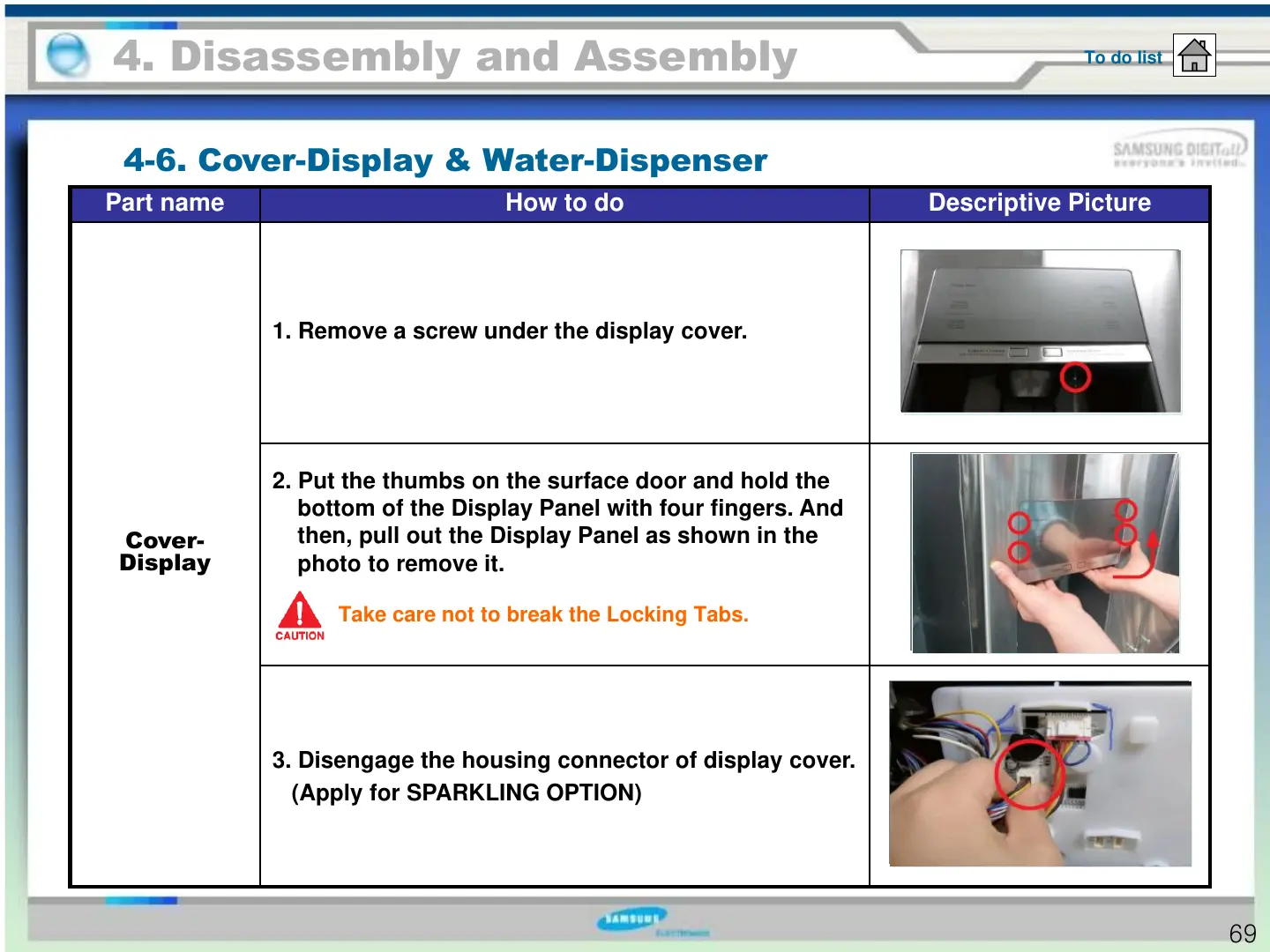
4-6. Cover-Display & Water-Dispenser
To do list
Part name How to do Descriptive Picture
Cover-
Display
1. Remove a screw under the display cover.
2. Put the thumbs on the surface door and hold the
bottom of the Display Panel with four fingers. And
then, pull out the Display Panel as shown in the
photo to remove it.
3. Disengage the housing connector of display cover.
(Apply for SPARKLING OPTION)
69
Take care not to break the Locking Tabs.





 To Next Page