3. Instruction of Function
3-1. Digital Display
To do list
RF31FMES**
(For Sparkling model Only )
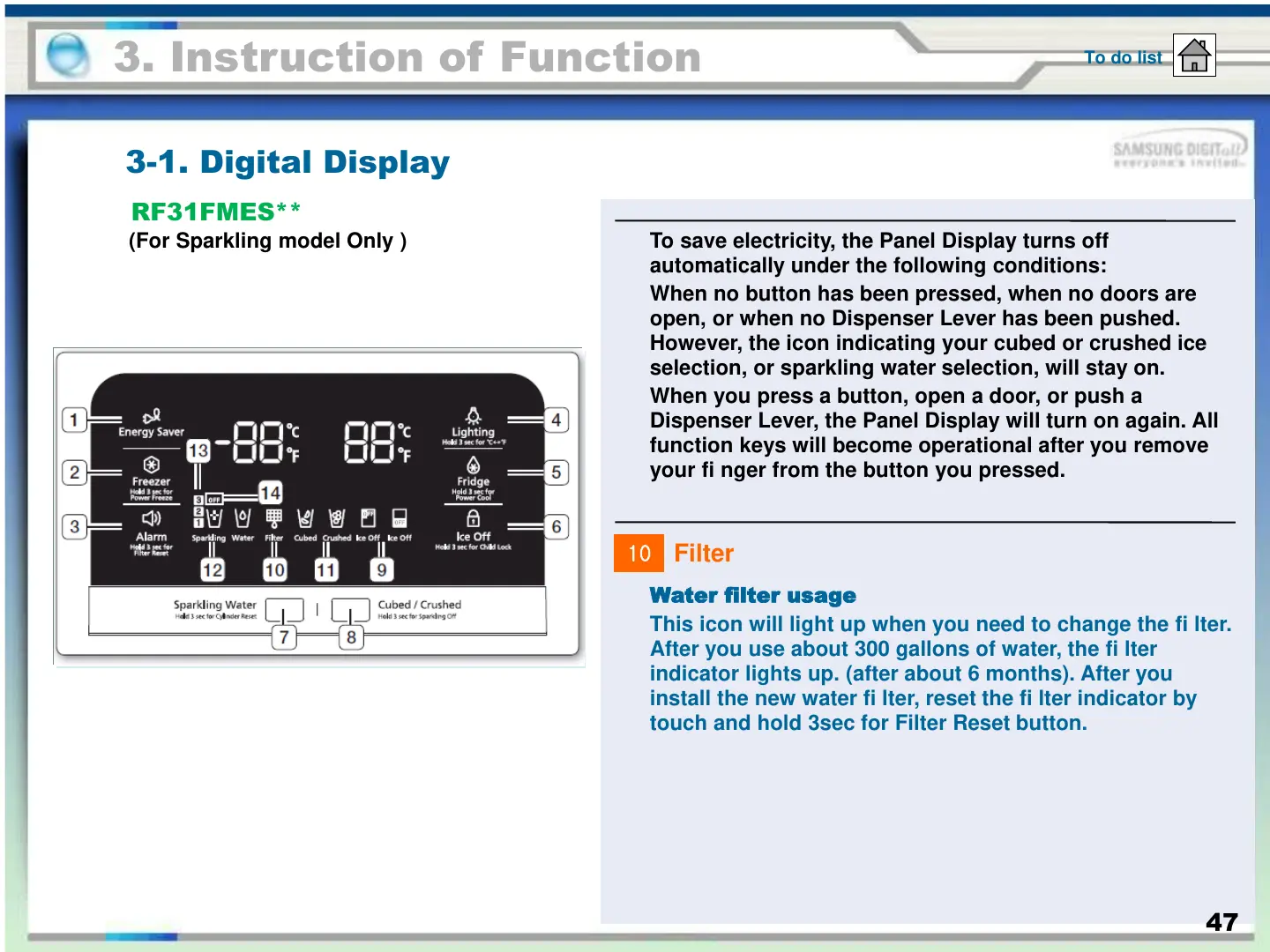
To save electricity, the Panel Display turns off
automatically under the following conditions:
When no button has been pressed, when no doors are
open, or when no Dispenser Lever has been pushed.
However, the icon indicating your cubed or crushed ice
selection, or sparkling water selection, will stay on.
When you press a button, open a door, or push a
Dispenser Lever, the Panel Display will turn on again. All
function keys will become operational after you remove
your fi nger from the button you pressed.
Water filter usage
This icon will light up when you need to change the fi lter.
After you use about 300 gallons of water, the fi lter
indicator lights up. (after about 6 months). After you
install the new water fi lter, reset the fi lter indicator by
touch and hold 3sec for Filter Reset button.
10
Filter
47





 To Next Page