Advanced Recording
• REC MODE
+ The REC MODEfunction works in both CAMERA and PLAYER modes.
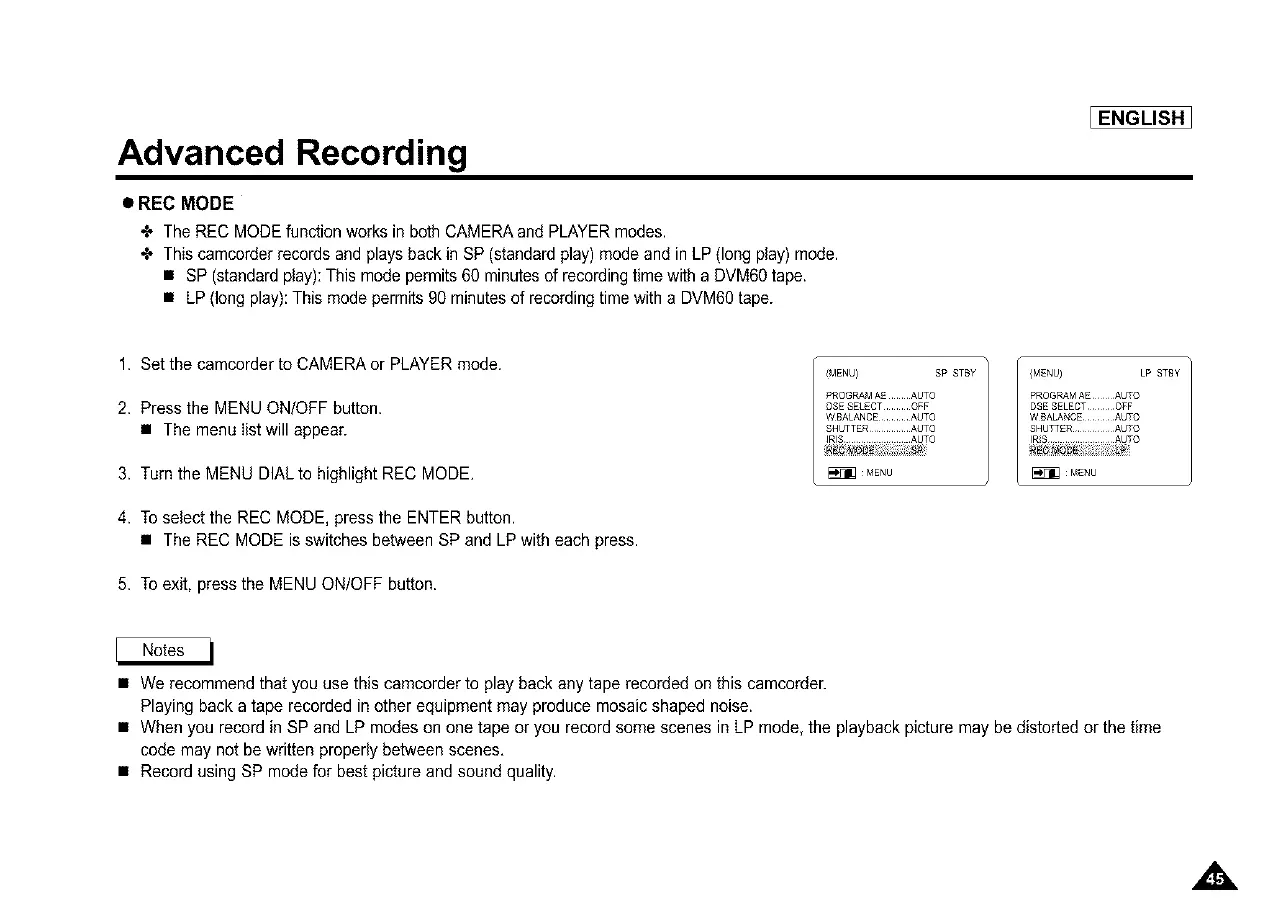
+ This camcorder records and plays back in SP (standard play) mode and in LP (long play) mode.
• SP (standard play): This mode permits 60 minutes of recording time with a DVM60tape.
• LP (long play): This mode permits 90 minutes of recording time with a DVM6Otape.
[ENGLISH]
1. Set the camcorder to CAMERA or PLAYER mode.
2, Press the MENU ON/OFF button.
• The menu Iist will appear.
3, Turn the MENU DIALto highlight REC MODE.
4, To select the REC MODE, press the ENTER button.
• The REC MODE is switches between SP and LP with each press.
5, To exit, press the MENU ON/OFF button.
/MENU} SP STBY / (MENU) LP STBY
RROGRAMAEAUTO PROGRAMAEAUTO
DSESELECTOFF DSESELECTOFF
W BALANCEAUTO W BALANCEAUTO
SHUTTER ......... AUTO SHUT[ER ......... AUTO
IRIS ............... AUTO IR(S ................ AUTO
• We recommend that you use this camcorder to play back any tape recorded on this camcorder.
Playing back a tape recorded in other equipment may produce mosaic shaped noise.
• When you record in SP and LP modes on one tape or you record some scenes in LP mode, the playback picture may be distorted or the time
code may not be written properly between scenes.
• Record using SP mode for best picture and sound quality.



 To Next Page