IENGLISHI
Advanced Recording
• W.BALANCE (WHITE BALANCE)
+ The WHITE BALANCE function works in CAMERA mode only.
+ The WHITE BALANCE is a recording function that preserves the unique color of the object in any recording condition.
+ You may select the appropriate WHITE BALANCE mode to obtain a good quality color of the image.
• AUTO : This mode is generally used to control the WHITE BALANCE automaticaIly.
• HOLD : Fixes the current WHITE BALANCE value.
• INDOOR : Controls WHITE BALANCE according to the indoor ambience.
• OUTDOOR : Controls WHITE BALANCE according to the outdoor ambience.
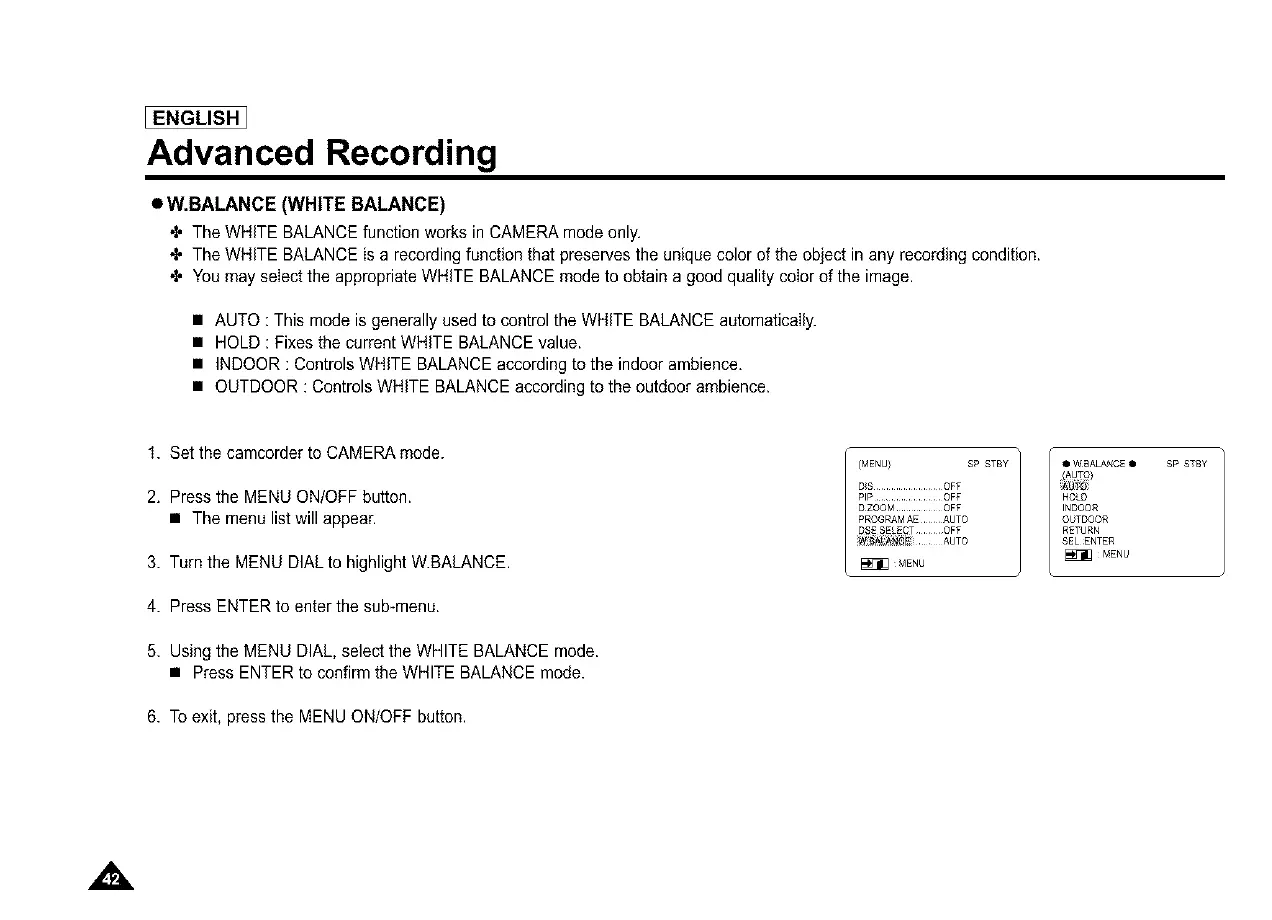
1. Set the camcorder to CAMERA mode.
2. Press the MENU ON/OFF button.
• The menu list will appear.
3. Turn the MENU DIALto highlight W.BALANCE.
4. Press ENTER to enter the sub-menu.
5. Using the MENU DIAL, select the WHITE BALANCE mode.
• Press ENTER to confirm the WHITE BALANCE mode.
6. To exit, press the MENU ON/OFF button.
(MENU} SP STBY
DIS .............. OFF
PIP .............. OFF
D ZOOM .......... OFF
PR©GRAMAEAUTO
D_ESELE_TOFF
iw_)_ AUTO
_MENU
Q W_ALANCE • SP STBY
HOLD
INDOOR
©_TDOOR
RETURN
SELENTER
_MENU



 To Next Page